






















Do You Need Embroidery Software?Software
A beginner's guide to when software helps — and when you can skip it
Welcome
You do not need embroidery software to start using your embroidery machine. If you are brand new to machine embroidery, you may be wondering: Do I need embroidery software before I can start embroidering? The answer is no. You can purchase or download an embroidery design, transfer the correct file to your machine, and stitch it without owning additional software. So don't feel like software has to be one more thing you need to learn before you can get started. Embroidery software becomes helpful when you want to do more with your designs.
What Is Embroidery Software?
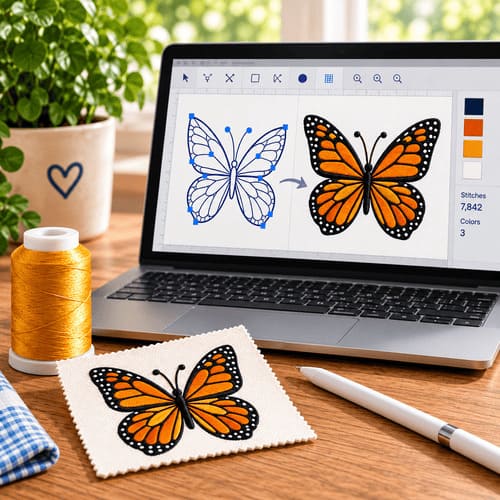
Embroidery software is a program you use on your computer to work with machine embroidery designs. Depending on the software, it may allow you to:
- View embroidery designs on your computer
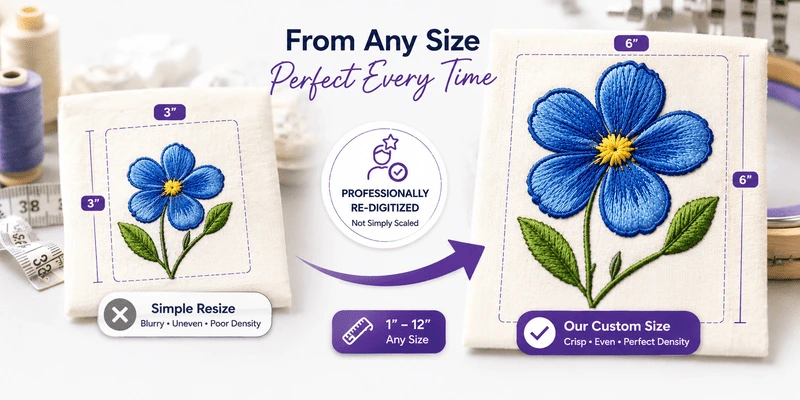
- Resize a design
- Combine two or more designs
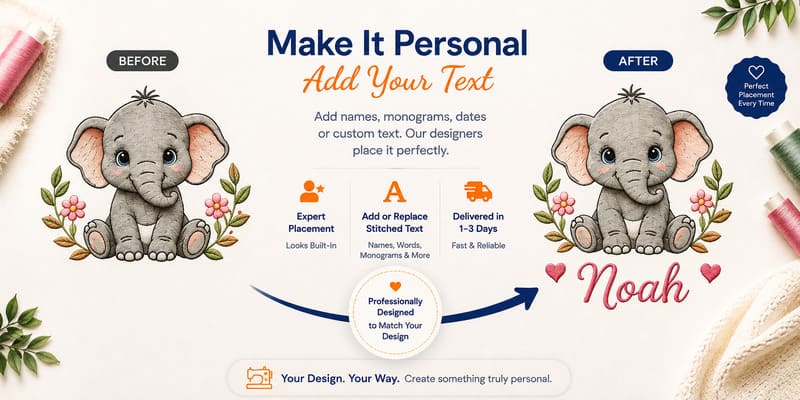
- Add names or lettering
- Change thread colors
- Convert a design to another embroidery file format
- Create your own embroidery designs
You don't need to do all of these things as a beginner. In fact, many embroiderers start with just one or two simple features.
Do I Really Need Embroidery Software?
Not right away. If you are happy stitching designs exactly as you purchased them, your embroidery machine may already give you everything you need to get started. For example, you may simply:
- Find a design you like.
- Download the correct format for your machine.
- Transfer it to your embroidery machine.
- Stitch it.
No extra software required. But after you have embroidered for a little while, you may start thinking: I wish I could make this design a little smaller. I would love to add someone's name underneath it. Can I put these two designs together? That's when embroidery software starts becoming really useful.
What Can Embroidery Software Help Me Do?
Add a Name Imagine you have a cute flower design and want to put Grandma underneath it. Embroidery software can help you add lettering to the design before sending it to your embroidery machine.
Combine Designs
Maybe you have a butterfly and a floral border that you would like to stitch together. Instead of stitching each design separately and trying to line them up yourself, software can often help you arrange them together on your computer first.
Resize a Design
Sometimes you find the perfect design, but you would like it a little larger or smaller. Many embroidery software programs allow you to resize designs. Keep in mind that embroidery designs are made from stitches, so you do not want to dramatically change their size without understanding how that may affect the finished embroidery. As a beginner, small changes are a better place to start.
Change a File Format
You may occasionally have an embroidery design in one format but need another format for your machine. Some embroidery software can convert embroidery files from one format to another. This is different from just changing the letters at the end of a filename. The software actually converts the embroidery information into another format.
Embroidery software isn't for digitizing alone. Depending on the program, it can help you preview designs, resize them safely, merge multiple designs, convert file formats, arrange lettering, and organize your growing design library.
A Good Place to Start: Embrilliance Essentials
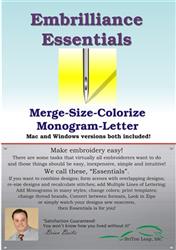
If you decide you're ready for embroidery software, Embrilliance Essentials is one of the main programs available through EmbroideryDesigns.com. It is designed to make common embroidery editing tasks easier without requiring you to learn advanced digitizing first. With Embrilliance Essentials, you can work with existing embroidery designs and do things such as:
- View designs
- Resize designs
- Combine designs
- Add lettering
- Convert embroidery formats
- Personalize projects
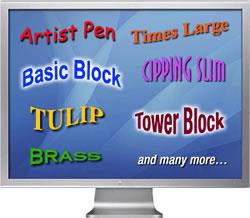
EmbroideryDesigns.com also offers Embrilliance BX fonts, which can be installed and used directly with Embrilliance Essentials for adding names, monograms, and other lettering to projects. That makes Essentials a good choice for someone who is beginning to think: I love embroidery, but now I want to personalize my projects a little more.
Embrilliance Essentials lets you resize designs without distorting stitch density, combine multiple designs into one layout, add lettering in a range of fonts, and convert between file formats.
Do I Need Embrilliance Essentials to Make My Own Designs?
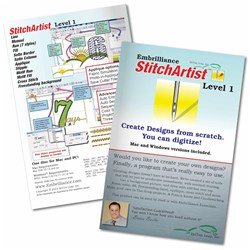
This is where it's helpful to understand the difference between editing and digitizing. Editing means working with an embroidery design that already exists. Digitizing means creating an embroidery design from artwork or creating a new embroidery design yourself. Embrilliance Essentials is primarily a starting point for working with and personalizing existing designs. If you eventually want to create your own embroidery designs, Embrilliance offers StitchArtist, which adds digitizing tools.
But that is something you can learn later. You absolutely do not need to start with digitizing.
What Is Embrilliance Thumbnailer?
If you have embroidery files saved on your computer, you may notice that the file icons don't show you what the embroidery design actually looks like. That can make it hard to recognize designs without opening them. Embrilliance Thumbnailer changes those file icons so you can see a small preview of the actual embroidery design right in Windows Explorer or Mac Finder. For example, instead of seeing a generic PES or JEF file icon, you can see a thumbnail picture of the flower, butterfly, monogram, or other design stored in that file. Thumbnailer does not organize or move your embroidery files. It simply makes your existing files much easier to recognize visually. You do not need Thumbnailer in order to embroider. It is simply a convenient tool if you would rather see pictures of your embroidery designs instead of generic file icons.
Is There Free Embroidery Software?
Yes. EmbroideryDesigns.com offers Embroidery Fonts Plus, a free software option for embroidery lettering. Embroidery Fonts Plus includes:
- Keyboard lettering
- Different lettering styles
- Letter density control
- Letter width control
- Individual letter adjustments
- 3 free embroidery fonts
EmbroideryDesigns.com also offers free online training for the software. This can be a great way to try embroidery software without immediately purchasing a larger program. If you are curious about adding names and lettering to projects, this is an easy place to begin.
Which Software Should a Beginner Choose?
You don't have to make this complicated. A simple way to decide is to ask yourself what you want to do.
| What You Want to Do | A Good Place to Start |
|---|---|
| Just stitch purchased designs | You may not need software yet |
| Add names and basic lettering | Embroidery Fonts Plus |
| Resize or combine designs | Embrilliance Essentials |
| Add BX fonts and personalize projects | Embrilliance Essentials |
| See embroidery designs as file icons on your computer | Embrilliance Thumbnailer |
| Create your own embroidery designs | Embrilliance StitchArtist |
The most important thing is that you buy software for something you actually want to do. You do not need advanced software just because you own an embroidery machine.
What Should I Learn First?
If you are just beginning machine embroidery, focus first on learning your machine. Get comfortable with:
- Loading a design
- Choosing the correct embroidery file format
- Hooping your fabric
- Using stabilizer
- Threading your machine
- Stitching a few beginner-friendly designs
Once those things start feeling comfortable, software will make much more sense. You'll begin to recognize exactly why you might want it.
A Simple Beginner Rule
Your embroidery machine stitches the design. Embroidery software helps you prepare, change, personalize, view, or create the design before it gets to the machine. You don't have to use software to enjoy machine embroidery. But when you reach the point where you want to add a name, combine designs, resize something, see design thumbnails on your computer, or eventually create your own designs, software can make those jobs much easier. If you want to experiment without spending anything first, start with the free Embroidery Fonts Plus software available through EmbroideryDesigns.com. If you're ready to do more with your designs, Embrilliance Essentials is a natural next step and gives you room to grow as you become more comfortable with machine embroidery.
No. You can download a design in your machine’s format, transfer it, and stitch without extra software.
Editing works with existing designs (resize, combine, lettering). Digitizing creates new stitch designs from artwork.