



























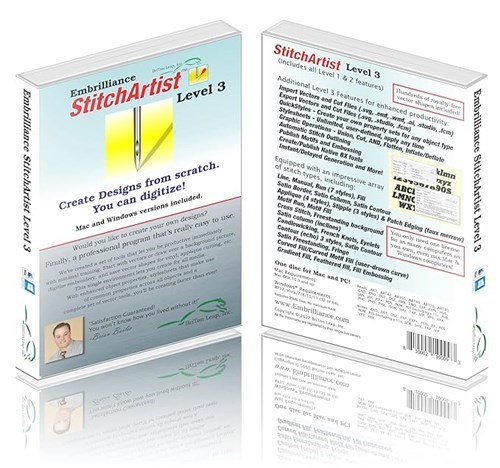
Download StitchArtist Level 3 Software by Briton Leap. Explore machine embroidery & quilting software at EmbroideryDesigns.com. Free demo downloads available.
Remove this design from your wishlist?
Add to Wishlist
No lists yet. Create one below.
Watch This Design in Action
Also Available In
Design Tools & Services
Tools and Services


*Subscriptions are billed in full as one payment
Found Lower Price
Share the details and we'll review it.
|
Free Shipping is to the continental USA unless otherwise stated. United States Shipping - UPS Ground or USPS Parcel Post All shipping to United States addresses is sent via UPS Ground, UPS Second-Day Air,or USPS (United States Parcel Post). When you choose one particular service in our shopping cart, you will receive a real-time shipping quotation, as well as an indication of the delivery time for each item in your order. Tracking numbers are available with UPS Ground and UPS Second-Day Air. In some cases, we may substitute FedEx Ground for UPS Ground, in which case you will receive a FedEx tracking number instead. |
Unlock More with Bundles
StitchArtist Level 3 Software Added to Cart
We have curated starter packs of BX fonts and design collections that pair perfectly with this software. Explore bundles to get everything you need in one place.
How do you use StitchArtist?
Easy to work with
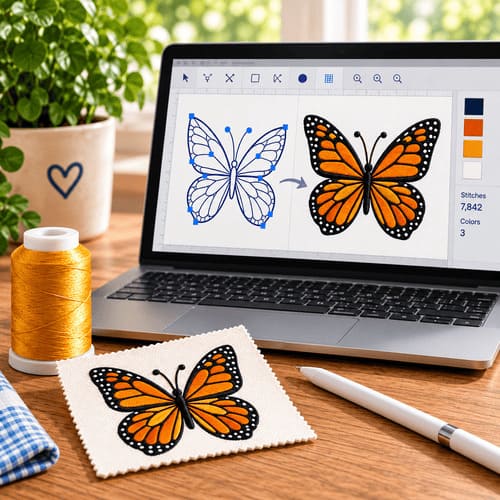
- Stitch generation is instant and automatic.
- There are no mode changes for selection, editing, coloring, moving, sizing, rotating or adjusting properties.
- You can work in any number of display options. No need for a specific one to be used during any process.
- Users unfamiliar with Bezier can use a simulated spline system which is easier to teach, and can be helpful in the early instruction process.

Stitch types available

Methods / Properties:

Runs natively on your preferred platform!
- Mac OSX 10.9 – MacOS 13
- Windows (32, 64): XP, Vista, 7, 8, 10, 11
- Embrilliance is the only brand in the world that offers embroidery software running native on MacOS and Windows 32 and Windows 64 (so it’s faster)!
Shipping Estimates:
- — {{ est.price.amount | currency }}
Shipping Estimates:
- — {{ est.price.amount | currency }}
Shipping rates are estimates only. Final shipping will be calculated during checkout.
Bought Together
Customers often stitch these designs together — save when you add the bundle.
Bundle Total
Curated for you
Top Picks for You
More Items from This Brand
Design Packs Featuring This Design
This design is included in these curated collections — get more designs at a better price.
Project Tutorials Using This Design
Get inspired with step-by-step project tutorials that feature this design.


Brand Information

to view copyright information.
Related Searches
Copyright information
By licensing this design you agree to these terms:
This design is copyright protected by BriTon Leap and may not be distributed, altered or unaltered in any format outside of EmbroideryDesigns.com or directly from BriTon Leap. Items with this design(s) sewn onto the product may be sold commercially with limitation. You must have written consent to mass market items using this design. BriTon Leap will not be held liable for any monetary losses or consequential damages as a result of using this design. Due to global piracy policies, no refunds are available for electronic data files of designs unless proven to be defective and cannot be corrected.
By licensing this design you agree to these terms:
This design is copyright protected by BriTon Leap and may not be distributed, altered or unaltered in any format outside of EmbroideryDesigns.com or directly from BriTon Leap. Items with this design(s) sewn onto the product may be sold commercially with limitation. You must have written consent to mass market items using this design. BriTon Leap will not be held liable for any monetary losses or consequential damages as a result of using this design. Due to global piracy policies, no refunds are available for electronic data files of designs unless proven to be defective and cannot be corrected.