





























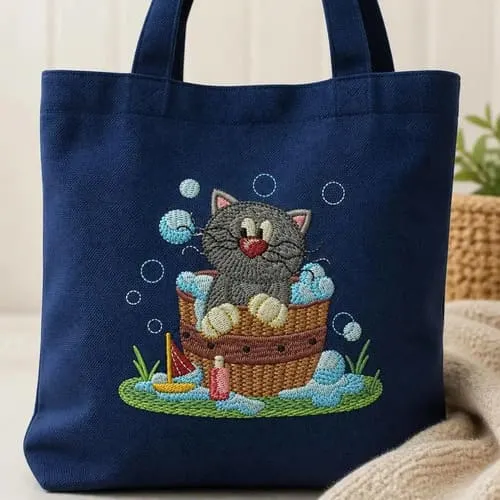

Shop for Electric Quilt 8 Design Software by The Electric Quilt Company and many more machine embroidery design collections at Embroidery Designs

Remove this design from your wishlist?
Add to Wishlist
No lists yet. Create one below.
Watch This Design in Action
Also Available In
Design Tools & Services
Tools and Services


*Subscriptions are billed in full as one payment
Found Lower Price
Share the details and we'll review it.
|
Free Shipping is to the continental USA unless otherwise stated. United States Shipping - UPS Ground or USPS Parcel Post All shipping to United States addresses is sent via UPS Ground, UPS Second-Day Air,or USPS (United States Parcel Post). When you choose one particular service in our shopping cart, you will receive a real-time shipping quotation, as well as an indication of the delivery time for each item in your order. Tracking numbers are available with UPS Ground and UPS Second-Day Air. In some cases, we may substitute FedEx Ground for UPS Ground, in which case you will receive a FedEx tracking number instead. |
Unlock More with Bundles
Electric Quilt 8 Design Software Added to Cart
We have curated starter packs of BX fonts and design collections that pair perfectly with this software. Explore bundles to get everything you need in one place.
EQ8 New Features
Check out the list of new and enhanced features of EQ8. Click an image to see a larger view, or to watch a video. (Note: Videos do not contain audio.) Click here for a printable version >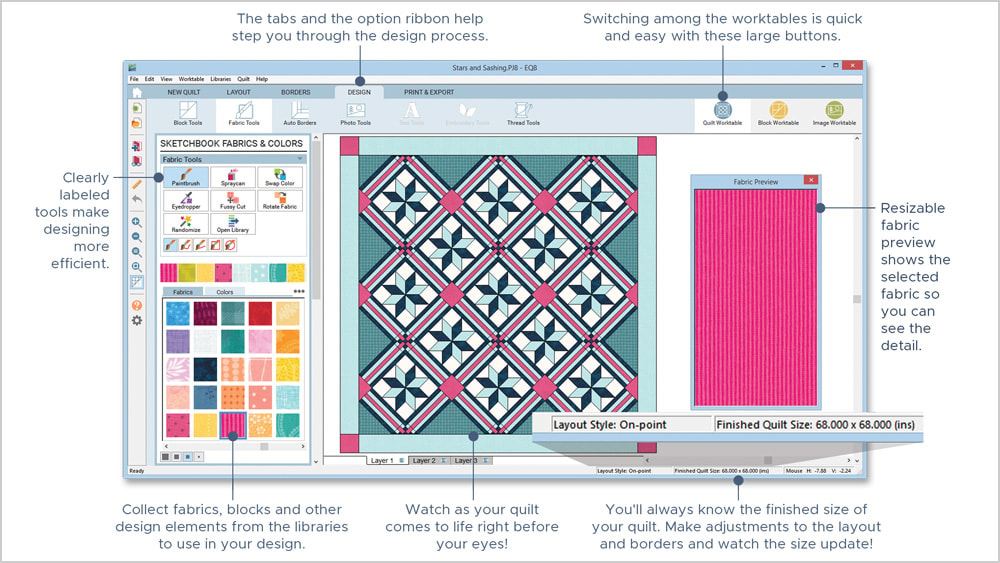 Updated User InterfaceThe user interface has been redesigned for faster learning and more complete designing. Its friendly new look introduces large interface elements, customizable workspace, help tips, and guided designing—creating the most intuitive version yet! | 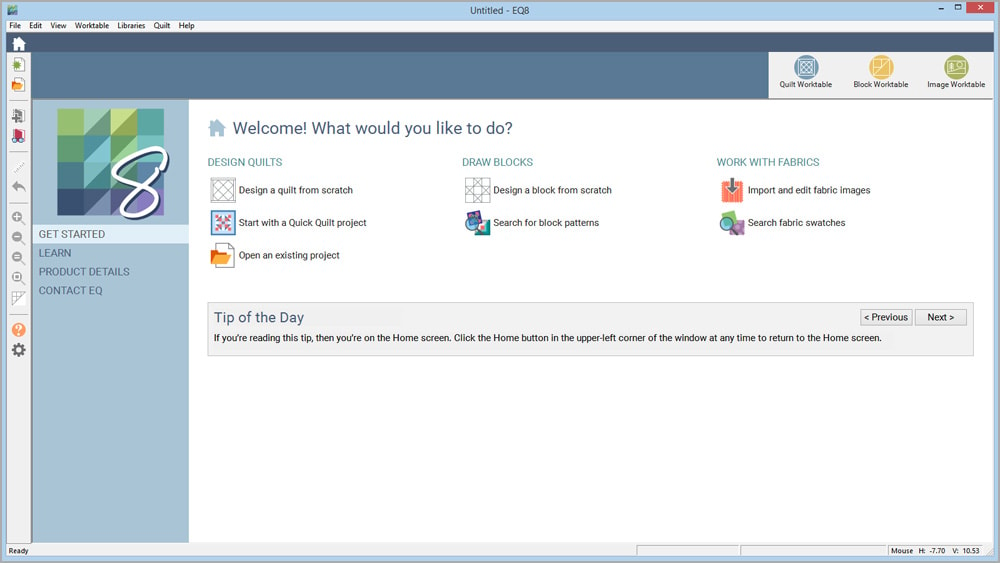 Home Screen to Get You StartedThe Home Screen is a convenient way to perform commonly used actions quickly and easily. It’s perfect for directing users to the worktable and tools they need for their project. | 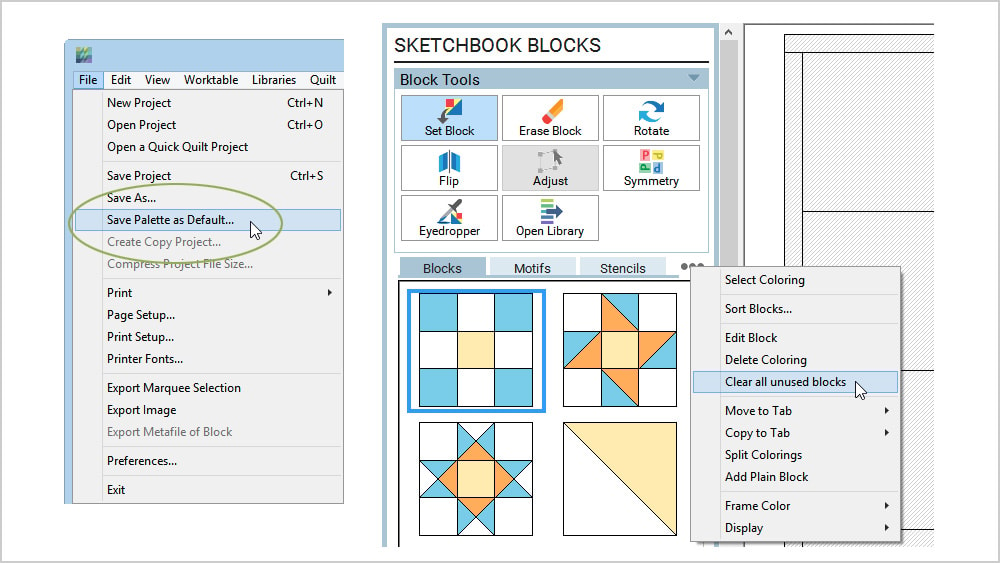 Customize the Start-up ProjectEQ8 comes with blocks, fabrics and threads pre-loaded in every new project. It’s quick and easy to delete all of these designs and create your own start-up project, with or without any blocks, fabrics or threads using the Save Palette as Default feature. Make every new project the way YOU want it! |
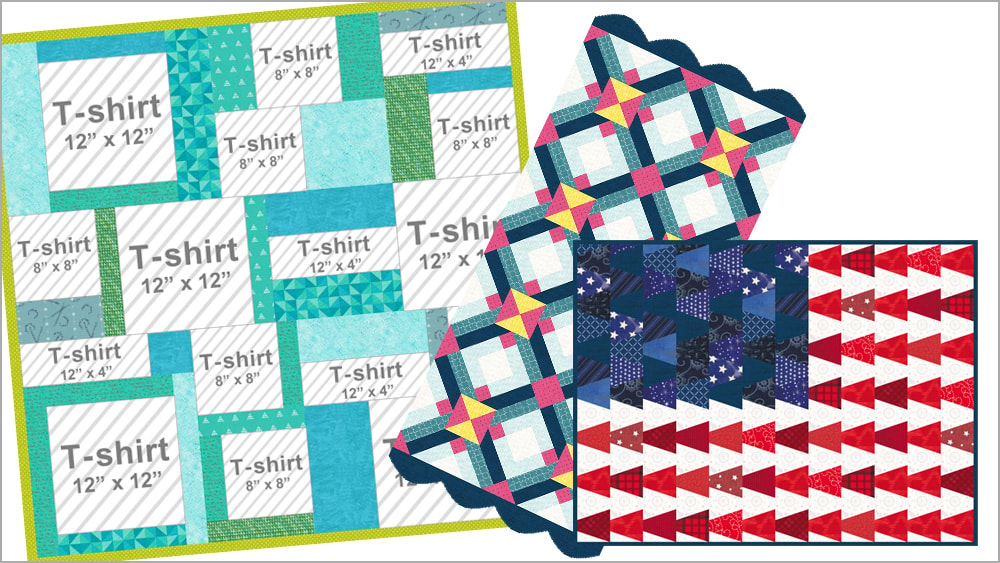 Quick Quilt T-Shirt Quilt Project, and More!EQ8 comes with 11 new Quick Quilt projects with 75 quilts, including quilt labels, t-shirt quilts, table runners, traditional and modern. Use these projects just as they are, make adjustments to block settings and colors, or simply use them as inspiration for your own project. | 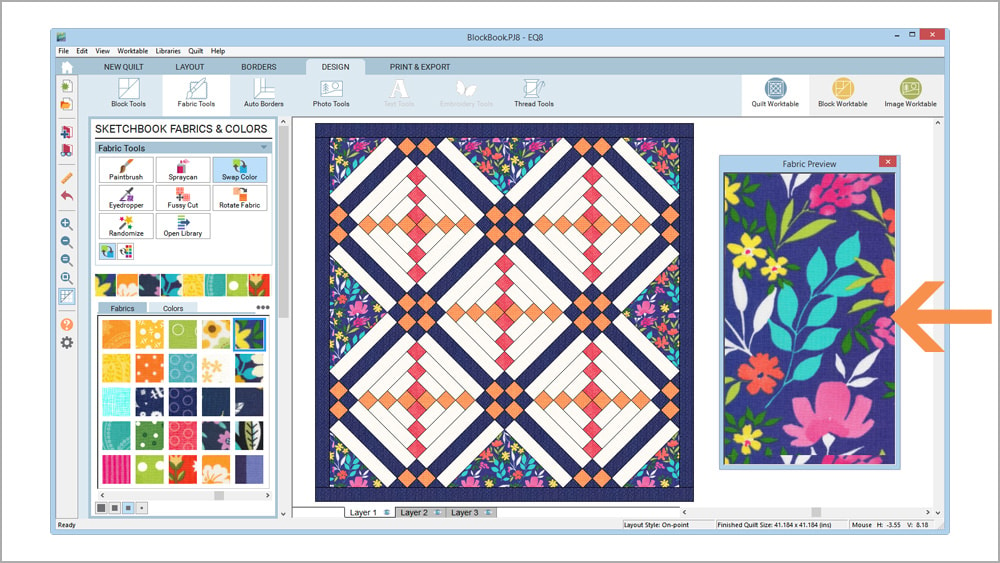 Fabric PreviewThe detachable Fabric Preview window lets you customize your workspace to display the selected fabric swatch in its own window – in any size. This is perfect for viewing the print of the fabric in a larger scale. | 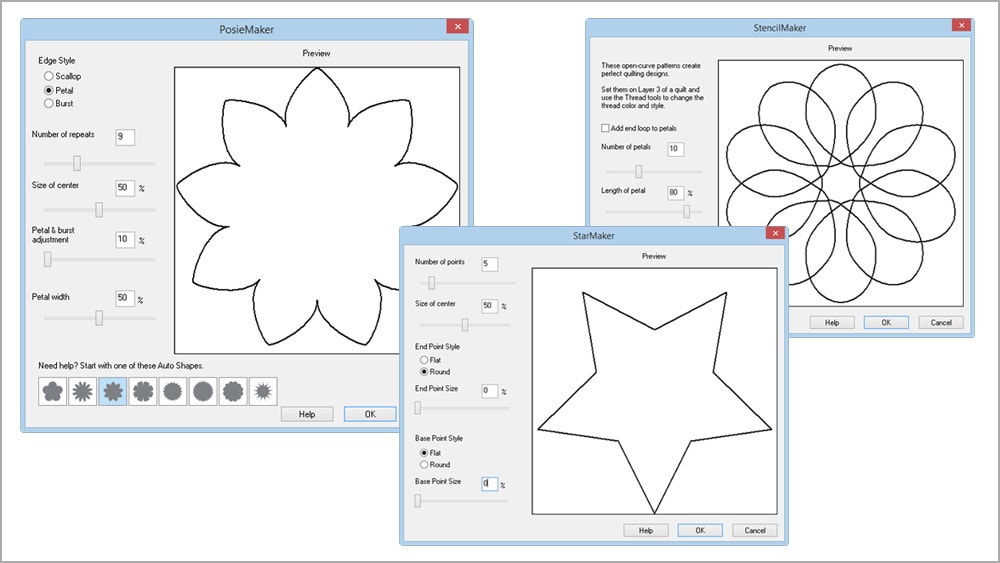 Applique Patchmaker ToolsCreate stars, posies and quilting stencils with simple-to-use controls. No drawing involved! These new applique tools make creating these shapes easy and fun! |
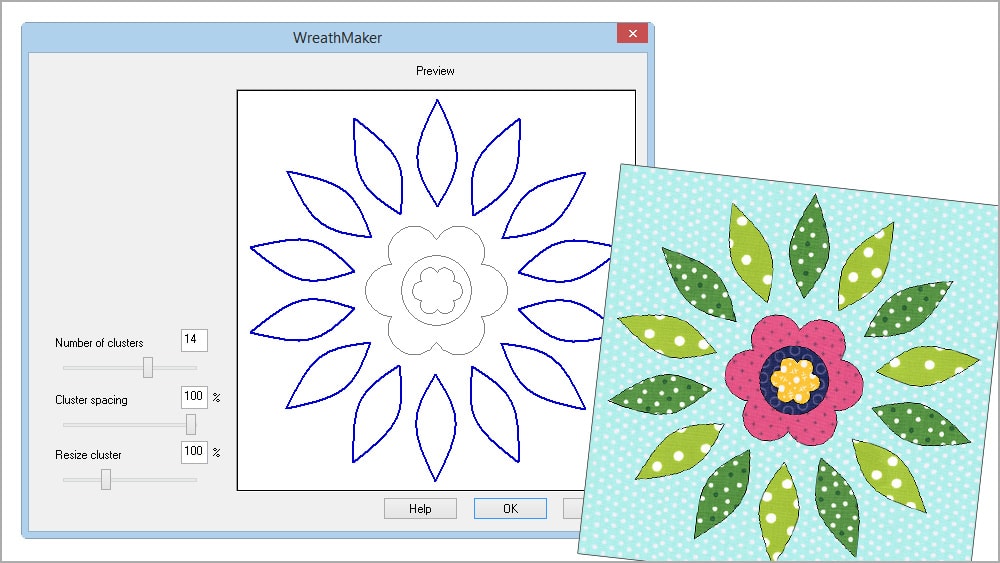 Interactive WreathMakerWatch your wreath come alive with the interactive preview added to the all-time favorite tool: WreathMaker. This preview takes the guessing game out of creating beautiful wreath designs. | 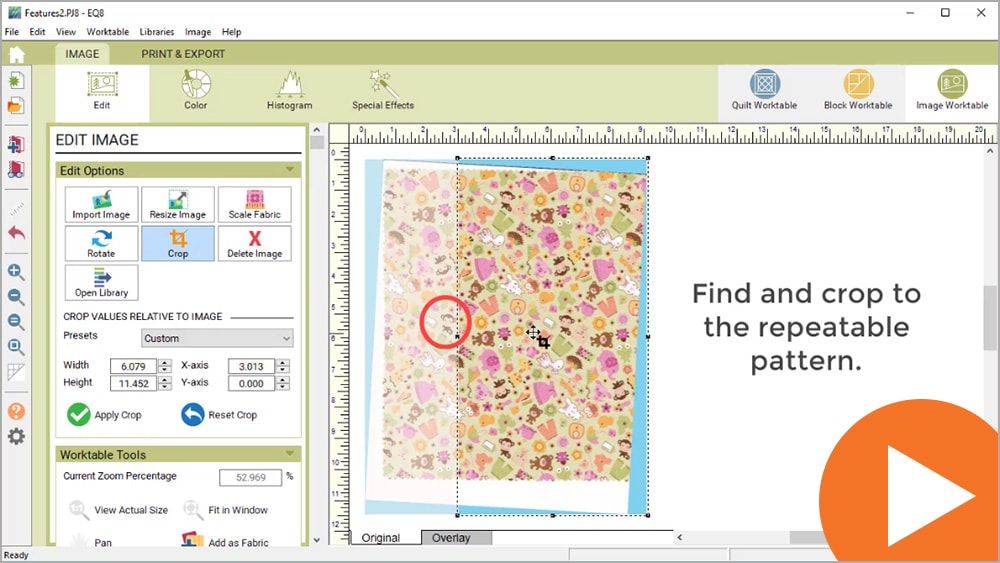 Import Fabric: Straighten, Scale and CropWant to use your own fabric in your EQ design? Take a photo of your fabric with your camera, or scan it with a scanner. Use the Straighten and Scale Fabric tools to ensure your fabric looks just the same on-screen as it will in your actual quilt. Straighten, scale and crop to the repeat! | 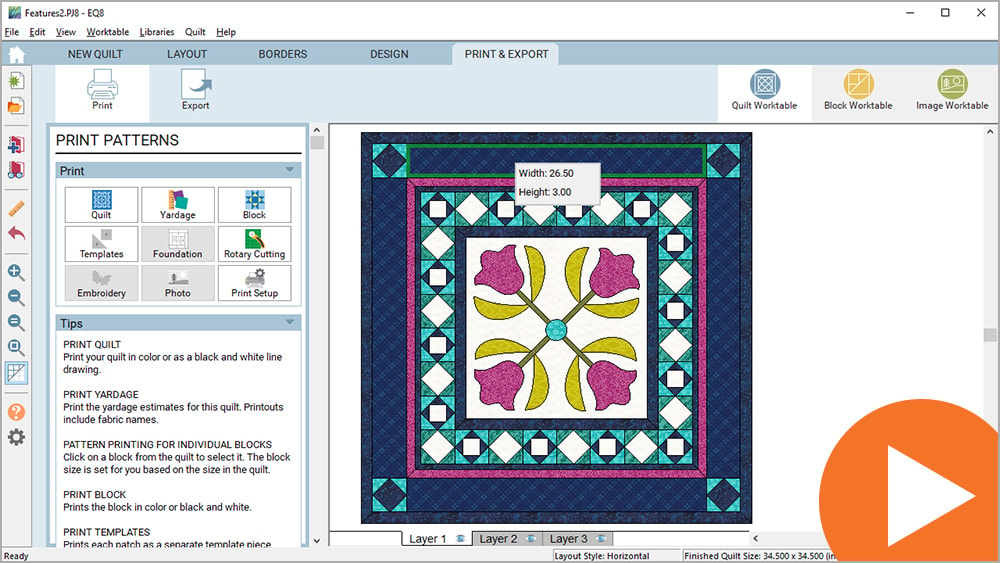 See the Quilt’s Block Size Right on the ScreenNot sure of the dimensions of your border? Want to know the size of your block, motif or stencil before printing? Simply click on any block to display its size from the quilt. |
 PolyDraw Grids – No More Sticky Blue Line!EQ7 users…you know what we’re talking about! Now, when you choose to draw a pieced block with the PolyDraw tools, you simply double-click to start and end a patch drawing. This makes using this drawing style so much easier…and fun! |  New Frame Options for SerendipitySeveral new on-point frame options are now included in the Serendipity Frame Block feature. These new options can create amazing designs quickly! | 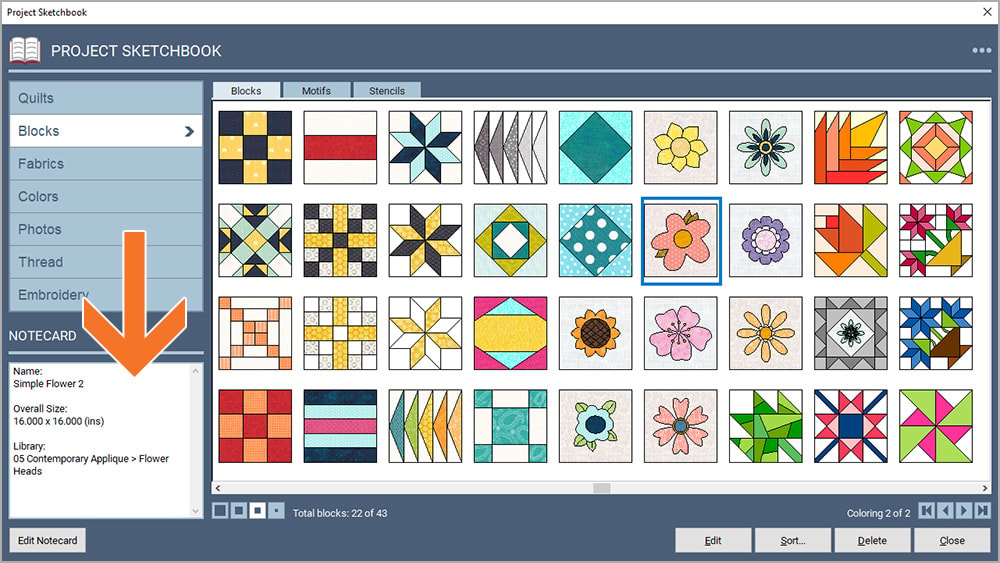 Enhancements to the Project SketchbookResize the Project Sketchbook larger or smaller. See the notecard information of every design without having to open every notecard. The block sizes and quilt sizes are always available here too! |
 Copyright Free Blocks Galore!The libraries have been updated and enhanced! The Block Library has been freshened up with newly colored favorites and over 1,500 completely new blocks! All blocks are copyright free and can be used in your projects. (EQ8 library patterns cannot be resold as patterns. Read more about copyright.) | 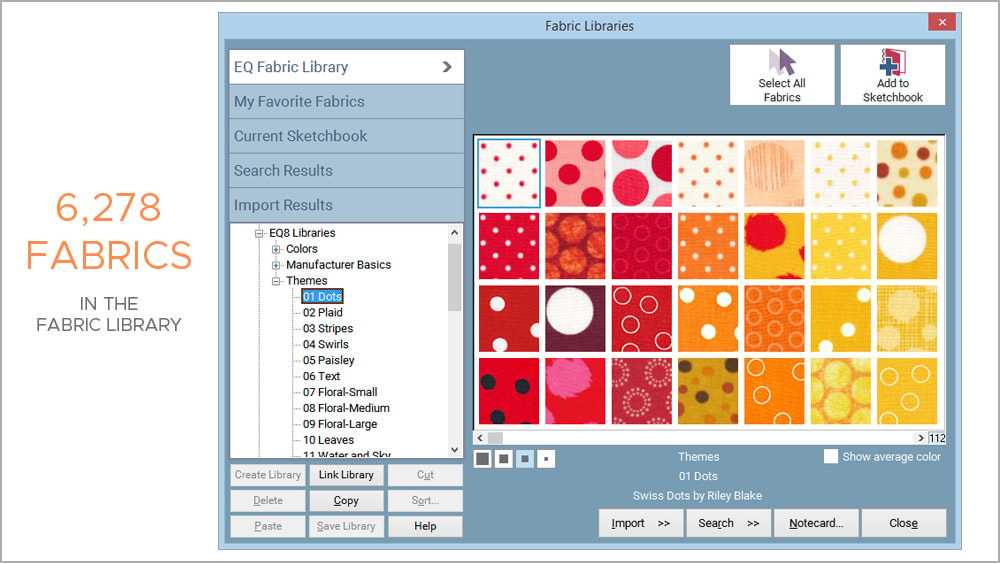 Thousands of Fabrics at Your FingertipsOver 6,200 new fabrics have been carefully scanned, cropped and imported into the Fabric Library for you. Each fabric is marked with the line, designer and manufacturer name, as well as the SKU number. | 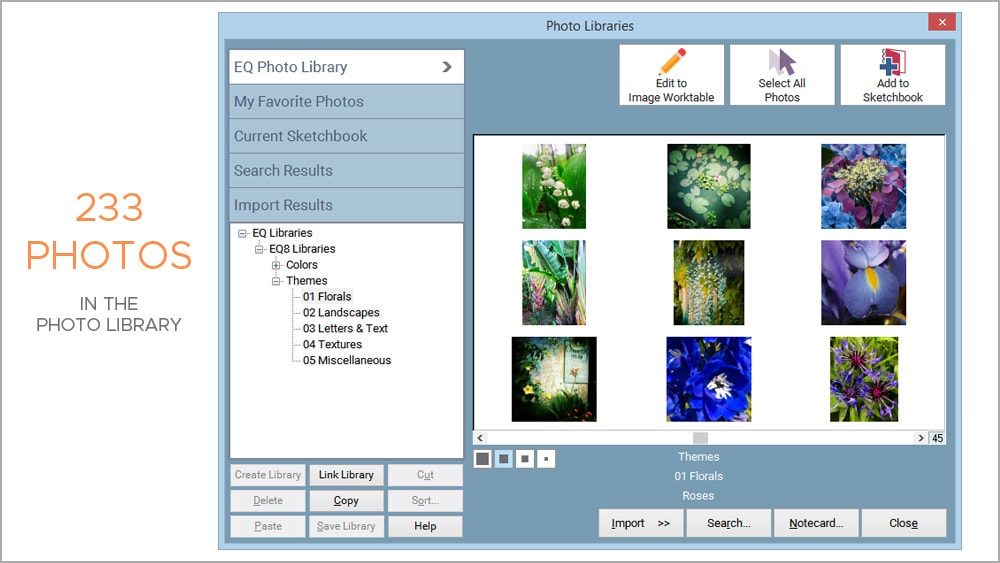 New and Fresh Photos in the Photo LibraryThe EQ8 Photo Library has 181 newphotos to experiment with! Use these photos for your next photo quilt project, or simply for inspiration. |
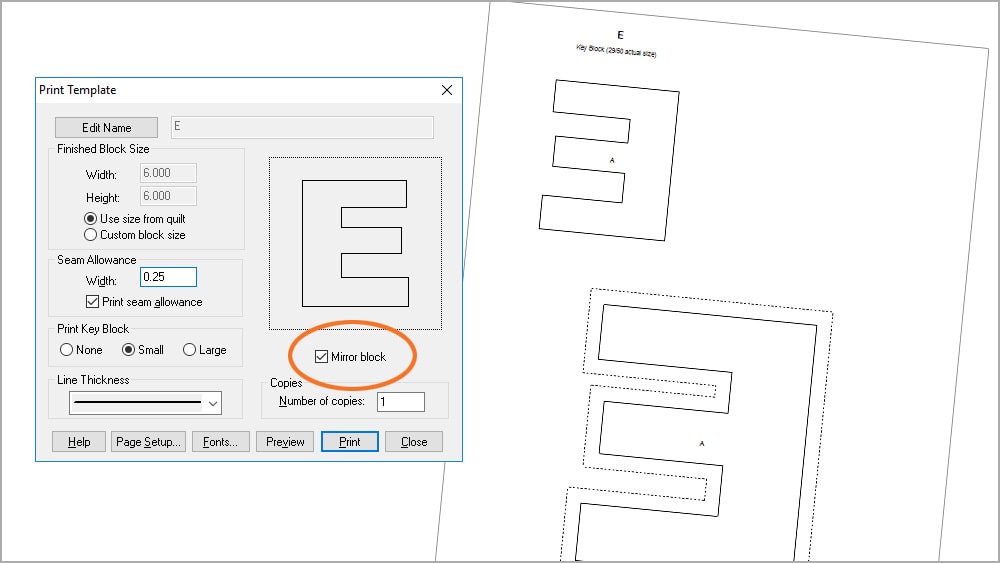 Improved Template PatternsA new “mirror” option is perfect for fusible applique designs and text templates. Use the improved rotation option in Print Preview to adjust the rotation in 30 degree increments instead of 90 degrees. | 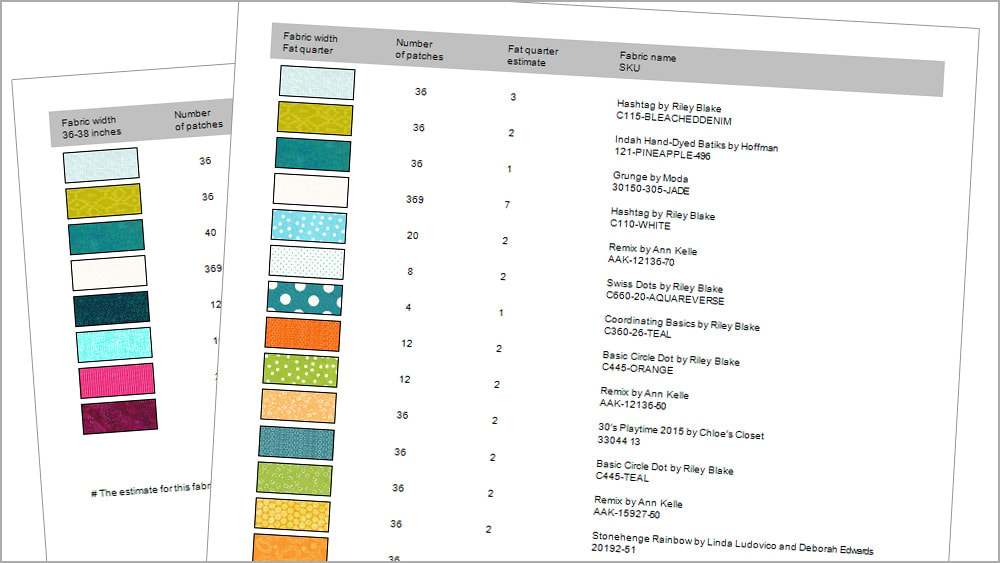 Yardage EstimatesEQ8 provides yardage estimates based on several different yardage widths and now on fat quarters too! See the fabric SKU number right on the yardage printout. | 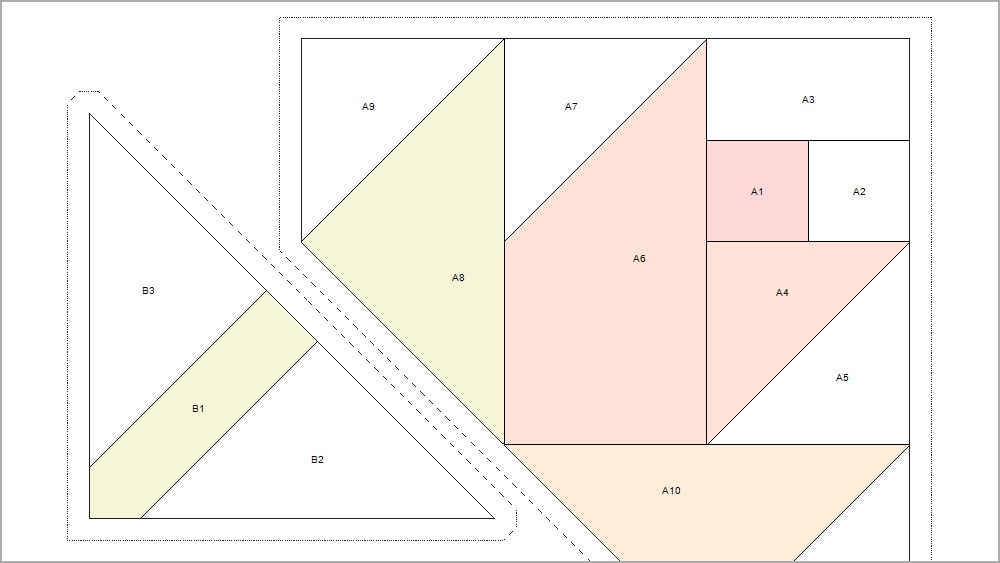 Colored Foundation PatternsNew color-filled foundation patterns eliminates all confusion as to which fabric comes next when you sew by number. Print foundations in color, grayscale or no color at all! |
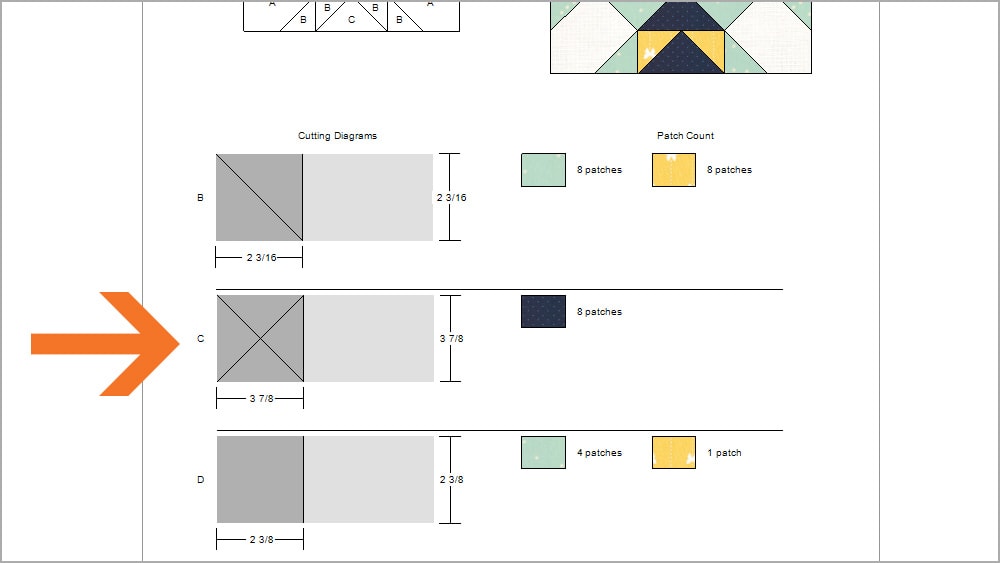 Enhanced Display in Rotary Cutting ChartsThe visual display of the cuttable piece of fabric has been enhanced. The print dialog now includes the option to calculate actual sizes, without rounding, to aid in selection of block size and final accuracy of the pattern. |  Edit Blocks and Photos from the PalettesAs you work on a quilt design, you might decide that you want to make a small edit to a block. Maybe add another seam line, or another leaf to the stem of a flower. Simply select it in the Blocks palette and choose Edit Block. This will put the block right on the Block worktable so you can edit right away. You can do the same with the Photo palette too! |  Edit Design Name from the Print DialogOoops! You’re ready to print your block, but you realize you didn’t give it a name! No one wants an Unnamed printout. Now you can add a name to your block or quilt directly from the print dialog. Easy peasy! |
 Quilt First, Then BordersDesign your quilt’s center layout, then choose to preview the center while you add borders. Previewing your completed quilt center while adding borders helps with alignment and style choices. | 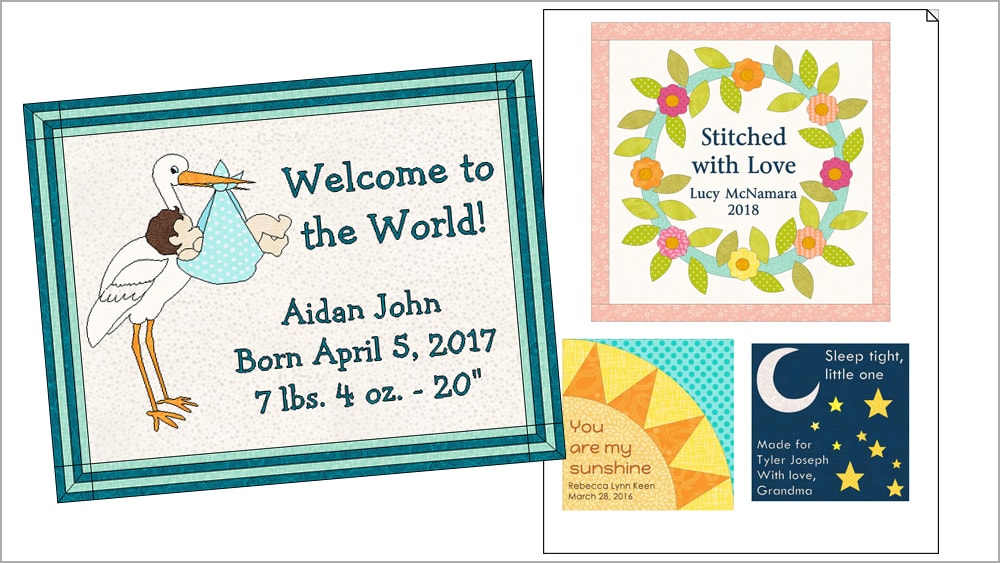 Design and Print Quilt Labels Right in EQ8Design your quilt label on the Quilt Worktable using any of the design tools and the Applique Text tool. Once you’re finished, add your label to the Sketchbook as a photo! This puts a printable version of your label in the Photos section of your Sketchbook so you can print it from the Image Worktable’s Photo Layout. |  EasyDraw is Even BetterIt’s the enhancement you’ve been asking for! As you continue to add and remove lines and arcs to an existing EasyDraw block drawing, EQ8 preserves the existing coloring as you go. You will love it! |
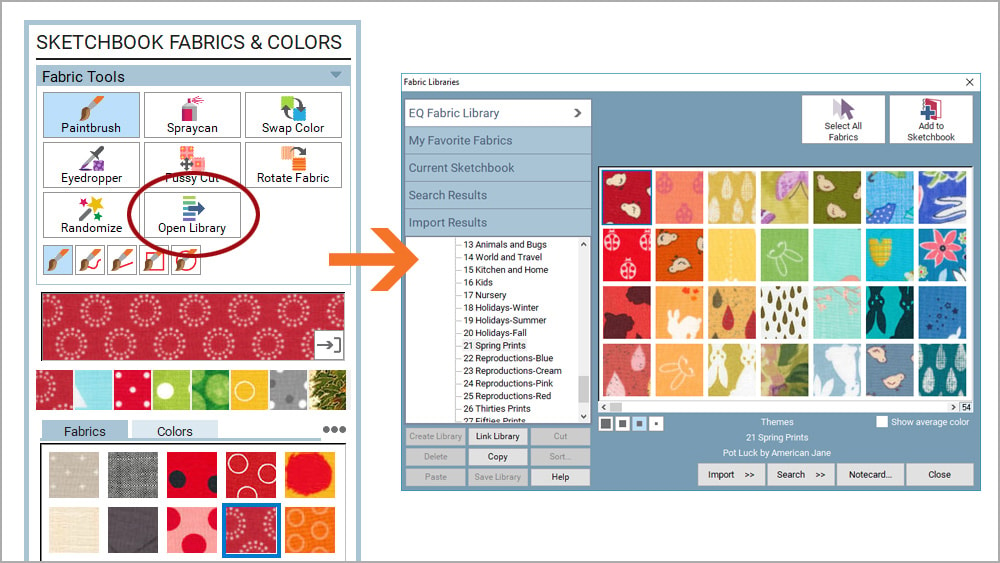 Easy Access to the Library From Every WorktableMake your workflow more efficient by opening the library for blocks, fabrics, photos or embroidery right from the worktable, right when you need it. Don’t have exactly what you need in your palette? Click the Open Library button directly in the palette! | 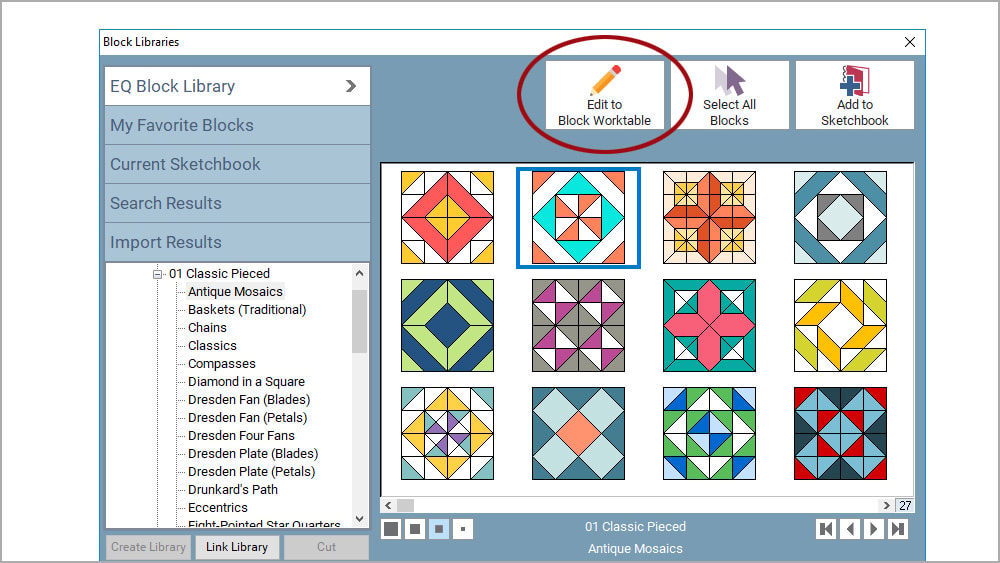 Edit Designs Directly From the LibraryDid you find a design you like in the Library? Click the Edit to Worktable button to work on this design right away. Clicking this button automatically adds this design to your Project Sketchbook AND puts it on the worktable ready to be edited. There’s no need to locate it in your Sketchbook first. This feature is available in the Block Library, Layout Library and Photo Library. | 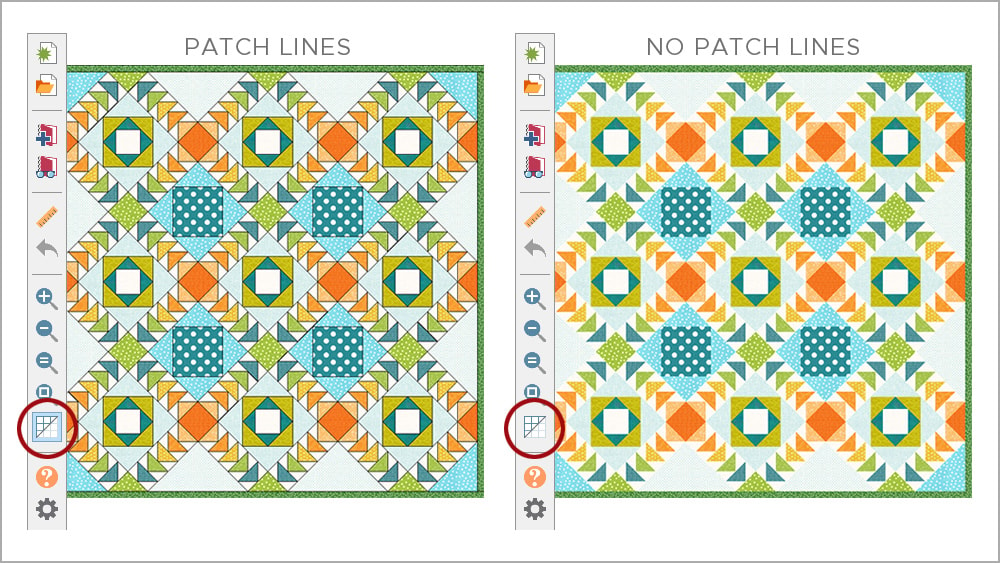 Hide Patch Outlines in QuiltThis new tool makes easy one-click access for toggling on and off the outlines for blocks and patches, resulting in more realistic-looking quilts on the computer screen. |
 Easier Custom Quilt Design ToolsDesigning custom quilts is so much easier with the palette controls right at your fingertips. Let the block size and position snap right into place using the Adjust tool and the grid settings. | 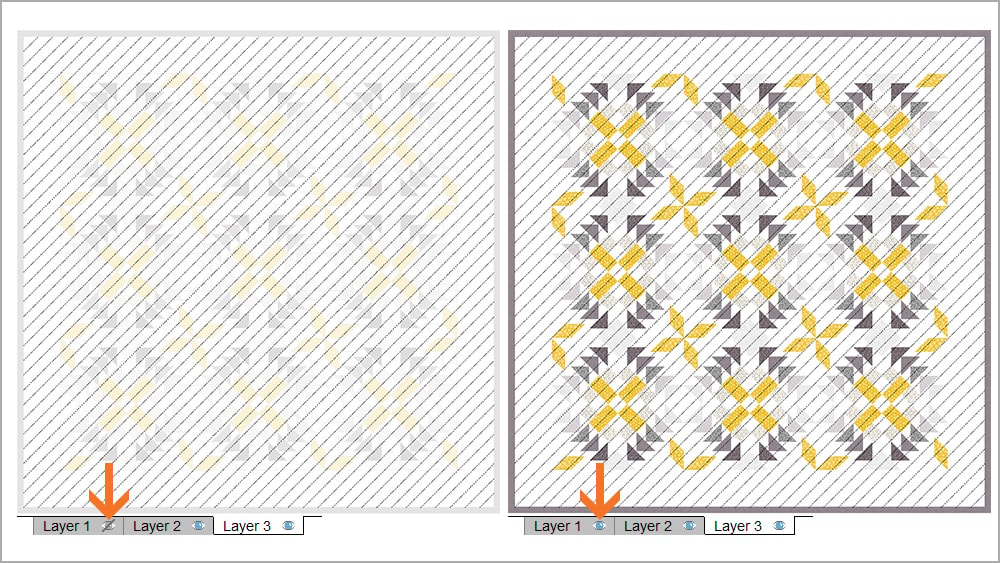 Turn Quilt Layers On and Off While DesigningIf you’re designing on all 3 layers of the quilt, the other layers can be distracting. Use the Eye icons to hide layers 2 and 3 while making edits to Layer 1. See a washed out preview of Layer 1 while designing on Layers 2 and 3 so you can still get perfect placement of your motifs and stencils. |  Preserve Aspect RatioResizing blocks on Layers 2 and 3 and Layer 1 of Custom Quilts is effortless when this option is checked. Type a new width and let the height auto adjust to keep the proportions intact. Or, manually resize the block with the Adjust tool by dragging a corner larger or smaller. Both the width and height will adjust proportionally. |
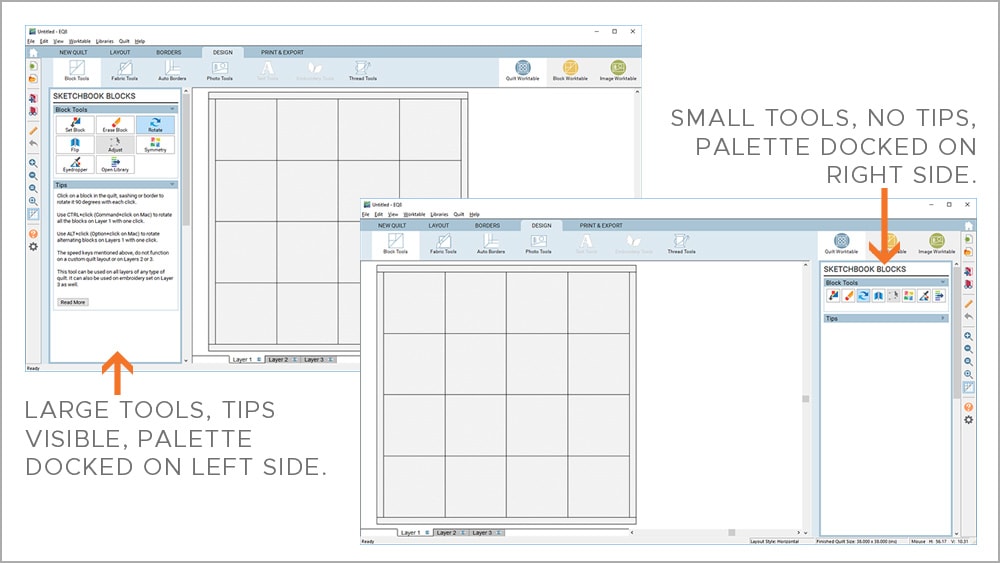 Customizable InterfaceChoose from large, labeled tools, or small tools. Tips in the palette can be visible, or hidden. Palettes can dock on the right or left side of the screen and expanded larger to view more items at a time. Use the Preferences dialog to see all the customizing capabilities. | 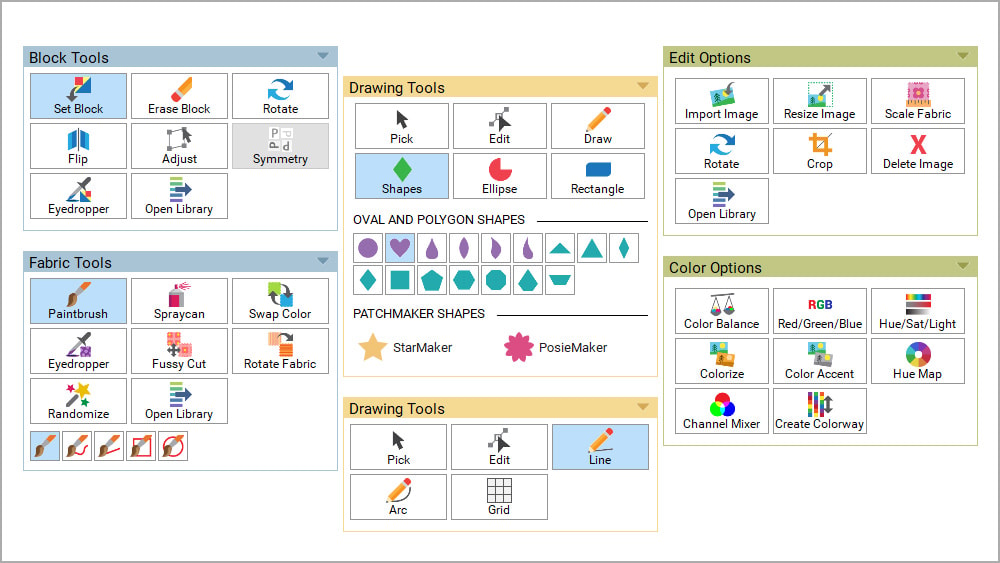 No More Hidden ToolsAll tools are visible and larger on your workspace for quick access—no tools are hidden in menus! The tools are labeled to help familiarize you with each tool for faster learning. |  Worktable RibbonThe new worktable ribbon includes helpful tabs and illustrated icons to help you make the best choices for your design. See a sample of every layout and border style before you make your selection! |
 Zoom In and Zoom OutUse the CTRL key and your mouse’s scroll wheel to zoom in and out on the worktable. (Mac users use Command instead of CTRL.) | 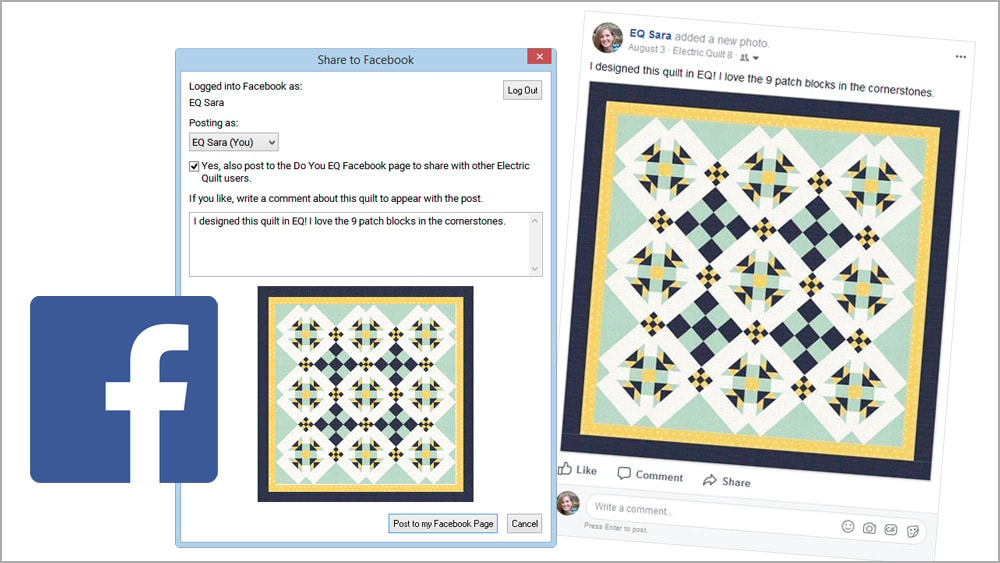 Export Images for Print, Web and FacebookAre you submitting your quilt design to a magazine? EQ8 exports high-resolution images perfect for print publications. Export web images to post on your blog, website or on social media. Let your quilt designs shine on social media by sharing directly to your Facebook page. Your friends will love seeing what you’re designing in EQ8! | 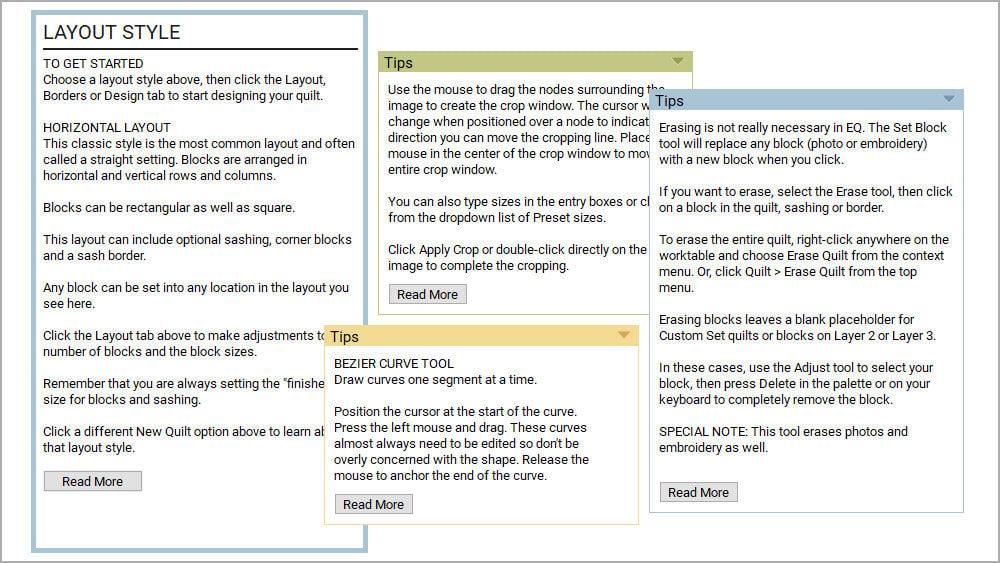 Help Tips in the SoftwareBuilt-in tips for every tool appear in the palettes along with “Read More” buttons for more extensive help. Use these tips to help you learn your software quickly! |
Additional Features and Enhancements
- Library dialogs now have a Select All button for selecting all the items in a style at once.
- The name of the selected design displays in the library dialog.
- The Color palette has been improved and reorganized.
- The block colorings now stack by 2 instead of 10.
- The opacity of Layer 1 was increased to see more of the Layer 1 content when using the Eye icons to hide and show layers.
- Quilts in the Sketchbook display better and draw more quickly.
- The default grid on the Quilt Worktable snaps to 1/2 inch.
- The quilt grid snap settings are turned on by default.
- Can now export images at 72 DPI, along with 75, 150, 300 and 600 DPI.
- Improved update system to keep your software up-to-date.
- When you print a block from the Block Worktable, the print dialog automatically sets the block size to the size in which the block was drawn.
The most user-friendly quilt design software on the market.
In Electric Quilt 8, you can…


- Alyce Blyth
- Amy Friend
- Christa Watson
- Kerry Goulder
- Peggy Gelbrich (Yamhill, OR)
- Shelley Needham (Freeman, MO)
- Susan (Vancouver Island, BC Canada)
- Charlene Knoll
- Margaret Andrews (Craig, AK)


System Requirements
Minimum System Requirements:
- Windows 10, Windows 8.1, or Windows 7 with Service Pack 1;
- macOS High Sierra (10.13), Sierra (10.12), El Capitan (10.11), Yosemite (10.10);
If you want to run EQ8 on BOTH platforms, you must purchase the Migration Kit to get the installation files for the second platform. This option is coming in 2018.
Internet Access Required
Internet access required for downloading, activating, periodic validation and accessing the support materials. You can be disconnected from the internet for general use of the software.Activation
Unlimited installations. Two (2) computers may be simultaneously active. Activations can be easily transferred between computers.Space Requirements
850 MB of available hard-disk space for installation; additional free space required during installation.Recommended
Screen resolution of 1280 x 1024 or greater. (A Minimum of 1024 x 768 is required.)Shipping Estimates:
- — {{ est.price.amount | currency }}
Shipping Estimates:
- — {{ est.price.amount | currency }}
Shipping rates are estimates only. Final shipping will be calculated during checkout.
Curated for you
Top Picks for You
More Items from This Brand
Design Packs Featuring This Design
This design is included in these curated collections — get more designs at a better price.
Project Tutorials Using This Design
Get inspired with step-by-step project tutorials that feature this design.


Brand Information

to view copyright information.
Related Searches
Copyright information
By licensing this design you agree to these terms:
This design is copyright protected by The Electric Quilt Company and may not be distributed, altered or unaltered in any format outside of EmbroideryDesigns.com or directly from The Electric Quilt Company. Items with this design(s) sewn onto the product may be sold commercially with limitation. You must have written consent to mass market items using this design. The Electric Quilt Company will not be held liable for any monetary losses or consequential damages as a result of using this design. Due to global piracy policies, no refunds are available for electronic data files of designs unless proven to be defective and cannot be corrected.
By licensing this design you agree to these terms:
This design is copyright protected by The Electric Quilt Company and may not be distributed, altered or unaltered in any format outside of EmbroideryDesigns.com or directly from The Electric Quilt Company. Items with this design(s) sewn onto the product may be sold commercially with limitation. You must have written consent to mass market items using this design. The Electric Quilt Company will not be held liable for any monetary losses or consequential damages as a result of using this design. Due to global piracy policies, no refunds are available for electronic data files of designs unless proven to be defective and cannot be corrected.