
























Download BuzzEdit Version 4 Software by Buzz Tools. Explore machine embroidery & quilting software at EmbroideryDesigns.com. Free demo downloads available.

Remove this design from your wishlist?
Add to Wishlist
No lists yet. Create one below.
Watch This Design in Action
Also Available In
Design Tools & Services
Tools and Services


*Subscriptions are billed in full as one payment
Found Lower Price
Share the details and we'll review it.
|
Free Shipping is to the continental USA unless otherwise stated. United States Shipping - UPS Ground or USPS Parcel Post All shipping to United States addresses is sent via UPS Ground, UPS Second-Day Air,or USPS (United States Parcel Post). When you choose one particular service in our shopping cart, you will receive a real-time shipping quotation, as well as an indication of the delivery time for each item in your order. Tracking numbers are available with UPS Ground and UPS Second-Day Air. In some cases, we may substitute FedEx Ground for UPS Ground, in which case you will receive a FedEx tracking number instead. |
Unlock More with Bundles
BuzzEdit Version 4 Software Added to Cart
We have curated starter packs of BX fonts and design collections that pair perfectly with this software. Explore bundles to get everything you need in one place.
Overview
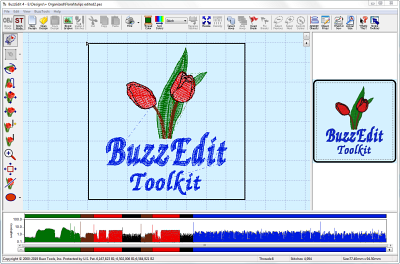
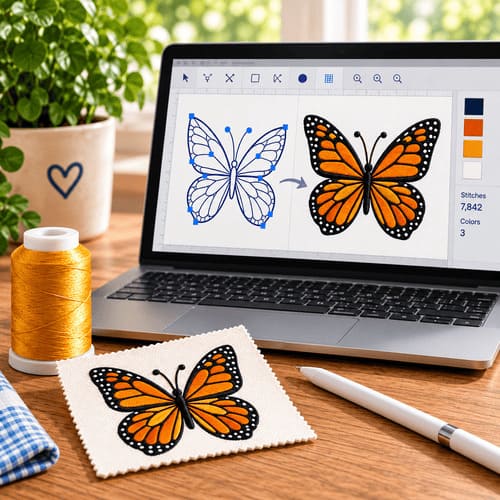
While BuzzEdit started as a simple embroidery stitch editor, it has continued to grow into a robust tool for customizing and creating embroideries!
- Embroidery Stitch Editing - BuzzEdit provides powerful stitch editing capabilities. Add, delete or move stitches.
- Digitized objects are retained in the BUZ file for future editing -
- Appliqué function - create position tack down & finishing in one step
- Continuous Border Wizard - create continuous borders with ease & accurate alignment
- Wreath Wizard - quickly create coordinating wreath & label designs - colors are sorted for you automatically to save you time
- Automatically Split designs for Multiple Position Hoops
- Updated thread palettes and hoops
- Updated print functions with new print worksheet function creates a detailed printout to show you color breaks for better thread selections and more efficient time at the machine - updated template includes name of design, cross hair options, better graphics and more.
- UPDATED formats, thread palettes and new Embroidery hoops including JEF and PES hoops.
- IMPROVED embroidery hoop handling with hoop rotation and the ability to hide hoops that you don't use.
- NEW - Works with all other BuzzEdit 4 Toolkit products.
- Save designs in 13 popular home embroidery formats. Import 22 formats.
- Compatible with Windows 7,8,10,11
Here are just a few sample BuzzEdit screens and reports. Click on any screen to view it full size. Click on the X to close the model window and return to this page.
The Workspace
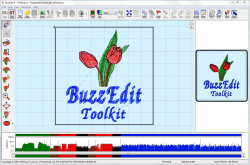
The BuzzEdit workspace give you a realistic 3-D preview of your designs, a spatial workspace window and the patented Stitches-in-Time windows which give you insight into how your designs stitch in time.
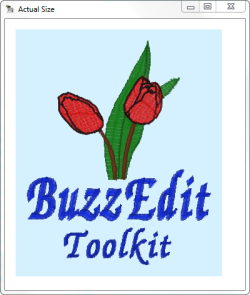
Actual Size Preview
The actual size pop-up window lets you see a larger view of your design in realistic 3-D which makes it especially easy to view fill patterns and outlines.
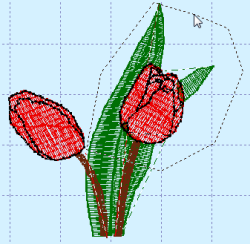
Elements from Your Design
Using the Slice Tool you can quickly cut out specific areas of your design and save them as new designs. It's a great way to create complementary designs for a project. We saved this flower from our bee design and used it to create the wreath and border designs below.
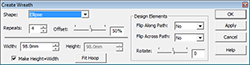
Create Wreaths
The Create Wreath Wizard allows you to create an abundance of embroidery designs from frames, labels, wreaths and snowflakes. Choose the shape, number of repeats as well as other options for a unique and beautiful wreath that is all your creation!
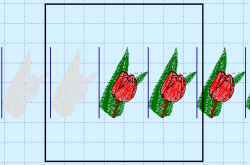
Flower Wreath
By making a few selections with our flower design, we have created a beautiful floral wreath.

Flower Border
The same embroidery design can be used to create a repeating border. The Border Wizard automatically adds alignment stitches so that your border designs stitch correctly at the machine.
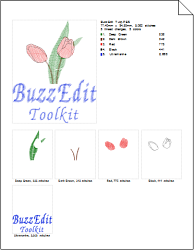
Printed Worksheet
Print a worksheet of your embroidery design for all the information needed at the embroidery machine.
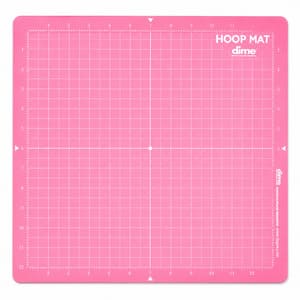
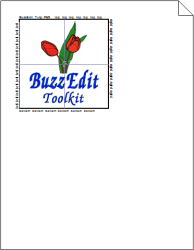
Print Placement Templates
Print placement templates for regular and multiple position hoops (built in or custom). These allow for perfect placement every time.
Powerful User Interface
- Wizards Make Customizing Projects Easier
- Easy to Use Graphical Interface
- Realistic 3-D Reference Window
- Powerful Stitch Time Graphs Provide Easy Selection and more
- Instant On-Screen Refresh
- Updates Automatically from the Web
- Support for the most current embroidery hoops and multi-hoops
- Simplified Custom Hoop Layout - Choose your hoop, enter the dimensions of your design and all calculations are done for you.
- Print Placement Templates for Regular and Multi-Hoops for Perfect Placement
- Print Template
- Printed Worksheet Creates a Detailed Printout for Use at the Machine
Enhanced Digitizing and Design Creation
- Continuous Border Wizard makes it Easy to Create and Sew Repeating Borders
- Wreath Wizard - Quickly create coordinating wreath & label designs. Colors are sorted automatically to save you time
- Enhanced digitizing tools - objects are retained in the BUZ file for future editing
- Appliqué function - create position tack down & finishing in one step
- Use Background Graphics
- Optional Background Grid with Custom Color and Spacing
- Create Outlines in Running, Bean or Zig-Zag
- Create Custom Shapes such as ellipses, rectangles, custom shapes and Columns
- Cut Holes in Designs -- useful for creating clocks, button holes and light switch covers
- Change object attributes such as fill pattern, stitch density, pull compensation and more.
Auto Hoop Functions
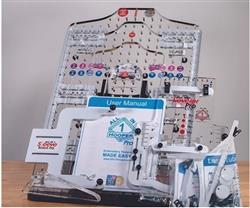
- Automatically Split Designs for Multi-Hoops including Hoop-it-All
- Manual Slice Tool - for manually splitting designs
- Optionally add additional needlepoints or feather edge to soften the point of overlap.
Auto Hoop Functions
- Robust Stitch Editing Capabilities
- Reverse Stitch Order of a Selection
- Convert Embroidery Formats
- Change Stitch Types
- Basic Editing Functions i.e. mirror, rotate, etc...)
- Change Colors and/or Color order
- Add or Remove Color Breaks
- Enhanced Slice Tool for More Control over Slicing Location
- Merge Multiple Designs into One Layout
- Layout Huge Designs in predefined or custom multi-hoops
- Free Form Multi-Hoop Layout - place hoops exactly where you want them Automatically Add Multi-Hoop Alignment Stitches
- Automatically Add Basting Stitches to single or multi-hoop designs.
Shipping Estimates:
- — {{ est.price.amount | currency }}
Shipping Estimates:
- — {{ est.price.amount | currency }}
Shipping rates are estimates only. Final shipping will be calculated during checkout.
Bought Together
Customers often stitch these designs together — save when you add the bundle.
Bundle Total
Curated for you
Top Picks for You
More Items from This Brand
Design Packs Featuring This Design
This design is included in these curated collections — get more designs at a better price.
Project Tutorials Using This Design
Get inspired with step-by-step project tutorials that feature this design.


Brand Information

to view copyright information.
Related Searches
Copyright information
By licensing this design you agree to these terms:
This design is copyright protected by Buzz Tools and may not be distributed, altered or unaltered in any format outside of EmbroideryDesigns.com or directly from Buzz Tools. Items with this design(s) sewn onto the product may be sold commercially with limitation. You must have written consent to mass market items using this design. Buzz Tools will not be held liable for any monetary losses or consequential damages as a result of using this design. Due to global piracy policies, no refunds are available for electronic data files of designs unless proven to be defective and cannot be corrected.
By licensing this design you agree to these terms:
This design is copyright protected by Buzz Tools and may not be distributed, altered or unaltered in any format outside of EmbroideryDesigns.com or directly from Buzz Tools. Items with this design(s) sewn onto the product may be sold commercially with limitation. You must have written consent to mass market items using this design. Buzz Tools will not be held liable for any monetary losses or consequential damages as a result of using this design. Due to global piracy policies, no refunds are available for electronic data files of designs unless proven to be defective and cannot be corrected.