























Master Embroidery Digitizing with StitchArtist
Watch our expert instructors teach you how to create perfect embroidery designs every single time.
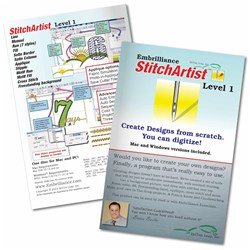
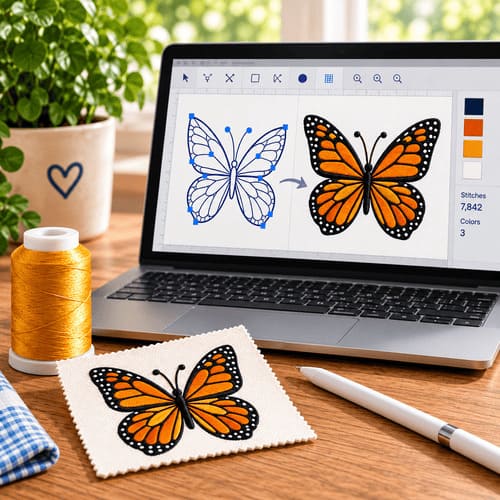
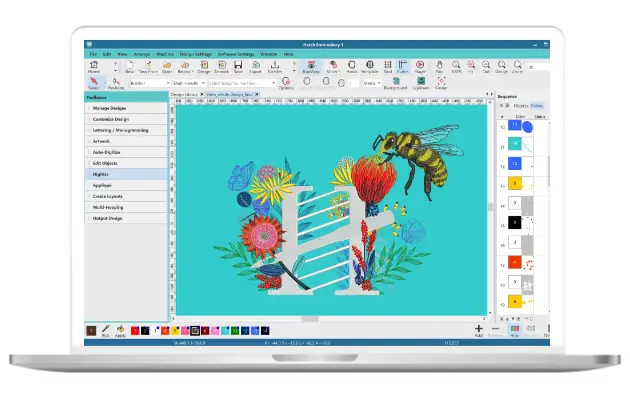
StitchArtist is part of the Embrilliance embroidery software suite designed to help users convert artwork into stitch-ready embroidery files. Whether you're a beginner learning digitizing basics or an experienced professional creating advanced stitch effects, StitchArtist offers powerful tools for embroidery digitizing software workflows.
In this StitchArtist tutorial, our instructors walk you through how to create embroidery designs using StitchArtist Levels 1, 2, and 3. Learn how to digitize embroidery design projects with step-by-step guidance and see which level fits your needs.
Explore our embroidery fonts and embroidery design collections to pair with StitchArtist for complete digitizing and personalization.
Software Used in This Tutorial
Seamlessly integrate new tools into your existing Embrilliance software and expand your creative options.


StitchArtist Level Comparison
Compare features across Level 1, Level 2, and Level 3 to find the right fit for your digitizing needs.
| Feature | StitchArtist Level 1 | StitchArtist Level 2 (Most Popular) | StitchArtist Level 3 |
|---|---|---|---|
| Best For | Beginners learning digitizing | Advanced hobbyists & small businesses | Professional digitizers |
| Basic embroidery digitizing tools | ✓ | ✓ | ✓ |
| Run, satin & fill stitches | ✓ | ✓ | ✓ |
| Create text objects | ✓ | ✓ | ✓ |
| Digitize applique designs | ✓ | ✓ | ✓ |
| Import vector artwork (SVG) | ✓ | ✓ | ✓ |
| Advanced fill styles (gradient, motif, feather) | ✗ | ✓ | ✓ |
| Advanced editing tools | ✗ | ✗ | ✓ |
| Custom motifs & embossing effects | ✗ | ✗ | ✓ |
| Create custom embroidery fonts | ✗ | ✗ | ✓ |
| Professional digitizing workflow | ✗ | ✗ | ✓ |
| Buy Now | Buy Now | Buy Now |
Recommended Bundles for Embrilliance Essentials
The fastest next step after Essentials: curated fonts and design packs ready to use right away.
Limited-time pricing for Embrilliance users.
No subscription • Instant download
Complete Your Embroidery Toolkit
Pair StitchArtist with the right software, fonts, designs, and tools — all from EmbroideryDesigns.com.

FAQ
What is StitchArtist software?
StitchArtist is an embroidery digitizing software from Embrilliance that allows users to import artwork to reference while digitizing embroidery stitch files.Which StitchArtist level should beginners use?
StitchArtist Level 1 is designed for beginners learning embroidery digitizing basics.What is the difference between StitchArtist Level 1, 2, and 3?
Level 1 includes basic digitizing tools, Level 2 adds advanced editing and lettering features, while Level 3 provides professional-level digitizing workflows.What file formats does StitchArtist create?
StitchArtist creates industry-standard embroidery file formats such as PES, DST, JEF, EXP, and others, so your designs work with most home and professional embroidery machines.Can I upgrade from one StitchArtist level to another?
Yes. Upgrade from Level 1 to Level 2 with our StitchArtist Level 2 Upgrade, from Level 1 to Level 3 with our StitchArtist Level 3 Upgrade (from Level 1), or from Level 2 to Level 3 with our StitchArtist Level 3 Upgrade (from Level 2).Does StitchArtist work with my embroidery machine?
StitchArtist exports to common machine formats (PES, DST, JEF, EXP, etc.), so designs work with Brother, Janome, Singer, Bernina, and most other embroidery machines that accept these formats.