























Free downloads · Embrilliance BX
Free BX Embroidery Fonts
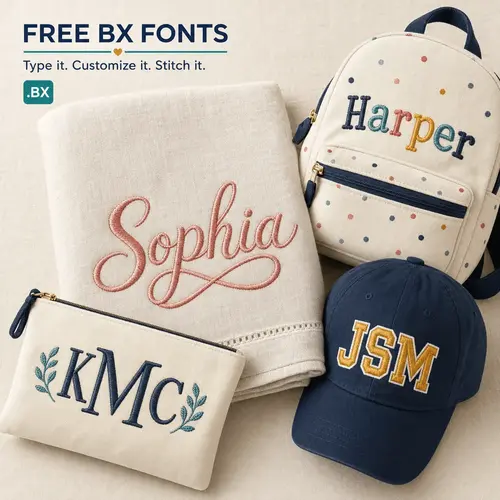
Download ready-to-stitch BX fonts for Embrilliance. Install once, type any name or monogram on your keyboard, then export to PES, JEF, DST, and more.
- Works in free Embrilliance Express
- Type words — no placing letters one by one
- Export to your machine's format
New to BX fonts? Start here
A .bx file is a complete embroidery alphabet that installs into Embrilliance software. Instead of stitching letters one at a time, you type a word on your keyboard and Embrilliance builds the design — then you save it in your machine's format (PES, JEF, DST, and more). A .bx file doesn't go straight to your machine; Embrilliance does the conversion for you. The free Embrilliance Express version is all you need to get started, and it runs on both Windows and Mac.
The library
Free BX fonts to download
Every font here includes a native or stitch-based .bx file plus popular machine formats. New fonts added regularly.
Free Script BX Embroidery Fonts
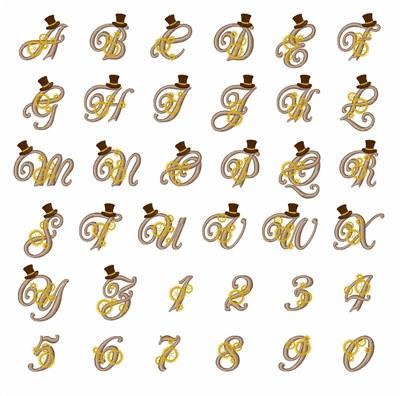
Flowing script BX fonts add an elegant, handwritten touch to names, monograms, and baby gifts. Install once in Embrilliance and stitch cursive lettering at any size, then export to PES, JEF, or DST.


Free Monogram BX Embroidery Fonts
Monogram BX fonts are built for personalization. Type initials and Embrilliance builds a perfectly framed monogram, ready to export to your machine's format.


Free Applique BX Embroidery Fonts
Applique BX fonts include satin tack-down and placement stitches, so you can create raised, fabric-layered lettering in Embrilliance with less bulk and quick stitch-outs.


4 Steps · About 2 Minutes
How to install a BX font in Embrilliance
Works the same in the free Express version and the paid Embrilliance programs.
- 1
Download the font
Grab the free font and open the download folder. You don't need to unzip — just find the .bx file (there's usually a PDF guide alongside it).
- 2
Install into Embrilliance
Double-click the .bx file to install it, or drag the file onto the Embrilliance workspace. Either way installs the font.
- 3
Type your text
Click the Create Lettering tool (the big "A"), pick your new font, and type a name, word, or monogram.
- 4
Export for your machine
Save the Stitch File as a PES (or JEF, DST, EXP) and transfer it to your machine by USB. Done.
Know Your Formats
BX vs. PES, JEF & ESA
Which file type do you actually need? Here's the short version.
BX
This PageAn installable alphabet for Embrilliance.
- Type words on your keyboard
- Auto spacing & easy resizing
- Fastest way to make lettering
- Can't go straight to the machine
PES / JEF / DST
Ready-to-stitch machine files.
- Load directly onto your machine
- One file per letter
- You place each letter by hand
- Slower for long words
ESA
The BX equivalent for Wilcom / Hatch.
- Type words like BX does
- Extra resize control
- Needs Wilcom / Hatch software
- Not compatible with Embrilliance
Free BX embroidery fonts — FAQ
What is a BX embroidery font?
A .bx file is a complete embroidery alphabet that installs into Embrilliance software. Instead of stitching letters one at a time, you type a word on your keyboard and Embrilliance builds the design, then saves it in your machine's format (PES, JEF, DST, and more).
Do I have to buy software?
No. The free Embrilliance Express version reads and stitches BX fonts and is all you need to get started. Paid Embrilliance products like Essentials add resizing and editing, but you can install and use BX fonts for free.
Will BX fonts work on my Brother, Janome, or Bernina machine?
Yes. BX fonts install into Embrilliance, where you type your text and then export a standard machine file — PES for Brother and Baby Lock, JEF for Janome, EXP for Bernina, DST, and more — that loads onto your machine.
Can I put a .bx file directly onto my machine?
No. A .bx file is not a stitch file. Embrilliance uses it to build your lettering, then you export a machine format like PES, JEF, or DST to send to your machine.
Can I use these free fonts commercially?
Usage rights vary by font. Many of our free BX fonts allow sales of finished stitched items, but always check the individual font's license on its product page before selling.
Do BX fonts work on a Mac?
Yes. Embrilliance, including the free Express version, runs on both Windows and Mac, so BX fonts work the same on either.

Love these? Explore 2,000+ premium BX fonts
Go beyond the freebies with our full catalog of BX and machine embroidery fonts for Embrilliance.
Browse premium BX fonts →About free BX embroidery fonts for Embrilliance
BX embroidery fonts are keyboard-ready alphabets that install directly into Embrilliance software. Once a .bx file is installed, you use the Create Lettering tool to type any name, word, or monogram, and Embrilliance builds the design with automatic letter spacing and easy resizing — no placing letters one at a time. When you're happy with the text, you export a standard machine file such as PES, JEF, DST, or EXP and stitch it on your Brother, Janome, Bernina, or other machine. Every free BX font on this page includes a native or stitch-based .bx file plus popular machine formats so you can get stitching fast.
You don't need paid software to use these free fonts — the free Embrilliance Express version reads and stitches BX fonts on both Windows and Mac. Add Embrilliance Essentials when you want full resizing and editing control. Browse the free BX embroidery fonts above by style — script, block, serif, monogram, and applique — add the ones you like to your cart at no cost, and download them after checkout. New free BX fonts are added regularly, so check back often.