





















Understanding Machine Embroidery File FormatsFile Formats
PES, JEF, DST, and how to pick the format your machine can read
Welcome
If you are new to machine embroidery, you may have already come across letters like PES, JEF, DST, EXP, or VP3 and wondered what they mean. These are called embroidery file formats, and they are much easier to understand than they may first appear. The most important thing to know: Your embroidery machine needs the correct file format in order to read and stitch a design. You do not need to memorize every format. You just need to know which one works with your machine.
What Is an Embroidery File Format?
An embroidery file format is the type of digital file your embroidery machine reads. Think of it as the language your machine understands. For example, one machine may use a PES file, while another may use a JEF file. The embroidery design may look the same, but the file needs to be saved in a format your machine recognizes. When you purchase or download a machine embroidery design, the embroidery file contains the information your machine needs to stitch that design.
What Format Does My Embroidery Machine Use?
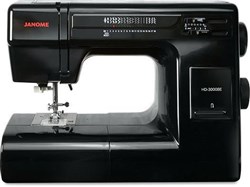
Different machine brands commonly use different embroidery formats. Here are a few you will see often: Machine BrandCommon Embroidery Format BrotherPES Baby LockPES JanomeJEF BERNINAEXP Husqvarna VikingVP3 PfaffVP3 SingerXXX TajimaDST This is a helpful guide, but machines can vary by model. Always check the manual for your specific embroidery machine before downloading a design. Once you know your format, write it down somewhere handy. You will use it often!
Common Brand Formats
Choosing Your Format on EmbroideryDesigns.com
When you look at a design on EmbroideryDesigns.com, you may see several file formats available. Don't worry about all of them.
Simply look for the format that works with your embroidery machine. For example, if your Brother machine uses PES, choose the PES version of the design. That's it. You do not need to download every format.
Embroidery Files Are Different From Pictures
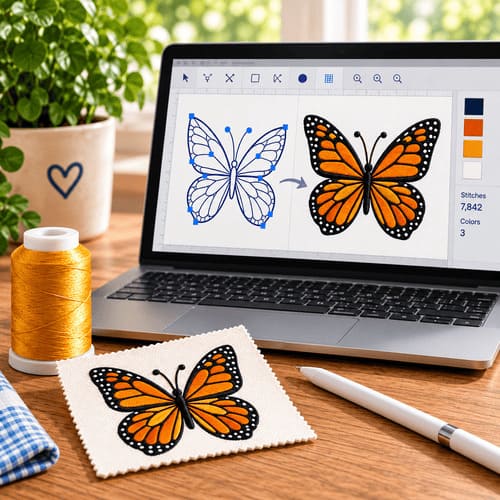
A regular picture file, such as a JPG or PNG, is not the same as an embroidery file. A picture tells your computer what an image should look like. An embroidery file tells your embroidery machine how to stitch the design. That is why you cannot normally take a picture from your computer and send it directly to your embroidery machine. The artwork first needs to be digitized, which means it is turned into stitches that an embroidery machine can understand.
Why Is My Embroidery Design in a ZIP File?
Sometimes when you download an embroidery design, you will see a file ending in .zip. Don't worry - your design is still there. A ZIP file is simply a folder that has been compressed to make it easier to download.
- Download the ZIP file.
- Unzip or extract it.
- Open the folder.
- Find the embroidery format your machine uses.
- Transfer that file to your embroidery machine.
For example, if your machine uses PES, look for the file ending in .pes.
Can I Change One Embroidery Format to Another?
Yes, many embroidery files can be converted from one format to another. For example, you may have a PES file but need a JEF file for your machine. EmbroideryDesigns.com offers an embroidery file conversion option that can help when you need a different format. One important thing to remember: Changing the letters at the end of the filename does not convert the design. Changing flower.pes to flower.jef will not turn it into a JEF embroidery file. The file has to be properly converted.
Converting a design from one format to another isn't always perfect — because formats store stitch data differently, a converted file can occasionally shift density or stitch order slightly. When possible, it's best to purchase or download a design directly in your machine's native format. If you already own a design in the wrong format, our free format conversion tool can help.
A Simple Rule to Remember
When you are ready to download an embroidery design, ask yourself three questions:
- What machine do I have?
- What embroidery format does my machine use?
- Is that format available for the design I want?
If the answer to all three looks good, you are ready for the next step.
You Don't Have to Memorize Everything
When you first start machine embroidery, all those file extensions can look like another language. But before long, you will probably only pay attention to one or two of them. If your machine uses PES, you'll start looking for PES automatically. If it uses JEF, JEF will quickly become familiar. That's really all you need to know as a beginner. Find your machine's format, choose that format when you download your design, and you're ready to keep stitching.
Once you've confirmed your format, you're ready to start browsing. Check out our free embroidery designs to test a new format risk-free.
No. Changing the extension does not convert the design. Use a proper conversion tool or software.
No. Pictures are not stitch files. Artwork must be digitized into an embroidery format your machine understands.