
























Why Can’t I Have the Right Colors? Embroidery Project
I am going to try to explain in layman terms, why this happens and will ALWAYS happen when you open a design by digitizers who do not work in the same software in which the design is opened.
Materials
Project Preview Video

Cut Away Stabilizer - 2.5 Oz wt.

Cut Away Stabilizer - 2 oz wt.
Why Can’t I Have the Right Colors?
As a digitizer and creator of stock embroidery designs, I am certain that this question is asked of me at least ten times to one of any other question. Especially for those who are new to embroidery, this is one of the most frustrating problems. Though I don’t proclaim to be a computer expert, by any means, I am going to try to explain in layman terms, why this happens and will ALWAYS happen when you open a design by digitizers who do not work in the same software in which the design is opened.
When you first purchase an embroidery machine, you usually get designs with the machine or purchase designs from the same place. Those designs, because they were created in, or converted in, the brand of software that accompanies the machine purchased, will appear on the screen in the “right” colors. It is only when you venture out into the vast world of embroidery designs, that you run into this problem. And it is a problem, indeed, until you realize the reasons for it and learn to compensate for those designs.
When a digitizer creates a design in his/her software, that digitizer chooses the colors in the software that they are using. When the design is opened in that software, whether it is owned by the digitizer or someone else with the same brand, it will always open with the colors that the digitizer chose.
However, there are many, many software programs on the market. Each of those programs has its own set of default colors. Unless the design that is opened was created in that specific software package, it will ALWAYS open with the default colors instead of the "right" colors.
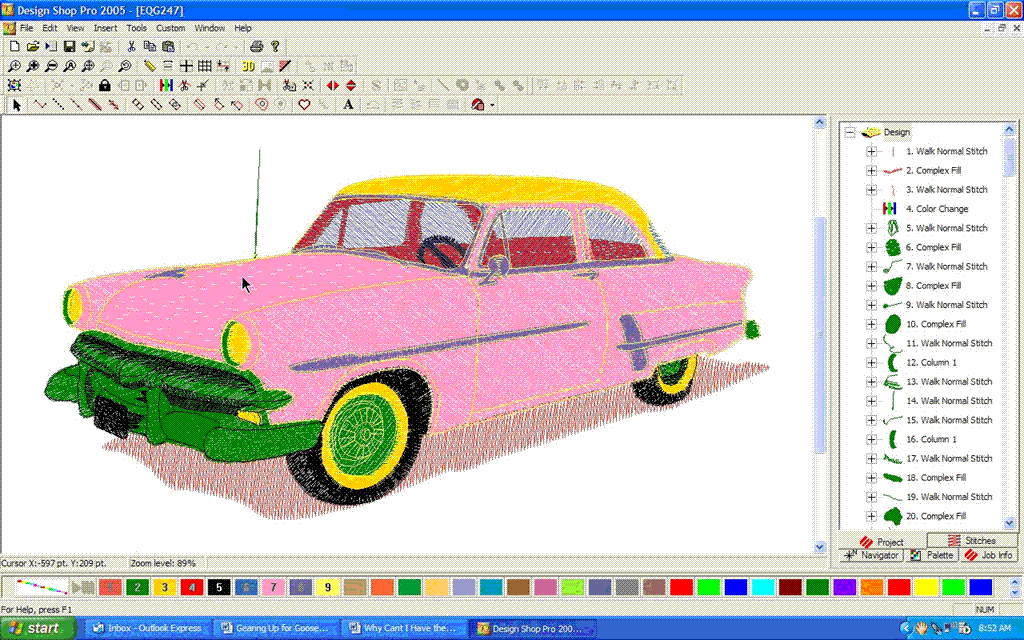
The above picture of a car was opened as a condensed design in my software. As you can see, the default colors are definitely not the “right’ colors, or the colors that will be chosen for embroidery. I have the option to change the colors so the design will look better on the computer screen.
In other words, unless the design was digitized in your specific software program brand, it will open with your default colors. That is, unless the design has been converted in your specific software and re-saved in your software. You can do that, if you so choose, but most embroiderers are far too busy to change the colors of every design they embroider.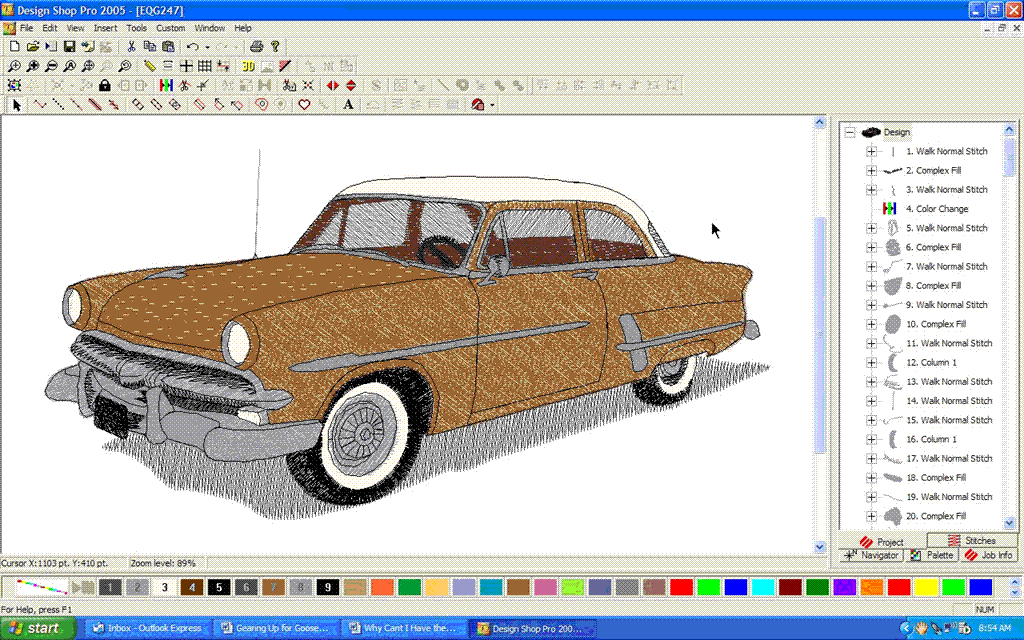
Most digitizers of stock designs do not have the time or the capability of converting designs in specific programs. Digitizers use conversion programs that will save the format, but do not save colors for the picture. These are usually time-saving mass conversion programs that get the job done as far as the stitches are concerned. The mass conversion program is not, however, software specific as far as the colors are concerned. The color stops that the digitizer places in the design remain in tact, but the actual color does not.
If you do not want to use designs that are not in the "right" colors, you will be eliminating the possibility for use of many wonderful designs! There are many great digitizers out there who provide designs for customer use. However, they can only provide the "right" colors in the software program that they are using.
It is very prohibitive for a company who sells designs to convert the designs to have the proper colors in every software brand. In fact, in my opinion, it is an impossible task. Software programs are changed and added continually with the increased technology with which we are faced every single day in this technology-ridden world. There are companies who have made the attempt, but most have abandoned the project once they realized how cumbersome the project is. By the time you have all the designs converted to the most common software programs, out comes another one!!! Or two!!! Or ten!!!
I’m sure we all agree that the car looks much more normal in the “right” colors. To change the colors of a design, I can just click on the color number, click on Properties, and select the color I want for each color in the list. It doesn’t take long, but it’s a few seconds we most often save. We just put the right color of thread on the machine.
For this reason, digitizers also provide a generic color list with each design, usually numbered with the proper number of color changes. Therefore, you can choose your own idea of red, blue, yellow, green, etcetera, by using the list.
We are spoiled!! And I say that because I have been in the embroidery industry since 1990. People who were in the industry before me had only black and white screens on which to view the designs. Before that, they couldn't see the designs at all, but had to trust the digitizer's word! While I don't go quite that far back, I do go back to the age where default colors were the only option. I could have wasted my time changing the colors on every design to view them on the screen, but as a commercial embroiderer, my staff and I just didn't have that kind of time.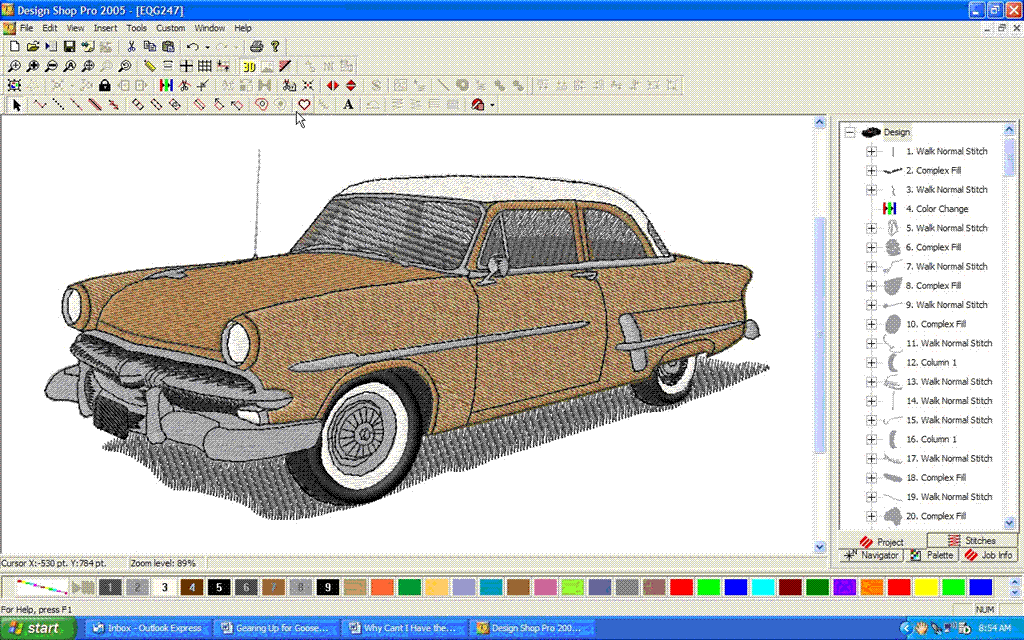
Therefore, we would choose our thread colors from the color list of the design. It's really very easy, once you get used to it. We still do that to this day. We rarely look at designs in what you call the "right" colors, because we are only concerned that the color changes are in the proper order and that the design stitches out correctly. The chances that our customer will want the same colors as originally listed in the design are pretty slim anyway, so it’s not very often that we stay with the color list chosen by the original digitizer.
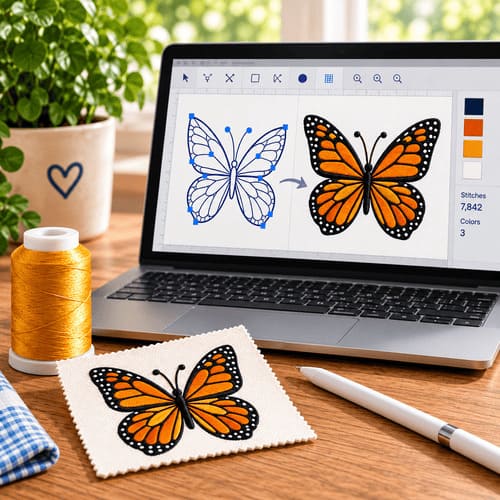
That’s the beauty of stock designs. We don’t have to stick with what the digitizer chose. We can use our own imaginations to make that design unique to our customers or our projects. And, if your software has the capability of color selection, which most do, you have the ability to put the “right” colors on the screen.
In most software programs today, we can even go one step farther, making the design three-dimensional so that it actually looks stitched. While it is not a totally perfect representation, it is pretty realistic looking. The great thing about this is the ability to print out the design for customer approval.
I have had customers call me in a mood so irate about the “wrong” colors that they want their money back for designs that are absolutely beautiful when stitched out. Usually I can explain why the colors appear “wrong” on their screens and usually I can talk them through changing the colors if they insist. However, there are always some who are so insistent that the colors appear correctly on their screen without the added work of their changing them.
It’s sad, I think, especially for the digitizers that are true artists, that the digitizer should be expected to take the time and spend impossible amounts of money on software to make the designs appear in the right colors on every embroiderer’s screen. I think that artist’s time could be spent more wisely, creating new artistic designs for our use. It takes just a few seconds for each of us to change the colors on our screens for each design that we use. However, for a digitizer, that same task would have to be performed in upwards of twenty or more programs.
Color selection is a challenge that must be faced. We usually do it anyway. Even when specific thread colors are listed with a brand name and color chart, we often have to change the colors to match the garment upon which the design is being placed. We often have to change the colors to satisfy a customer, matching logo colors, etcetera. We often change the colors just for fun!
My challenge to you, as an embroiderer, is to be adventurous and choose the colors even when a design appears in the “right” colors on your screen. I think you will be amazed at how much fun it is to actually be using your own creativity as you work, rather than counting on the creativity of just one person, the digitizer!
