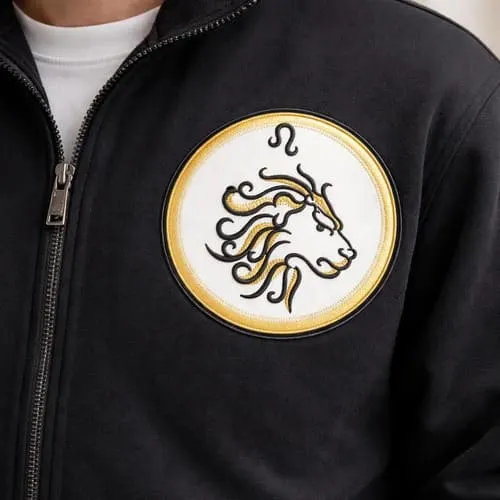
Border OptionsHugging border, circle, square, or rectangle — with a 3mm satin stitch.
Backing OptionsAvailable with iron-on, sew-on, or velcro backing.
Fast ShippingShipped quickly from the USA.
Free Online Tools
Powerful embroidery utilities that save time and prevent costly mistakes.
Stitch AssistantRECOMMENDED
Get the exact stabilizer, machine settings, needle, and thread color sequence for every embroidery design you purchase — based on that design's stitch density, dimensions, and color count.
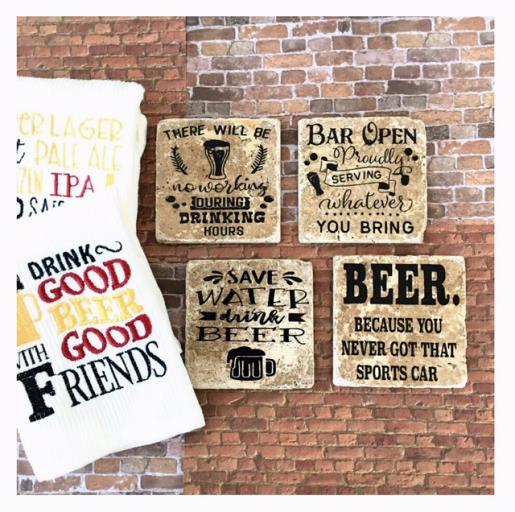
Create a personalized set of coasters with beer-themed sayings on travertine tiles. Perfect for beer enthusiasts, these coasters feature humorous quotes to add charm to any gathering. Step-by-step instructions are included.
Gather all your supplies and review instructions before beginning.
(Click Image to Enlarge)
Step 2:
Clean tiles by wiping down with rubbing alcohol. Remove any store adhesive labels from tile.
(Click Image to Enlarge)
Step 3:
Cut (4) 3.75” x 3.75” squares from your adhesive cork sheet. Apply to back of tiles.
(Click Image to Enlarge)
Step 4:
Bring into your cutting machine’s design space the SVG design Beer Because. Cut and resize to fit application area on tile. For this project designs resized to approx. 3.5” x 3.5”. Optional: For the smaller SVG designs I like to add a box around design for easier weeding. Prepare your vinyl onto your mat. Insert prepared mat into your cutting machine. Adjust your cut settings. Make a test cut. Make any adjustments if needed. Cut vinyl.
(Click Image to Enlarge)
Step 5:
Remove mat and weed for decal. Apply transfer tape over weeded decal. Remove adhesive backing. Center and apply onto tile. Remove transfer tape.
(Click Image to Enlarge)
Step 6:
Apply a layer of mod podge with sponge applicator. Allow to dry. Spray clear glaze to seal. Allow to dry. Refer to products application instructions.
(Click Image to Enlarge)
Step 7:
Your first Beer Themed Tile Coaster is fnished. Repeat steps for the other 3 designs and your set of 4 coasters are complete.