{{superHeaderAds.title}}
Live Chat
Embroidery Designs
Welcome, Embroiderer
Login
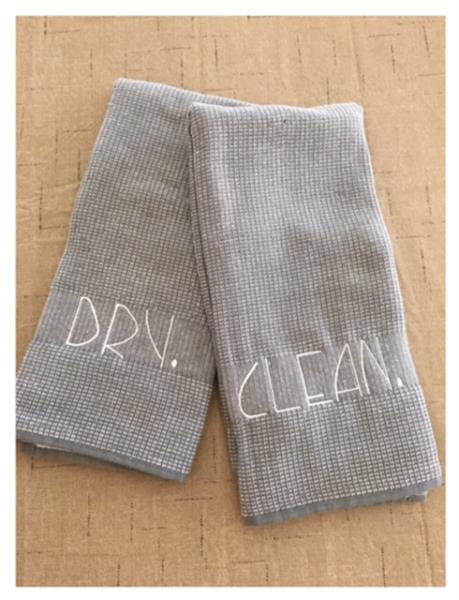
Simply Inspired Kitchen Towels
{{mainImageAlt || (productInfo._source && productInfo._source.name) || ''}}

Simply Inspired Kitchen Towels Embroidery Project

By   Linda Mills   on   May 28, 2021

PROJECT DETAILS

SKILL LEVEL
Some Experience
TIME REQUIRED
00:30
Description

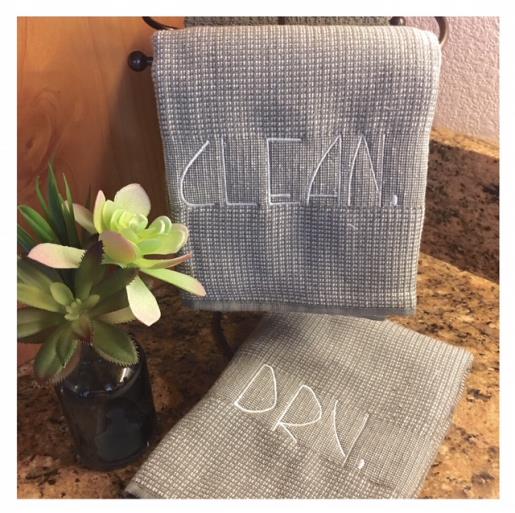
A Rae Dunn inspired set of kitchen towels that displays a soft and delicate word design using a Skinny Font to create.

Project Preview Video

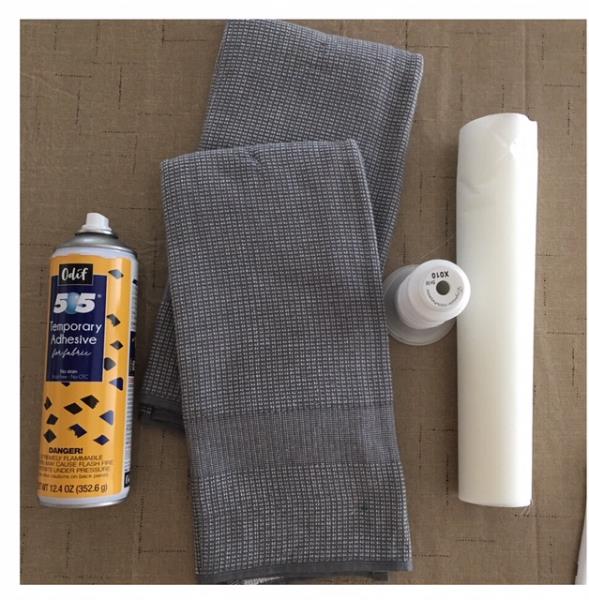
Materials
  • (2) KITCHEN TOWELS
  • TEAR AWAY STABILIZER
  • EMBROIDERY THREAD ( 1 COLOR)
  • TEMPORARY ADHESIVE SPRAY
  • EMBROIDERY SOFTWARE PROGRAM
  • CHALK PEN OR MARKING DOTS

  • Designs used in this project

    Final Product: What You Will Create

    Preface:
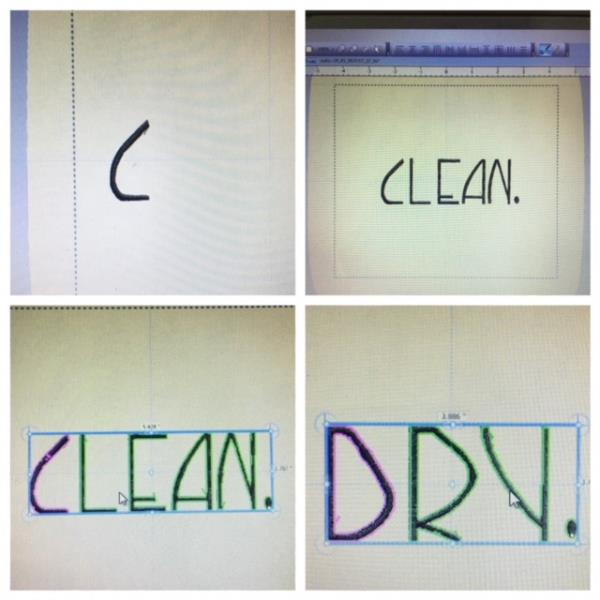
    The skinny font used in this tutorial to create this inspired set of kitchen towels is not a keyboard font. You will need to bring each letter into your embroidery software program to create the word design. Another option would be to bring each letter into your embroidery machine to create the word design. Choose the option best suited for your skills. Skinny font size used 1.75" H. Each towel will take approx 5 -6 minutes to embroider based on the word design created. Thirty minutes is stated for this tutorial for which you will need to allow time when creating the word design.


    Step 1:
    Gather all supplies and review instructions before beginning. 

    (Click Image to Enlarge)


    Step 2:
    Creating the Word Designs
    Create the words “CLEAN” and “DRY” by bringing each letter into your embroidery software program per your programs instructions. Another option: bring each letter into your embroidery machine (edit) to create the word design per your machine’s instructions. Add a period at the end of each word using a font from your software program and/or embroidery machine. Size your designs to approx. 5.5” width(CLEAN) and 3.8”(DRY)

    (Click Image to Enlarge)


    Step 3:
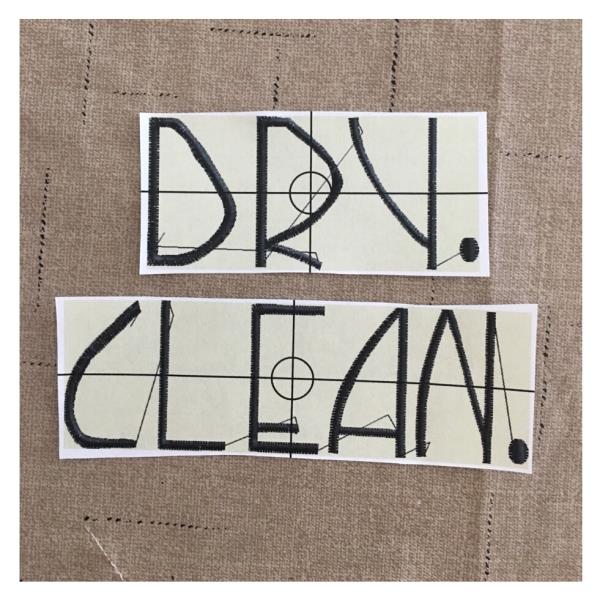
    Print out paper template(s) of designs

    (Click Image to Enlarge)


    Step 4:
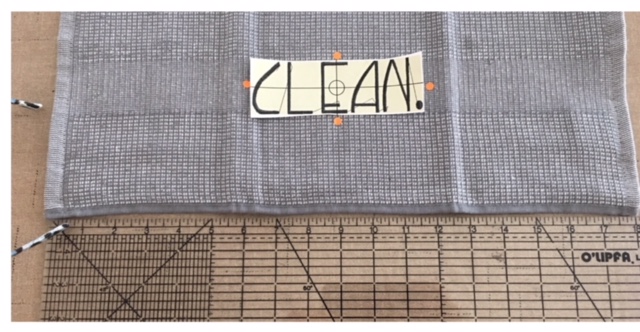
    Find center towel width and center your paper template design “CLEAN.”. Mark sides. Top bottom. Axis points. Please note that in this tutorial the word design was embroidered in the towel band. If your towel does not have band, center the design approximately 4” up from bottom hemmed edge of towel.

    (Click Image to Enlarge)


    Step 5:
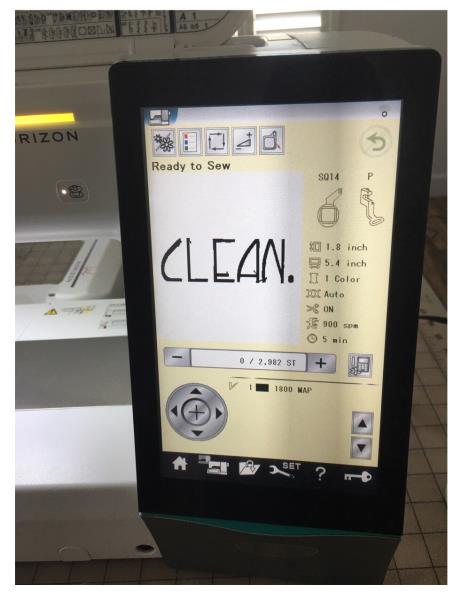
    Load your “CLEAN.” design into your machine.

    (Click Image to Enlarge)


    Step 6:
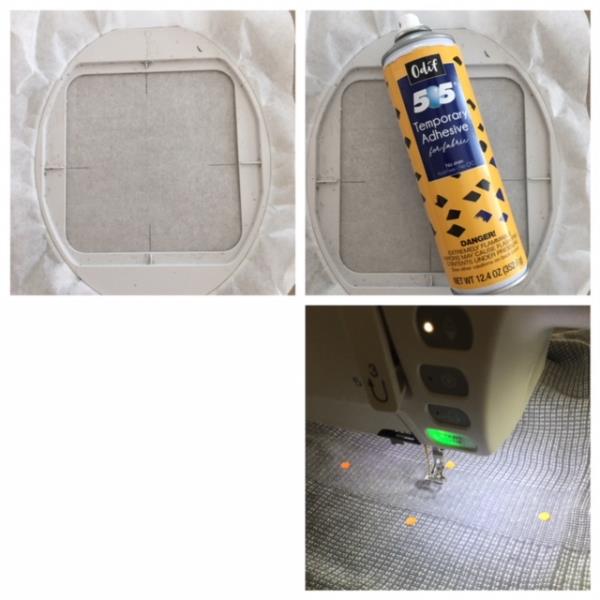
    Hoop stabilizer using your correct size hoop. Marx axis points directly onto stabilizer. Spray temporary adhesive spray and center place your towel matching towel marked axis points to markings on your hoop and using the stabilizer markings for a guide. Attach to machine. Confirm center needle place per your machine’s instructions. Begin the embroidering process.

    (Click Image to Enlarge)


    Step 7:
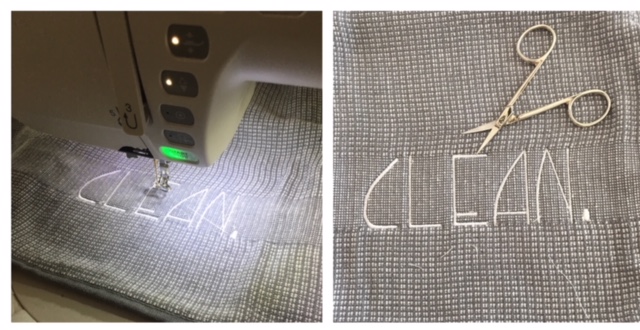
    Embroidering process complete. Detach hoop from machine. Cut and trim all jump stitches and loose thread ends from front and back. Carefully remove all tear away stabilizer so the back is free of stabilizer. 

    (Click Image to Enlarge)


    Step 8:
    Repeat the steps for the 2nd towel using your word “DRY.” design. And your set of Simply Inspired Kitchen Towels inspired by the work of Rae Dunn are complete. Great job! With the Skinny Font you will be able to create any word designs of your imagination!

    (Click Image to Enlarge)

    Meet the Author: Linda Mills
    Linda Mills
    Linda loves to create by sharing her different sewing and machine embroidery techniques so others can utilize their machines to the fullest
    More From This Author
    Link is Broken, Please check the URL
    Exclusive Embroidery Offers!
    Copyright © {{ currentDate | date:'yyyy'}} - EmbroideryDesigns.com
    GET 50% OFF! ×