



Holiday Flash $1.49
Working with a Digitizer

Working with a Digitizer Embroidery Project

By   Deborah Jones   on   September 01, 2005
Description

Achieve consistent results and maintain a long-term relationship with your digitizer.

Step of

Materials

Project Preview Video

Achieve consistent results and maintain a long-term relationship with your digitizer.

Should I have digitizing software, and if I do, why would I use an outside digitizer?

You should purchase digitizing software if digitizing interests you. Purchase editing software if it doesn’t, or if you don’t have the time to devote to it.

  • You can upgrade most editing packages to digitizing later.
  • You are learning the principles of digitizing when you are editing.
  • You have control over your data and can make simple corrections if you have editing software.


Use an outside digitizer on designs that you aren’t comfortable with.
  • Ironically, sometimes the hardest designs appear to be simple. In a design with clean lines, the eye is drawn to any
  • Get the designs in a format that you can edit. Study it for technique, and learn from it. For example, study the construction of small lettering.


Use an outside digitizer to manage time and manpower.
  • Manage your time more effectively by having at least one “must-do” item that you can delegate.
  • When you use a reliable digitizer you know when the design will be ready. Can you really say that about your own time?

Use an outside digitizer to digitize difficult lettering.

  • To truly customize a stock design.
  • To add to a design that you digitized.

Remember – digitizing is frequently a pass-through charge. It is likely that your time could be spent in areas where you make a larger margin, while letting the people who digitize every day create professional quality design files for you.


Finding a Digitizer

Finding just the right digitizer who is a good fit for your company can be challenging. Many digitizing services today are located overseas. The artwork is e-mailed to the company, and the finished product is either e-mailed or delivered via web site. If you are considering this type of service, ask these questions.

  • Does the company have an office in the U.S. that you can call with questions?
  • Is it possible to have an open account, or are all transactions paid by credit card? If all transactions are by credit card, are the transactions individual, or do you leave your card on file with the company?

With any digitizer you are considering, ask these questions:

  • Request a sample file of their work – and run it.
  • Are there different levels of service? Difficulty charges?
  • What is the turn-around on quotes?
  • Will the company archive your designs for later retrieval?
  • Does the company provide a stitched proof, or an image of their stitched proof?

Invest in the Test

  • Send the same design to two digitizers you are considering. Evaluate and compare the two resulting design files to determine which one is the cleanest and runs the best.
  • If you have an old design that you are not happy with, send it to the new candidate. This is a small price to pay if the company can satisfy your needs.
  • A high quality digitizer will keep trims to a minimum, traveling with the thread in the fabric wherever possible for smoother running designs.

What does your digitizer need? Artwork Requirements


Whether printed artwork or digital, your artwork should be the very best that you can possibly obtain. Most companies and organizations can provide their logo or artwork in an electronic format if you request it. Otherwise, you will need to scan their artwork from whatever printed materials your customer can provide.

If furnishing the artwork to your digitizer in an electronic format, send a common graphic format such as:

.jpg

.bmp

.tif

.ai

.eps

.wmf

.cdr

.pdf

If the artwork was created on a Macintosh computer, be sure that the file has a file extension at the end of the file name, or your digitizer may not be able to open the file on a PC, even if it is compatible.

Be careful about sending Word .doc files, unless you embed the fonts. If the digitizer doesn’t have the same fonts loaded on their computer, you could end up with a completely different look than you were expecting.

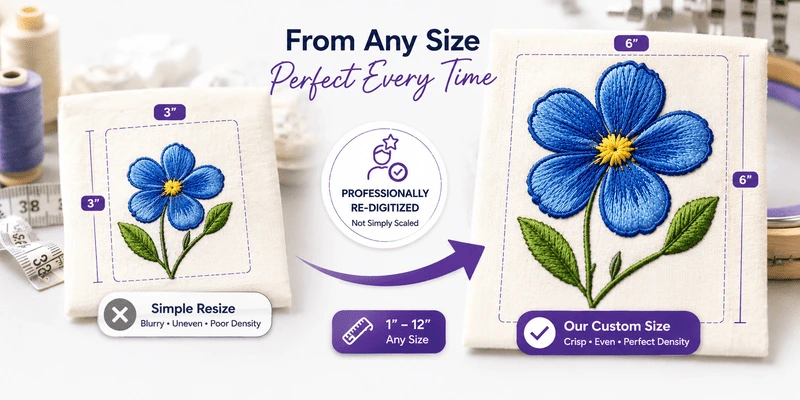
Whenever possible, send the artwork in the desired size of the design.

Send colored artwork, with clearly defined areas, including outlines that will be included on the design. Avoid sending black and white printed artwork with lines and arrows indicating locations of colors, and portions scratched off. You cannot achieve good clarity of detail with this type of art, and mistakes will inevitably be made.

Send two pieces of art if needed. For example, you might send one piece for color and one piece for clarity.

If the customer has had digitizing in the past, and you have a sample stitch-out, send a scan or the actual sample to your digitizer. It can be helpful for your digitizer to see the embroidery that your customer is used to seeing. This way they can more closely match their expectations.


Other Information Your Digitizer Needs

A good digitizer will ask you several questions that will affect the techniques used in creating your design.

  • What fabric will the design be applied to?
  • Will the design be applied to finished caps? With or without a seam?
  • What weight of thread will be used?
  • Does your machine have automatic trimmers?
  • How do you wish small letters to be treated? Enlarged or made chunkier for embroidery as needed? Stacked?
  • Do you like closest point lettering technique to be used, or do you prefer for every letter to be trimmed, even on small lettering sizes?
  • Do you like a particular style or amount of underlay?

What you should expect

Digitizers are professionals – not miracle workers. Be realistic about your expectations, and watch for these potential pitfalls.

  • Embroidery is different than printing, so the artwork may need to be modified. For example, on a design with fine lines, such as AT& T, some may need to be eliminated. Color blending is also more limited than when working with ink.
  • Expect quotes that are somewhere close to the final stitch count. Even if the digitizer offers to reduce the price to the number of stitches quoted, it could still cost you in production efficiency.
  • Don’t expect satin stitch lettering smaller than ¼”, and 3/8” is more appropriate. Very small satin stitch letters should be in a plain block style where possible. Serif styles are harder to digitize and to read in a very small size.
  • Expect to be notified if there is a problem with your order or a delay in its delivery.

Get Specific – Understanding Stitch Types

 
The satin stitch outline on the letters MBNA adds a lot of stitches, but it gives the letters the appearance of being stamped in granite. On the other hand, the running stitch outline on the ball is appropriate for the scale and saves stitches.

You are more likely to see the results that you are looking for if you specify the stitch types that you would like to see in specific areas.

Consider the stitch types that will best render the artwork. For Example, bold fill stitch letters may need to have a satin stitch outline – a running stitch outline may appear too weak.


Rework or Remake?

If you aren’t satisfied with the design, go over your instructions to determine whether your instructions were clear. If the digitizer didn’t follow your instructions, they will normally remake the design at no charge, as a rework.

However, if your instructions weren’t clear, there should be a charge associated with any changes. Consider whether you would charge your customer for the change you are asking your digitizer to make.

You may be able to make some changes yourself if you have editing software, particularly if you want to economize on time. Performing some editing in your own software helps to understand what you are asking the digitizer to do when you request corrections or changes.

Digitizers as Artists – Nurturing the Relationship

Most digitizers have a high degree of pride in their work, regardless of your feelings about their interpretation on a particular piece of artwork. Be courteous, considerate and specific when explaining what you would like changed about a design.

What Format Should You Order?

Some digitizers will allow you to request multiple formats, so long as you make the request at the time the order is placed. A scalable format is most desirable. Be realistic about the amount of resizing that you will attempt with custom designs, ordering different sizes when resizing becomes impractical.

Meet the Author: Deborah Jones
Deborah Jones
Deborah Jones is a commercial and home embroiderer with 31 years experience in the computerized embroidery field. She is the founding editor of Club Ed, an educational newsletter for home embroiderers, and vice-president of education for Great Notions.
More From This Author
Link is Broken, Please check the URL
Exclusive Embroidery Offers!
Copyright © {{ currentDate | date:'yyyy'}} - EmbroideryDesigns.com
GET 50% OFF! ×