{{superHeaderAds.title}}
Live Chat
Embroidery Designs
Welcome, Embroiderer
Login
FSL & Applique Chapel
{{mainImageAlt || (productInfo._source && productInfo._source.name) || ''}}

FSL & Applique Chapel Embroidery Project

By   Pat Williams   on   June 24, 2014

PROJECT DETAILS

SKILL LEVEL
Experienced
TIME REQUIRED
10:00
FINISHED SIZE
5.75 x 9.25 inches
Description

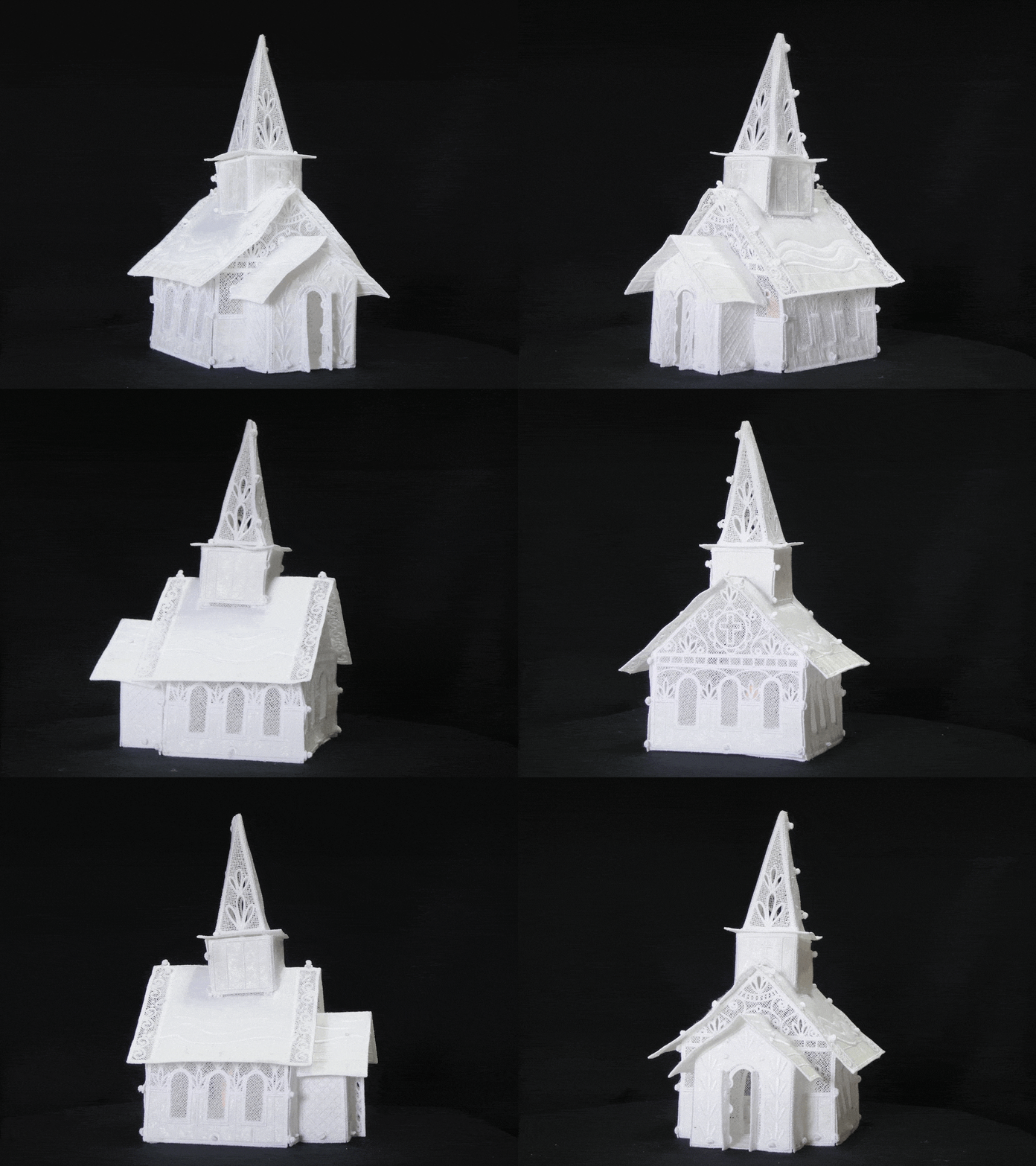
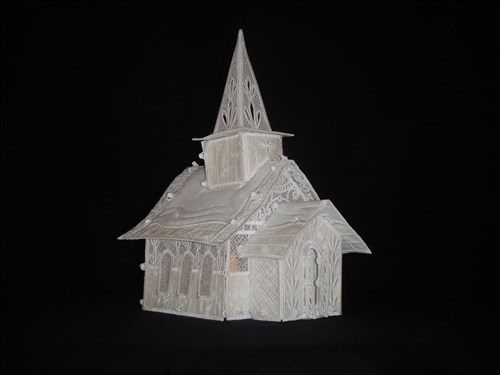
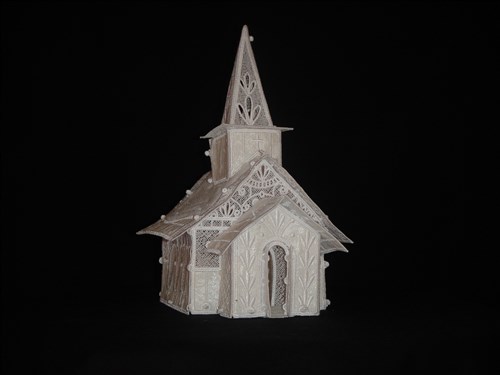
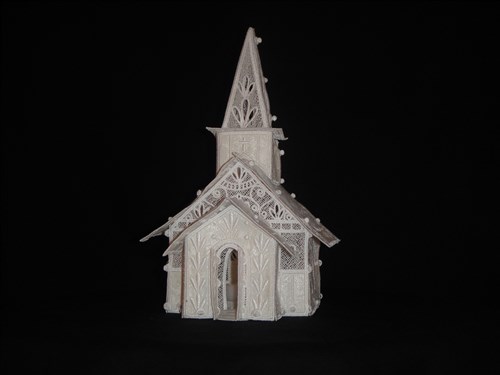
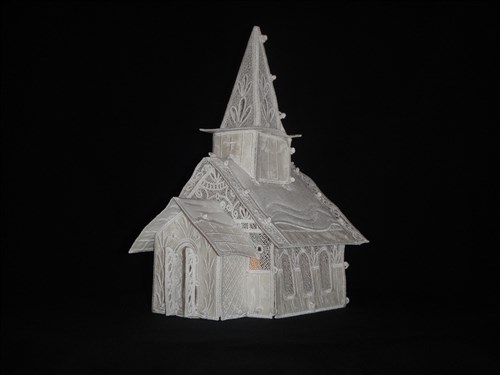
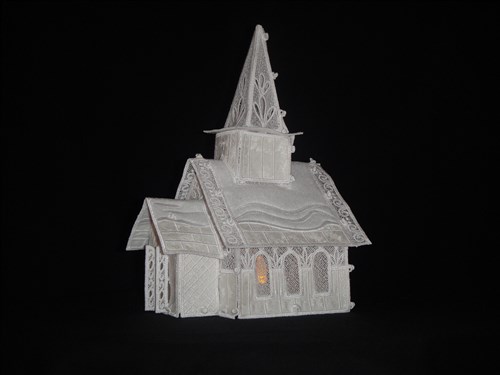
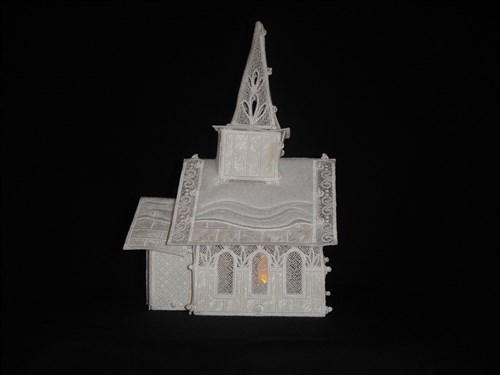
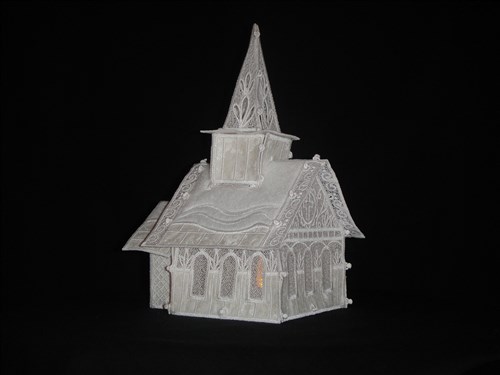
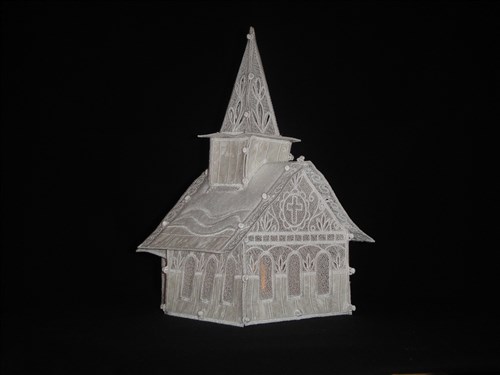
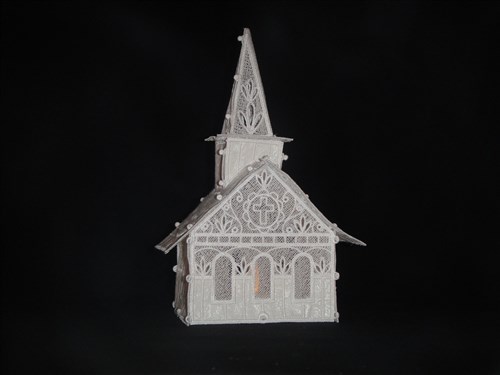
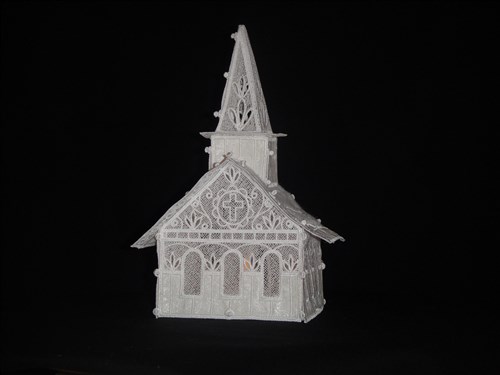
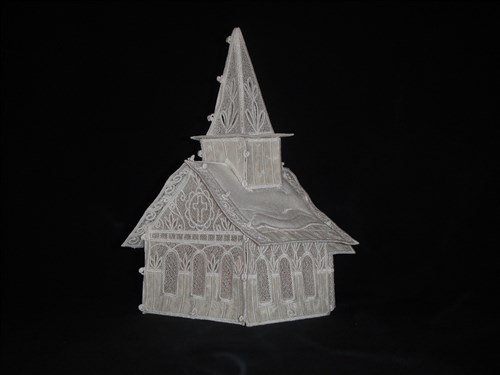
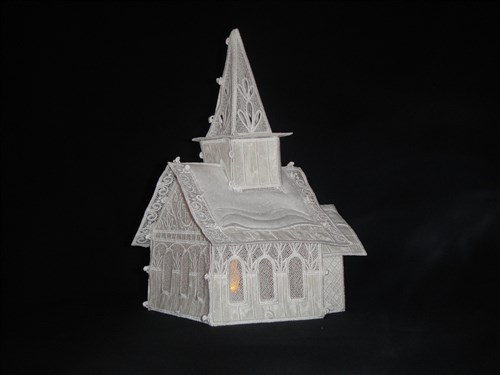
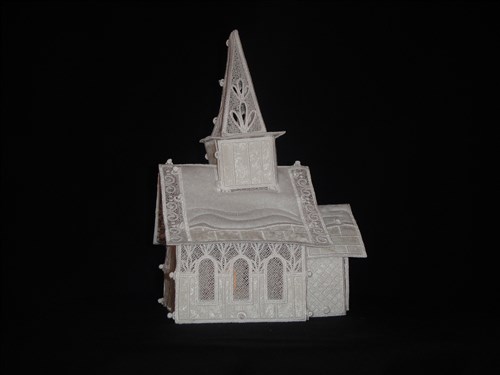
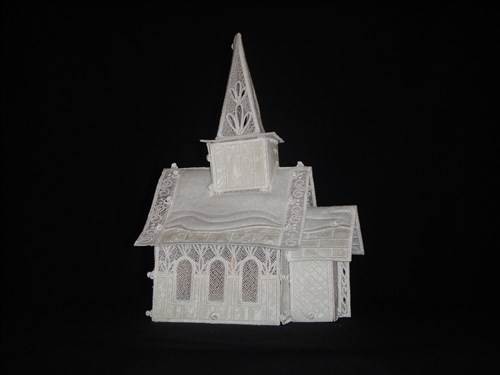
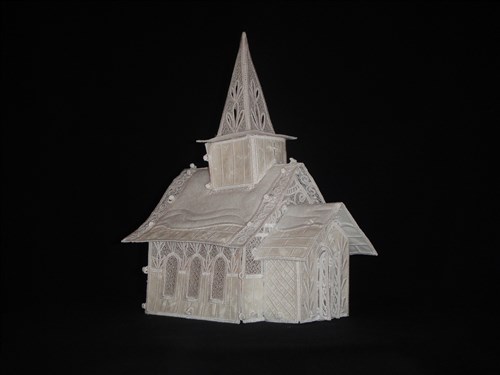
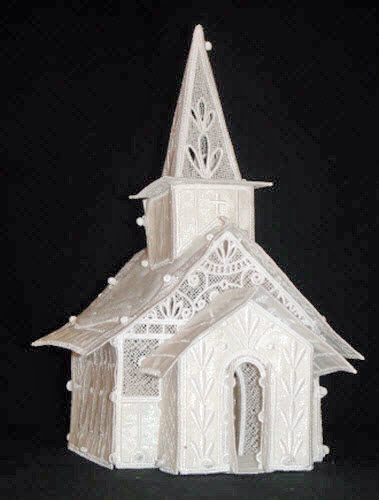
The first of our FSL Christmas Village Collection, this little chapel is full of country charm. It has space for a flameless tea light inside to illuminate your village.

Project Preview Video

Materials
  • Fat quarter of 100% cotton quilting fabric in white, cream or beige
  • 12” square of Fusible Thermolam® Plus Pellon® fleece
  • ½ yd of firm fusible stabilizer such as Pellon® 808 Craft Fuse
  • White polyester embroidery thread
  • 7 yards of fibrous water soluble stabilizer such as Floriana Wet n’ Gone
  • Flameless tea light
  • 5” x 7” embroidery hoop
  • Sharp tweezers, small crochet hook or stiletto
  • Small sharp scissors
  • Spray Adhesive

Designs used in this project

Final Product: What You Will Create

Preface:
Though there are color stops in each on the 10 designs required to build your Chapel, you may use the white polyester embroidery thread throughout all of the designs. Be sure to use polyester thread as rayon would make the embroidery too soft for this project. Also use the fibrous water soluble stabilizer as the clear plastic water soluble toppings, such as Solvy, are not strong enough to hold these pieces together.

Each color stop listed as an outline is to show you where you will place the applique. The color stops listed as tack downs are to hold the appliques into position. Make sure you are placing an applique after each outline is sewn. Sew the Tack Down color stop and then remove the hoop from the machine and carefully trim the applique right up to the tack down line. Then proceed with the rest of that design.


Step 1:
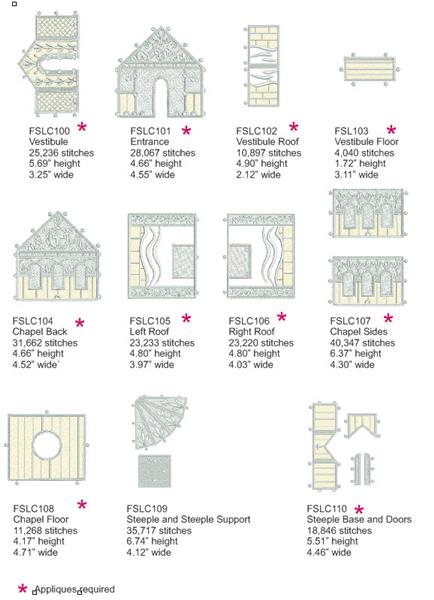
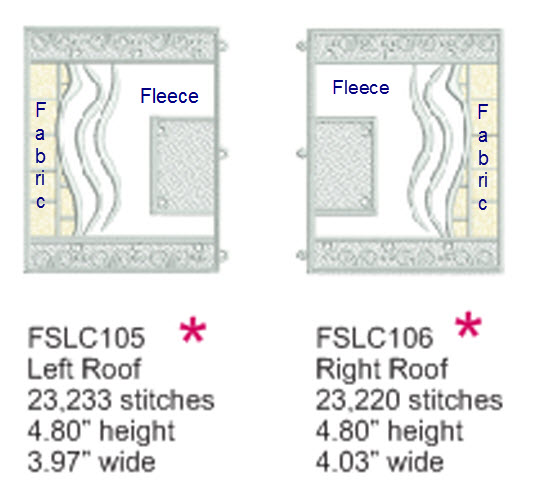
There are 10 files that make up the chapel pieces. All files except FSLC109 require appliques. The building appliques are of the 100% cotton quilting fabric. For the snow sections on the roof Pellon® Thermolam® was used as the applique fabric to give softness to the snow. The figures shown in the picture here are not necessarily to scale.

(Click Image to Enlarge)


Step 2:
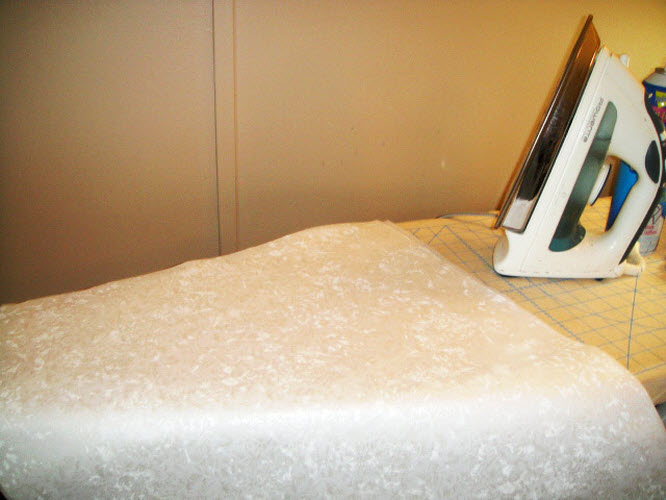
All of the pieces of the chapel are done in the same way, but we will cover one of them step by step so that you understand how the sections are made. First iron the fusible interfacing to the wrong side of your fabric fat quarter. Also iron the interfacing to the back side of the Thermolam® batting.

(Click Image to Enlarge)


Step 3:
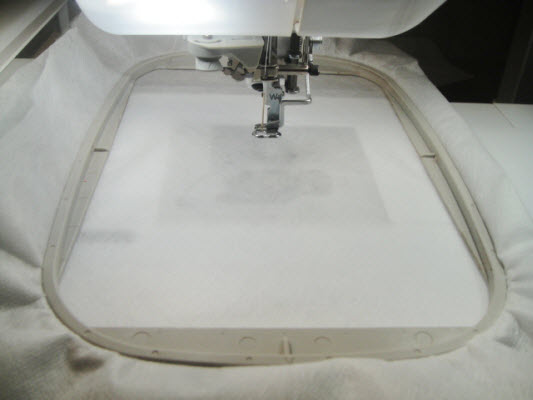
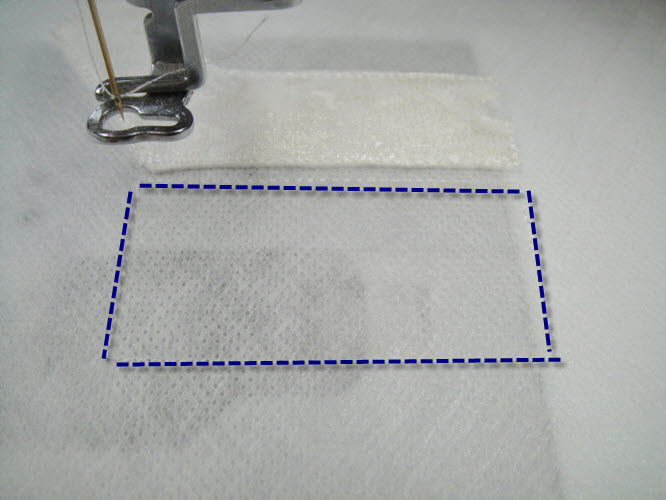
Hoop two layers of fibrous water soluble stabilizer.

(Click Image to Enlarge)


Step 4:
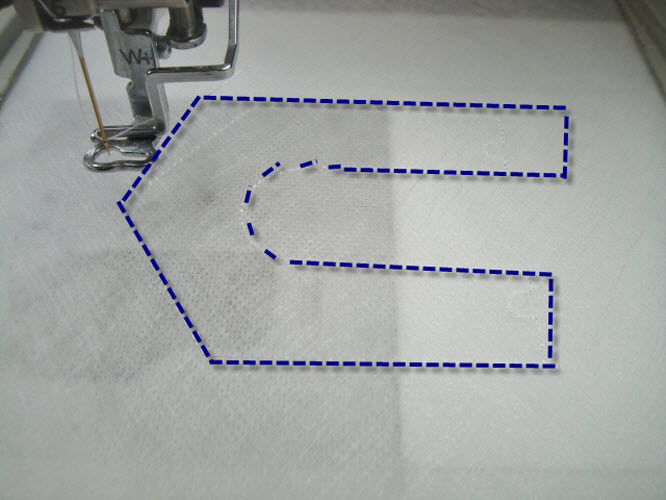
Run the first outline stitch.

(Click Image to Enlarge)


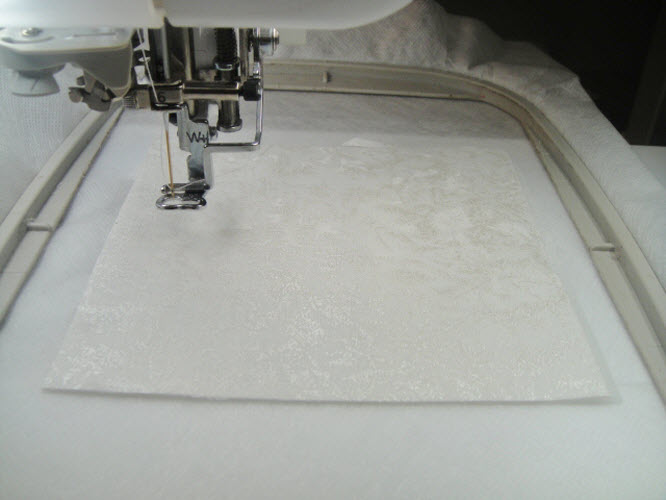
Step 5:
Cut a rectangle of fabric with the fusible interfacing applied about 1” larger than the outline stitches. Spray the back of the interfacing with a little adhesive spray and place over the outlines.

(Click Image to Enlarge)


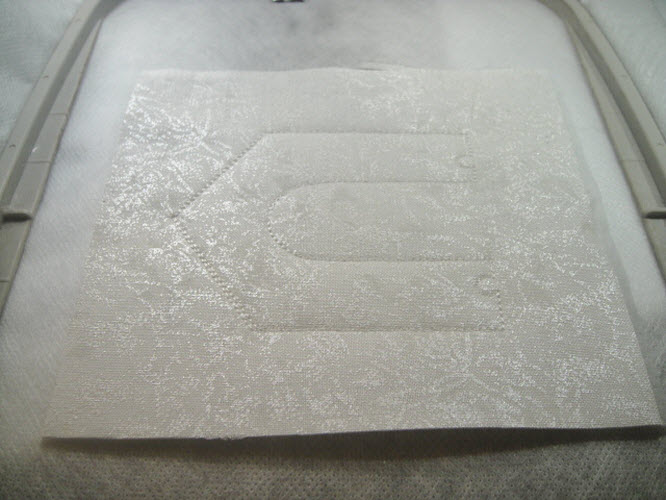
Step 6:
Stitch the tack down line.

(Click Image to Enlarge)


Step 7:
Remove the hoop from the machine – do not unhoop – with very small sharp scissors trim the excess fabric right up next to the outline.

(Click Image to Enlarge)


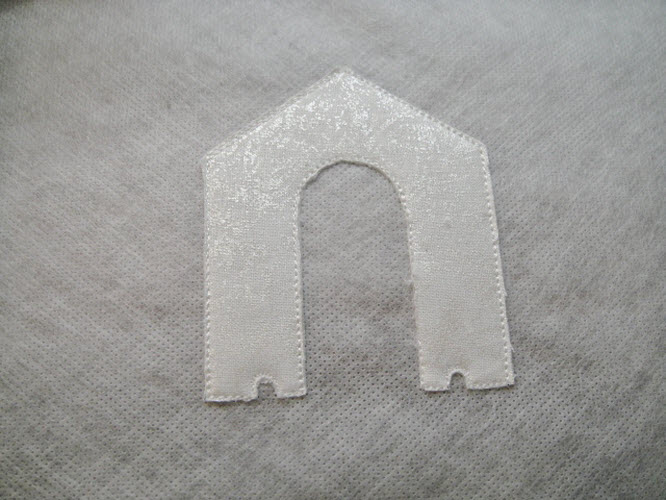
Step 8:
Return the hoop to the machine and stitch the next outline.

(Click Image to Enlarge)


Step 9:
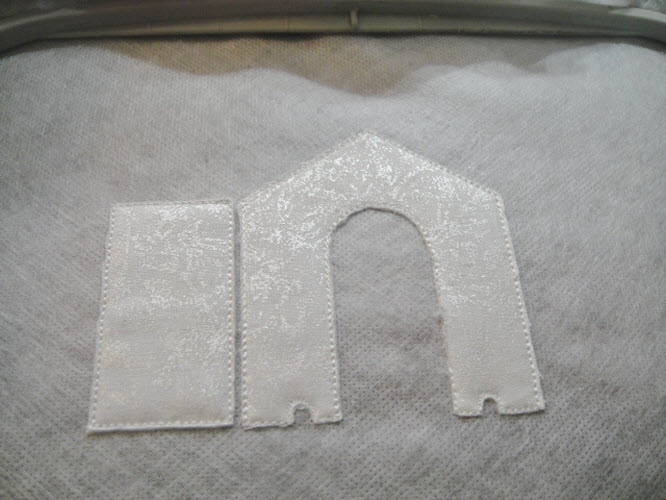
Spray a small piece of the fabric, place over the outline, stitch the tack down and trim the applique close to the outlines as before.

(Click Image to Enlarge)


Step 10:
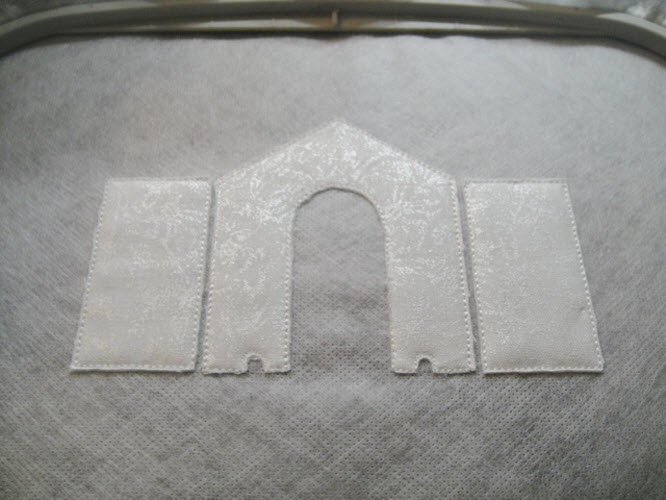
Repeat Step 9 for the third applique.

(Click Image to Enlarge)


Step 11:
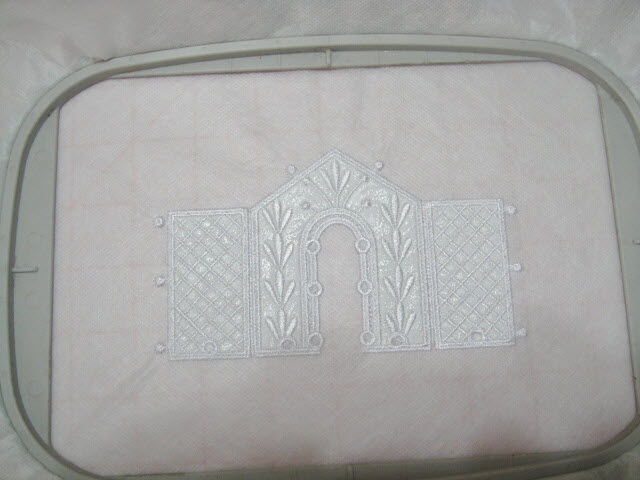
Run the last color sequence which will sew the designs and or lace to complete the piece

(Click Image to Enlarge)


Step 12:
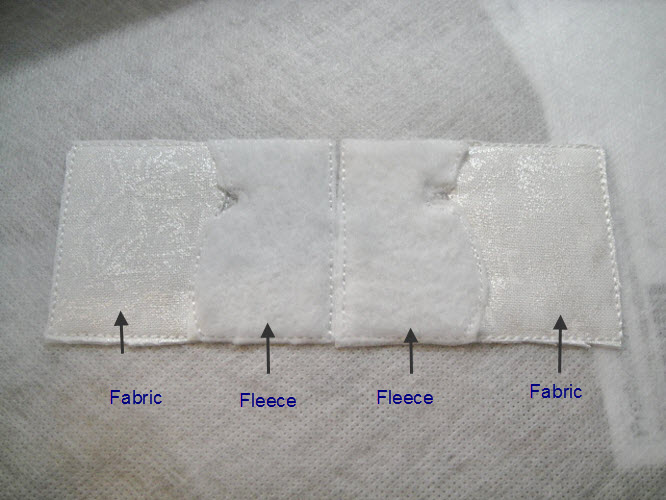
File FLSC102, the vestibule roof has two appliques of fabric and two appliques of the Thermolam® fleece to represent snow. Apply them as pictured here.

(Click Image to Enlarge)


Step 13:
The two roof sections also have fleece appliques to represent snow as pictured.

(Click Image to Enlarge)


Step 14:
(Click Image to Enlarge)
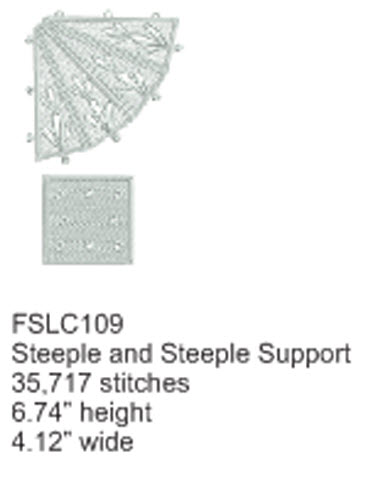
The steeple and steeple foundation do not have any appliques they are just free standing lace. Just sew them out on two layers of fibrous water soluble stabilizer.


Step 15:
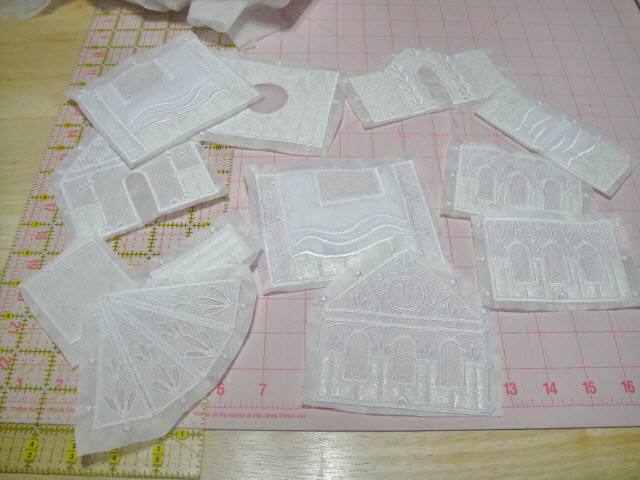
After you have sewn all of your pieces roughly cut them away from the excess stabilizer.

(Click Image to Enlarge)


Step 16:
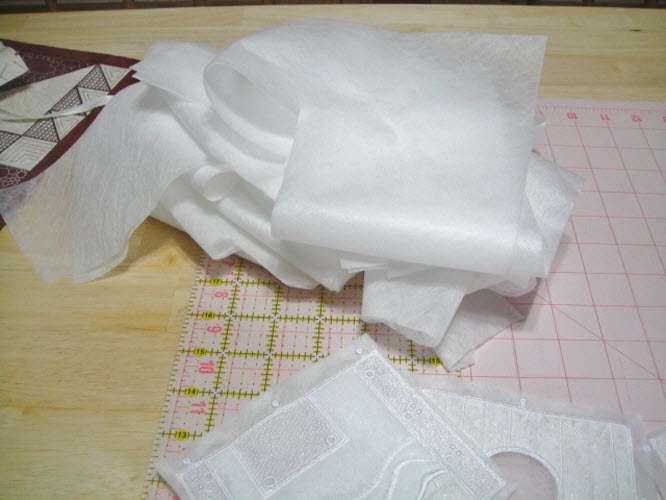
Don’t throw away that pile of excess stabilizer you have cut away. Some pieces may be large enough for small projects. Or, if too much stabilizer gets removed from any of your pieces, you can lay several pieces of the scrap stabilizer in a dish of water to melt them down and place the limp pieces in this mixture to stiffen them up again.

(Click Image to Enlarge)


Step 17:
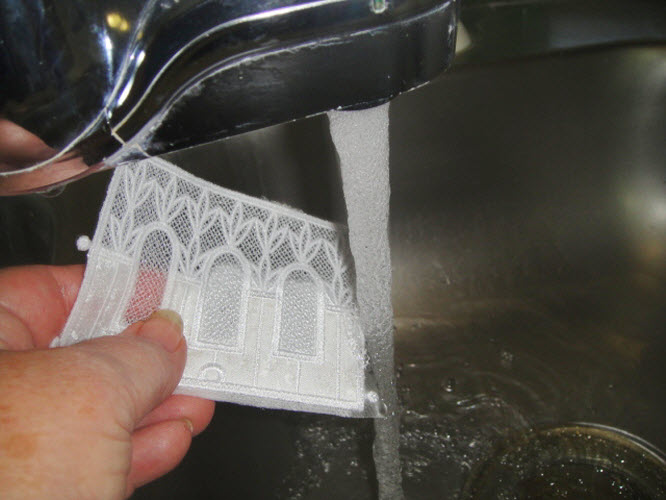
Hold each of your chapel sections under running hot water to remove the stabilizer. Don’t wash it all out just wash out enough to remove it from the edges and inside the lace sections of the piece.

(Click Image to Enlarge)


Step 18:
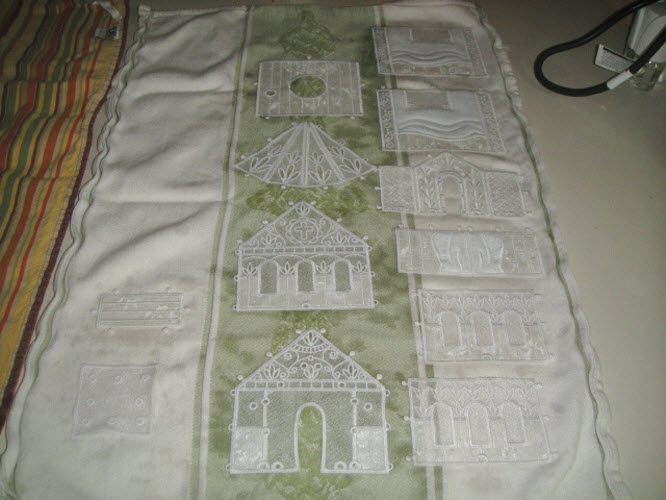
Lay the wet pieces on a smooth cotton towel to dry.

(Click Image to Enlarge)


Step 19:
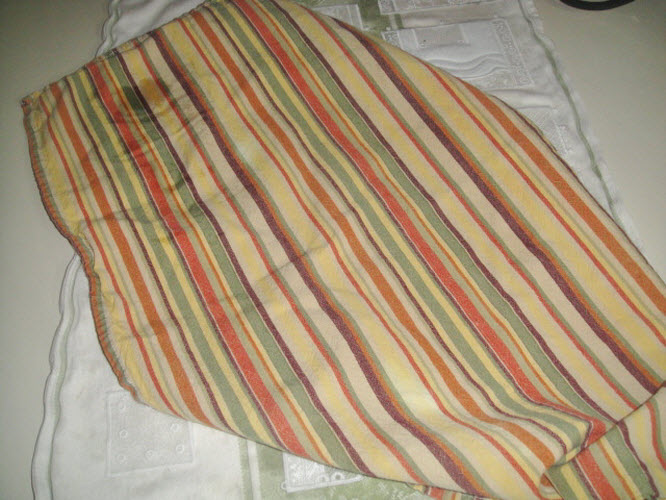
Blot with a second towel to lessen drying time. The wait to dry all pieces thoroughly.

(Click Image to Enlarge)


Step 20:
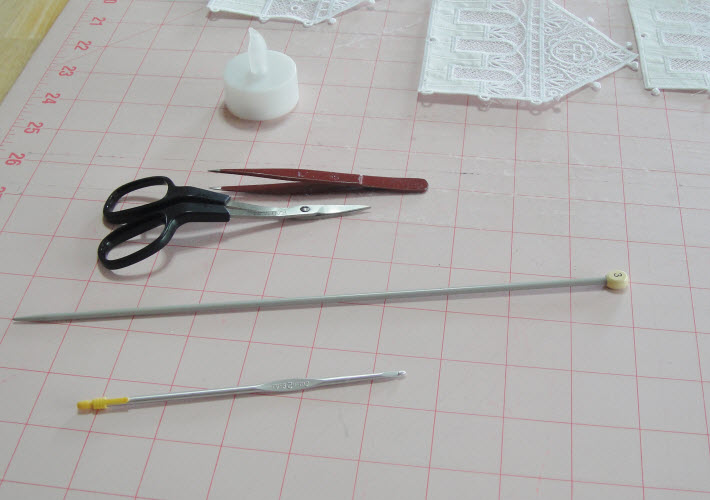
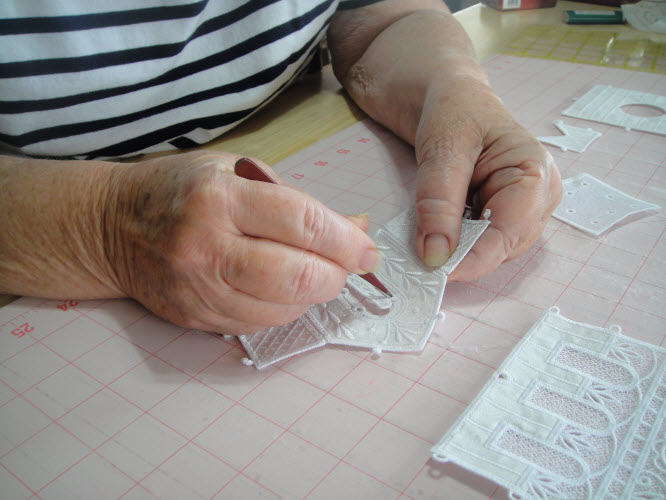
Lay out some useful tools to help assemble the chapel. Small scissors to trim thread tails, a pair of very pointed splinter tweezers, a crochet hook and a small knitting needle are all helpful in pushing the little buttons through the eyelets.

(Click Image to Enlarge)


Step 21:
It is helpful to stretch the eyelets and holes in each piece with a knitting needle. A size 3 was used in the picture. Just poke the needle into the hole and wiggle around a little to break down the sizing. Don’t stretch the eyelets too much as you don’t want to break them off.

(Click Image to Enlarge)


Step 22:
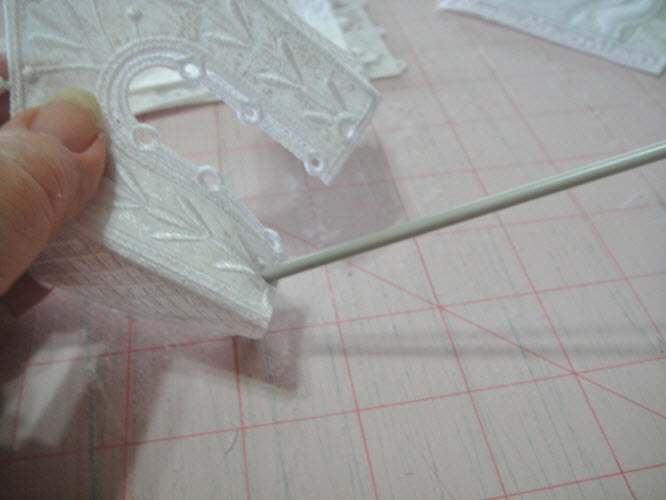
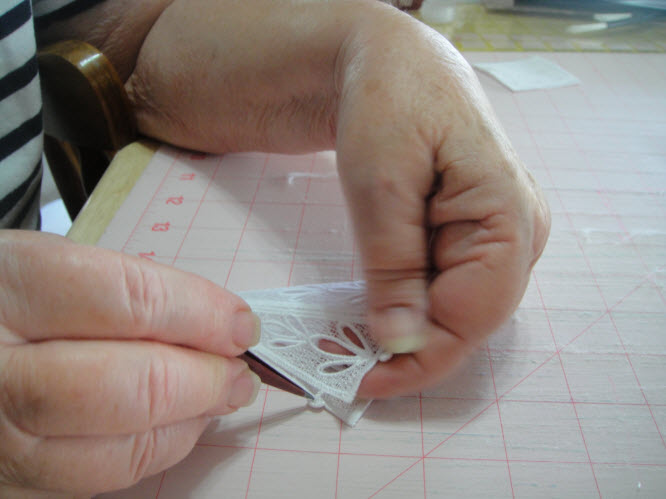
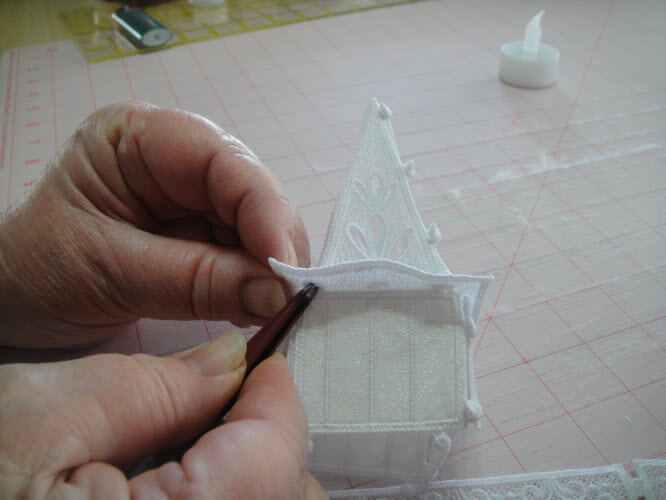
Begin assembly by attaching the doors to the front of the vestibule by laying the door buttons over the eyelets. Hold the button firmly in place with the pointed tweezers. While applying pressure to the button lift the whole vestibule upwards and the button will slip through the eyelet.

(Click Image to Enlarge)


Step 23:
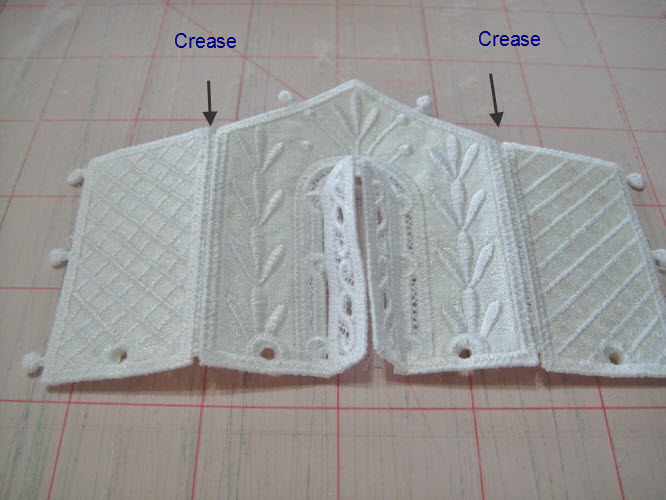
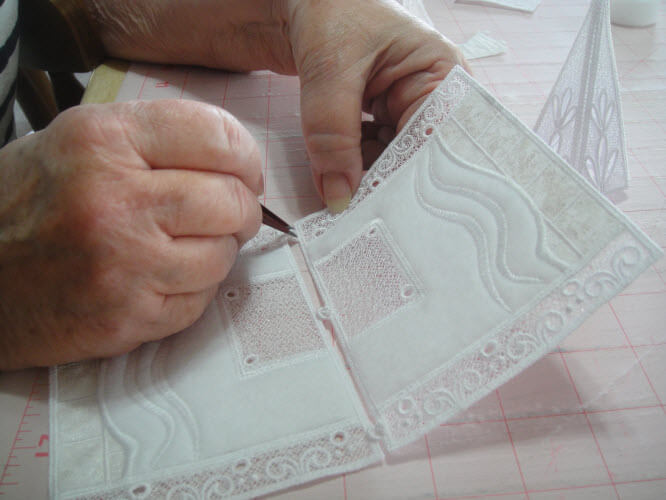
After attaching both doors crease the side panels of the vestibule along the lines indicated.

(Click Image to Enlarge)


Step 24:
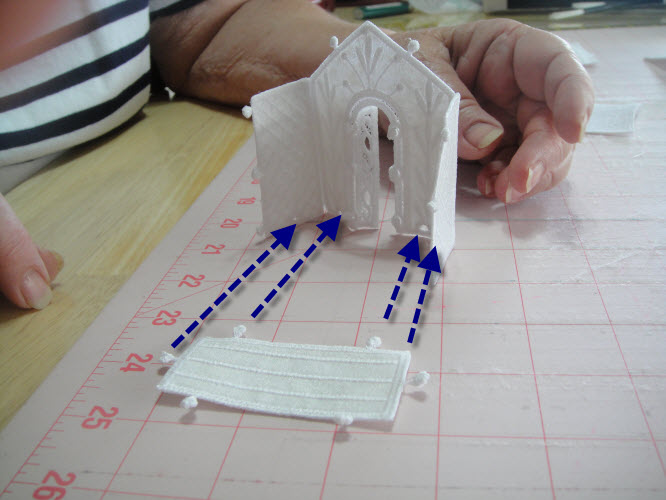
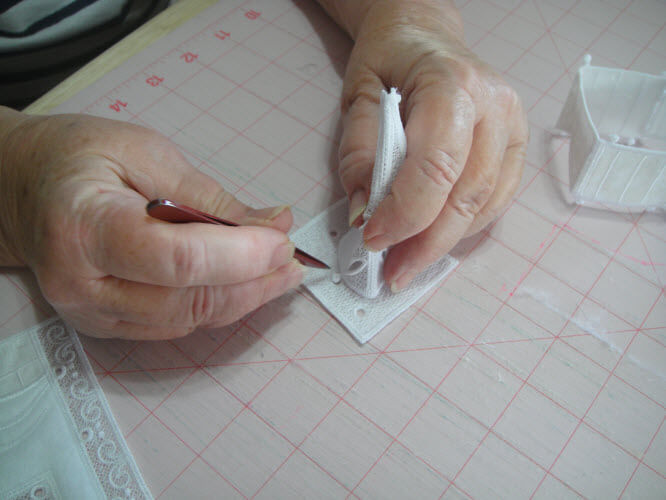
From the inside of the vestibule insert the floor buttons on through the eyelets in the front and on the sides of the vestibule.

(Click Image to Enlarge)


Step 25:
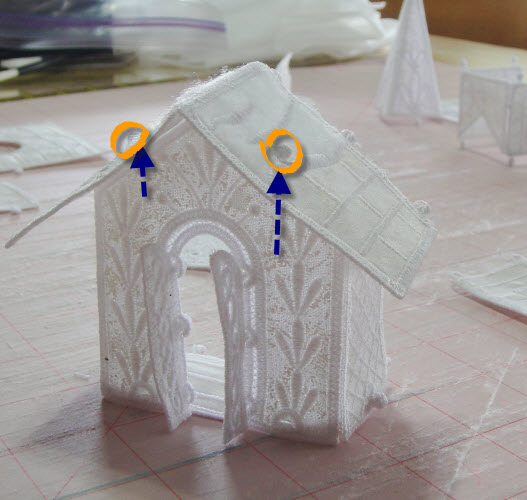
Crease the vestibule roof along its center line. Insert the two buttons on each side of the vestibule front through the two eyelets in the roof.

(Click Image to Enlarge)


Step 26:
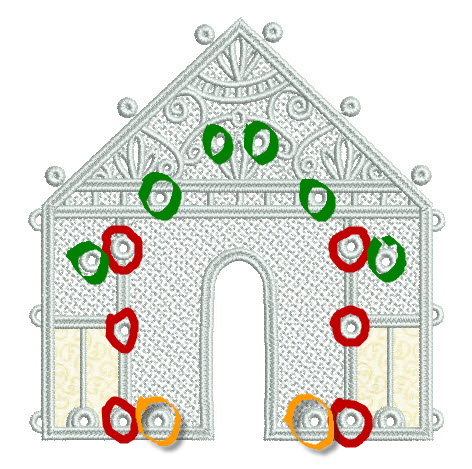
To attach the front entrance to the vestibule you will insert the buttons on the vestibule through the eyelets on the entrance. The buttons on the sides of the vestibule will be placed in the eyelets marked in Red; the roof buttons will be inserted into the eyelets marked in Green; the Floor buttons will be inserted into the eyelets marked in gold.


Step 27:
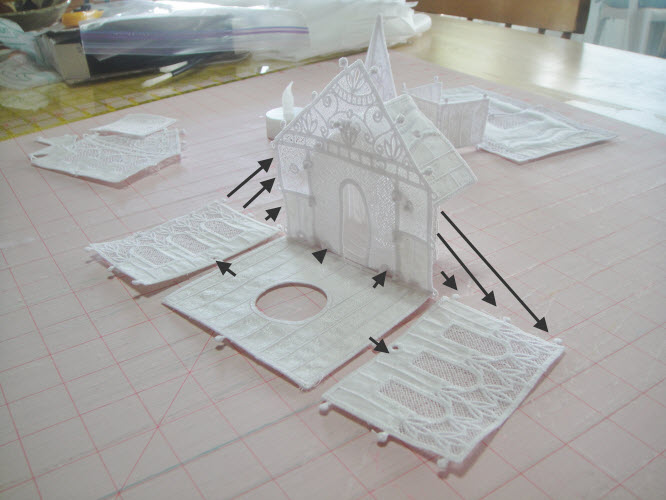
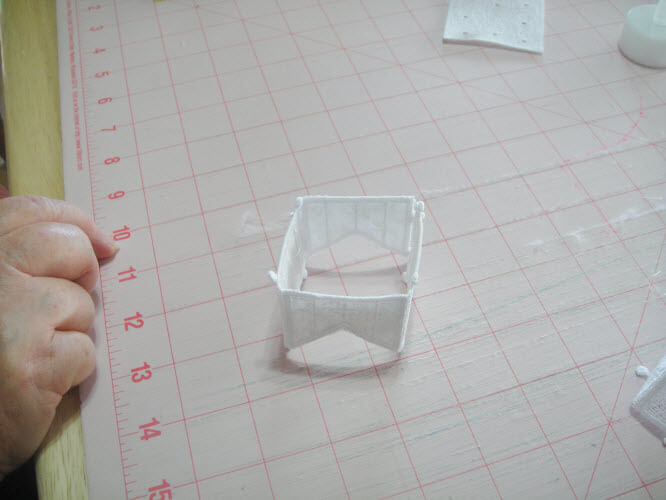
Insert the buttons on the side panels through to the front side of the chapel. Insert the floor buttons through the two eyelets on the entrance and on the bottom of the two side panels.

(Click Image to Enlarge)


Step 28:
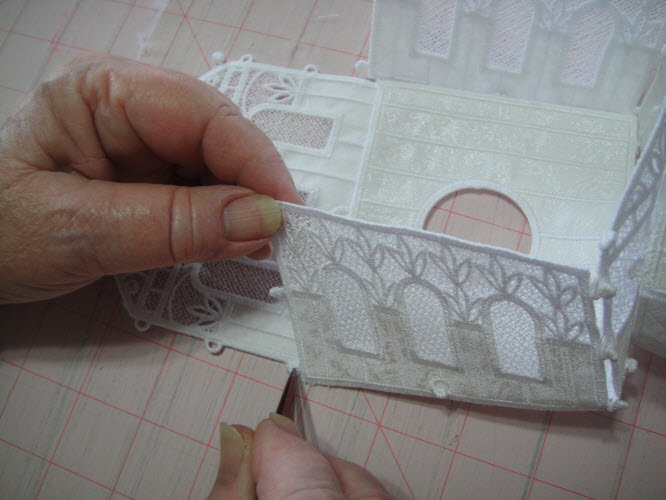
Attach the back of the chapel to the sides and floor by pushing the buttons from the sides and the floor through to the right sides of the back.

(Click Image to Enlarge)


Step 29:
Crease the steeple along the seam lines and complete by insert the buttons through the eyelets.

(Click Image to Enlarge)


Step 30:
Join the two roof pieces by bringing the buttons to the right side of the roof.

(Click Image to Enlarge)


Step 31:
Join the steeple base back to the steeple base by insert the buttons through the eyelets.

(Click Image to Enlarge)


Step 32:
Attach the steeple to the steeple support by insert the eyelets through the 4 center eyelets on the support.

(Click Image to Enlarge)


Step 33:
Attach the steeple base to the steeple support by inserting the buttons on the base up through the support. Align the support so that the buttons on the steeple align with the buttons on the back of the base.

(Click Image to Enlarge)


Step 34:
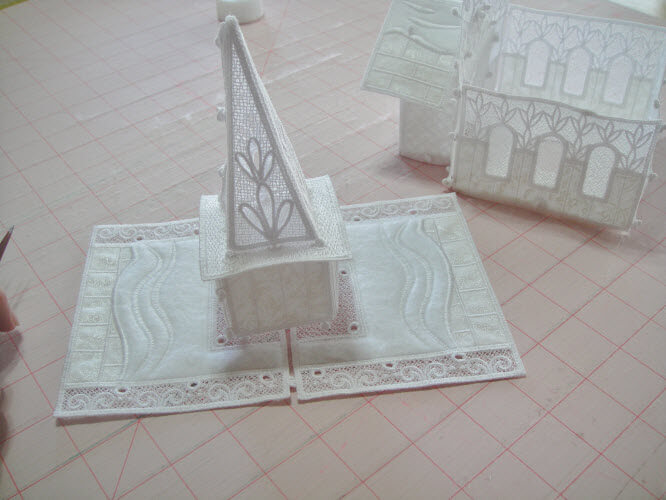
Attach the steeple unit to the roof through the 4 eyelets in the roof. The roof will have to be bent slightly to do this. The mesh with the holes in towards the front of the roof. Position your steeple unit so that the eyelets joining it are to the back of the roof.

(Click Image to Enlarge)


Step 35:
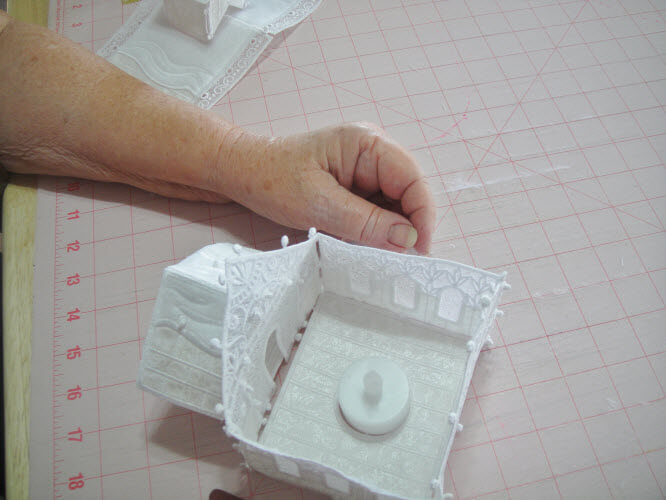
Before you attach the roof to the chapel insert your flameless tea light through the hole in the bottom of the floor.

(Click Image to Enlarge)


Step 36:
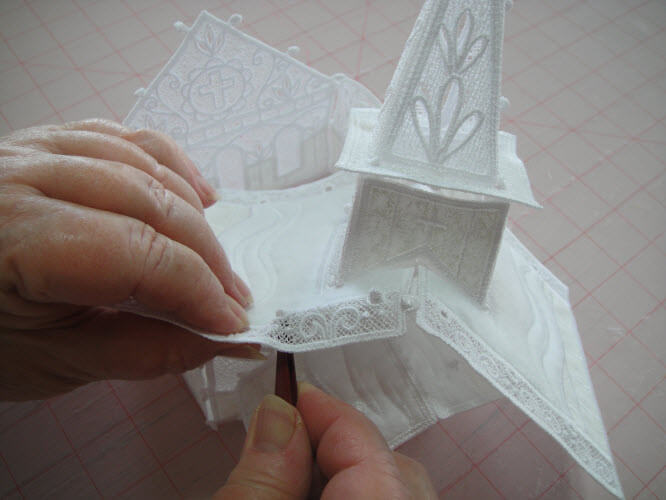
Attach the roof to the chapel by bringing the front and back buttons up through the roof.

(Click Image to Enlarge)


Step 37:
Congratulations the first building for your Christmas Village is complete. Please watch for more buildings and accessory projects for your Christmas Village.

(Click Image to Enlarge)


For the love of embroidery…
Pat Williams
Meet the Author: Pat Williams
Pat Williams
Award winning Digitizer, Embroidery Educator, Author and a Consultant to the Industry, Pat Williams has 30 years of experience in the embroidery industry. Pat has won multiple awards for her digitizing expertise including the 2007 Impressions Awards Grand Championship, Best of Show as well as the 1st and 2nd Place Awards. Pat’s love of digitizing has afforded her the opportunity to write numerous articles for Impressions magazine in the United States and Images Magazine in Europe. In 2001 Pat was named “Embroidery Educator of the Year.” For many years Pat taught digitizing seminars at the ISS Shows in Long Beach, CA and for Compucon software. She now resides in Tucson, AZ.
More From This Author
Link is Broken, Please check the URL
Exclusive Embroidery Offers!
Copyright © {{ currentDate | date:'yyyy'}} - EmbroideryDesigns.com