|
Preface:
| |
Whether you have an embroidery business or you just have that artistic urge, after
you have been embroidering awhile, you may be inspired to create designs of your
own. Then the question is whether you should purchase your own digitizing software
or contact a custom digitizer. So let’s take a look at what digitizing is
and what your options are.
|
The Digitizing Process |
To digitize is to replicate a graphic image, creating a data file that basically
tells the embroidery machine what stitch to sew where. Digitizing is accomplished
on a software program and it requires a little skill that you will acquire with
practice. There’s a common belief in today’s high tech world that the
process should be as easy as scanning in an image and the software will instantly
create it in stitches, but to be honest, it's not that simple. There are software
programs that offer “automatic digitizing” and this function is handy
when used properly with human decision, but it won’t do it all. Stitch types
and property values, such as the density of stitch coverage, as well as the sewing
path, can’t accurately be decided by the software program.
This is when your own logic, along with manual digitizing tools come into play.
As well, having some embroidery experience is extremely important to make the best
decisions when digitizing designs, because knowledge of embroidery helps determine
how different types of fabric are going to react to the various stitches you create. |
Consider The Situation | |
Maybe you’re an embroiderer with a desire to create one or two of your own
designs, or perhaps, you’re in business and often fill orders for corporate
logos or other special designs that you can’t find in stock designs. You might
consider a custom digitizer and have the design created in stitches from your artwork
in time to meet your deadline. This solution works out well for many embroiderers
who want to focus only on embroidery. If you own an embroidery business and hope
to digitize your own designs, you could purchase the software, and while you are
learning how to digitize, contact a custom digitizer who can handle your workload
until you are able to complete designs in an efficient manner.
|
Custom Digitizing | 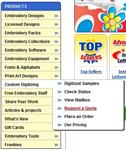
(Click Image to Enlarge)
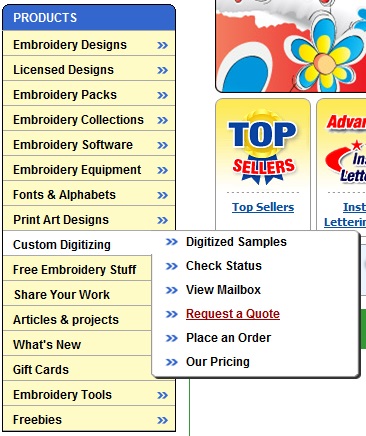
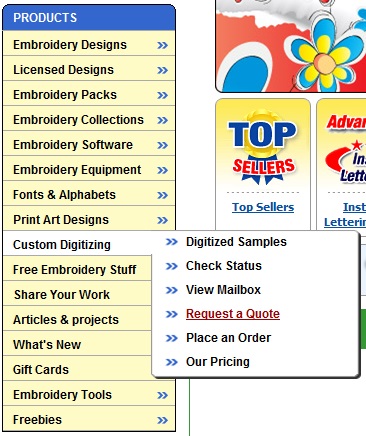
You can request a free quote for custom digitizing at EmbroideryDesigns.com by logging
into the site and place your cursor over the link for Custom Digitizing found at the left side of the page under
Products. Click on Get a Quote to bring up the form. Here you can upload your artwork
in a graphics file like .JPG and fill out the form. After you submit the request,
the digitizer will return a free quote to you within 24 hours. If you choose to
confirm the order, the digitizer does the work and notifies you when it has been
completed. At that time, you’ll be able to preview an image of the work, and
then you simply add the design to your shopping cart, pay for the order and the
design gets stored in your Order History where you can download the design as often
as you need. |
The Software |
There is a variety of different software programs available and finding the right
one for your needs can be confusing. Some digitizing software programs include functions
for lettering, automatic digitizing and manual digitizing, and some manufacturers
break those functions into different “levels” or “modules”
that can be purchased individually, with the option to add more functions later
to eventually complete a full system. Consider what creation tools you will
need the most.
If you're already acquainted with alphabet designs and you're comfortable using
them in an editing program, you might not find a need for a lettering function.
Most editing programs do come with a keyboard lettering function, but if you are
seeking a program specifically for lettering to cover the majority of work you will
produce, a lettering program offers a larger variety of font types, as well as the
option to purchase and add more fonts to the program. If you need more than editing
and lettering, and you want to create designs from graphic artwork, you would want
to purchase a digitizing program. |
|
Following is a general description of each type of software that offers some form
of design creation:
• Editing programs allow you to resize, dissect or merge designs, as well
as add or remove colors and convert to various machine formats. Some editing programs
even offer a few manual digitizing tools to achieve simple elements like a line
stitch, filled object or a satin stitch column.
• Lettering programs allow you to create keyboard lettering by typing in the
words that show up on the screen, and then after creating the words, what you have
on the screen is saved as a design. These programs come with a number of fonts,
and most often more font styles can be purchased and added to the program later.
• Digitizing programs allow you to scan in an image and create each element
of the artwork into stitches. Most offer automatic tools that come in handy in the
right situation for adding underlay or compensation for stitch push and pull, and
the best programs offer manual tools to allow for the most precise digitizing with
total control.
• Digitizing systems, used by most commercial digitizers, are complete programs
that offer all of the above, as well as tools for digitizing various specialty functions
on some industry machines, such as digitizing for application of sequence embellishment.
|
|
To help make your choice, first begin by looking at the details about each program
on the software product page. Click on each tab to view the available information
and download any Help Documents to review the software functions. |  |
|
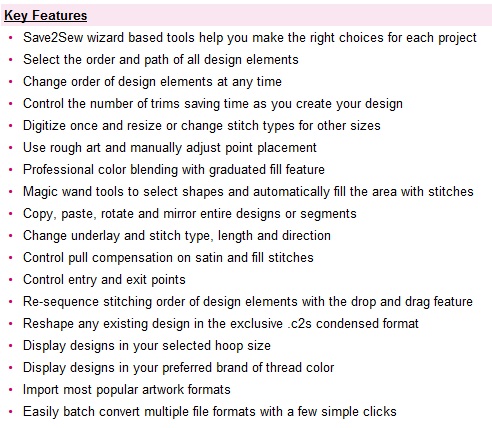
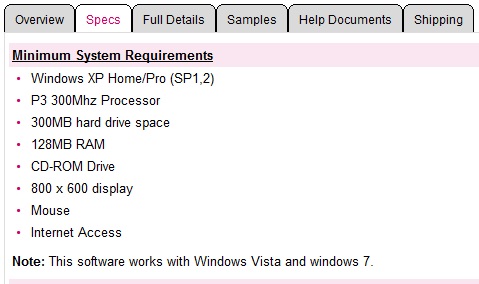
At EmbroideryDesigns.com you will find a brief list of functions available under
the Specs and Full Details tabs that are located at the lower part of the product
page, such as found for Floriani Digitizing Pro III. | 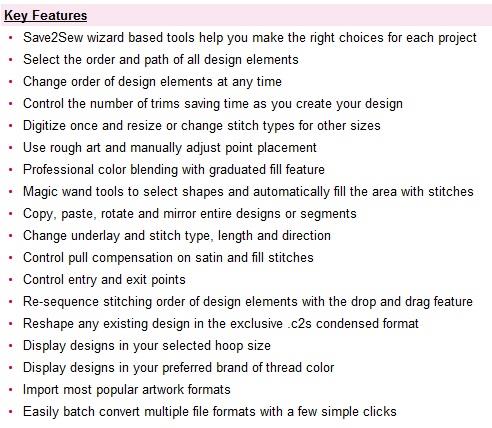 |
|
Many software programs offer demo versions that you can download, install and try
out for a limited amount of time. These demo versions usually can do most everything
a full version can do, allowing you to investigate the tools and actually create
a design. Keep in mind a trial version often won’t allow you to save the file
into a machine format and/or it might be limited to use for a set period of time,
so it's best not to download it until you are ready to install the program and have
time to give it a good try. While working with the demo, you'll learn about the
software and the tools that each has to offer.
Every digitizer has their own preferences and you’ll find tools that you personally
will never use, which to another digitizer may be the most important to have. Trying
the demo is helpful to find out which tools will best comply with your own style
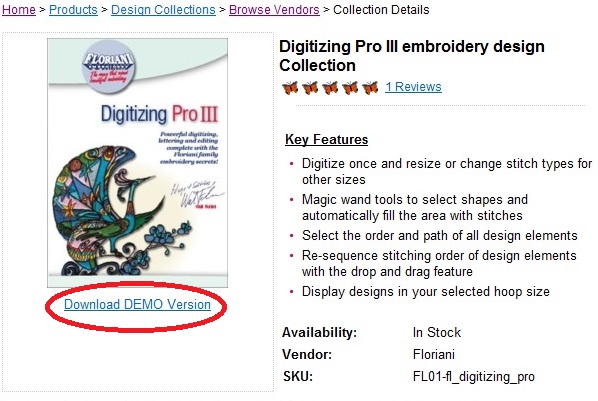
and techniques for the types of designs you intend to create. If a demo is available
for a software program at EmbroideryDesigns.com the link to download is usually
located below the image on the product page. | 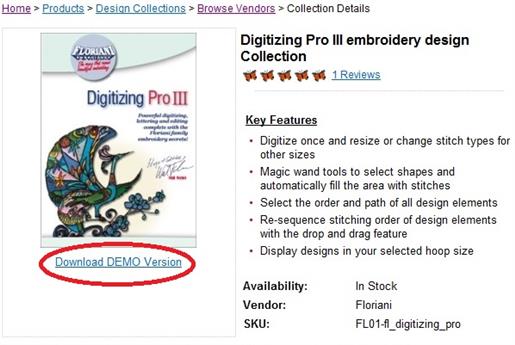
(Click Image to Enlarge) |
|
Be sure to check the Specs to be sure that the program has the ability to run on
your type of computer, whether it is a Mac or Windows operating system. | 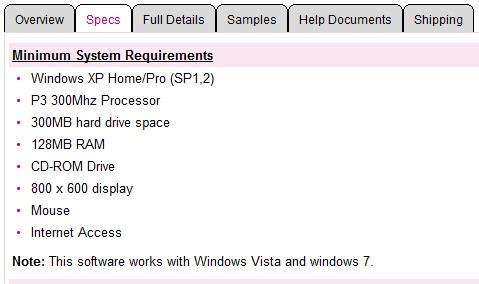 |
| |
Also check the formats that the software has the ability to create to be sure that
it’s compatible with your machine, and don’t forget to read Customer
Reviews where you often find many answers to your own questions.
|
|