{{superHeaderAds.title}}
Live Chat
Embroidery Designs
Welcome, Embroiderer
Login
Skeleton Jean Pockets
{{mainImageAlt || (productInfo._source && productInfo._source.name) || ''}}

Skeleton Jean Pockets Embroidery Project

By   Kylie Burke   on   September 30, 2021

PROJECT DETAILS

SKILL LEVEL
Intermediate
TIME REQUIRED
01:30
Description

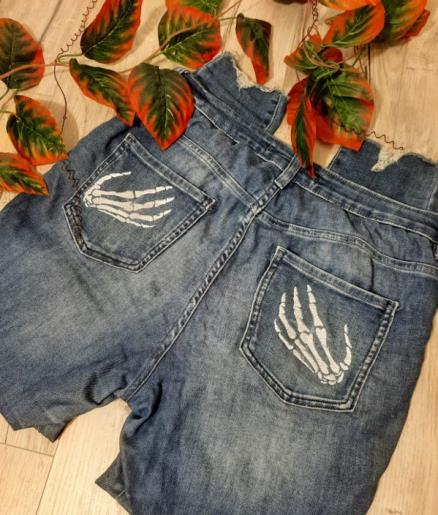
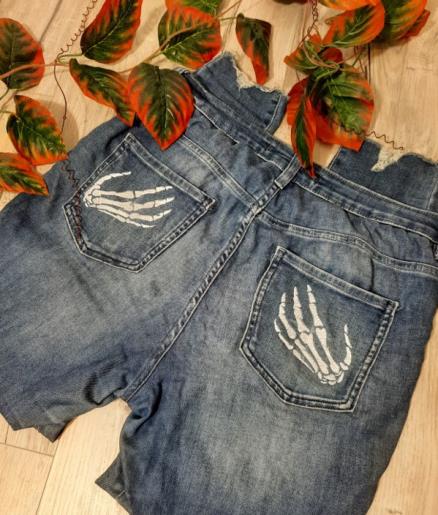
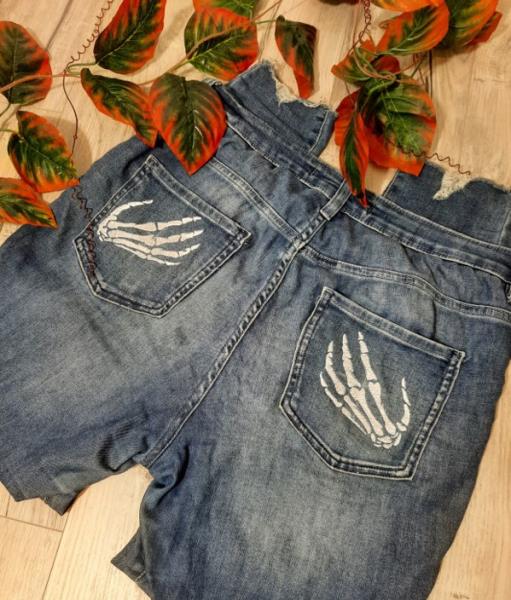
Revamp your jeans ready for Halloween by adding some cheeky skeleton hands to the back pockets!

Project Preview Video

Materials
  • Denim jeans or any pants with back pockets
  • White embroidery thread
  • Tearaway stabilizer
  • 200mm x 280mm hoop
  • Spray adhesive
  • Sewing machine with matching thread for pants

  • Designs used in this project

    Final Product: What You Will Create


    Step 1:
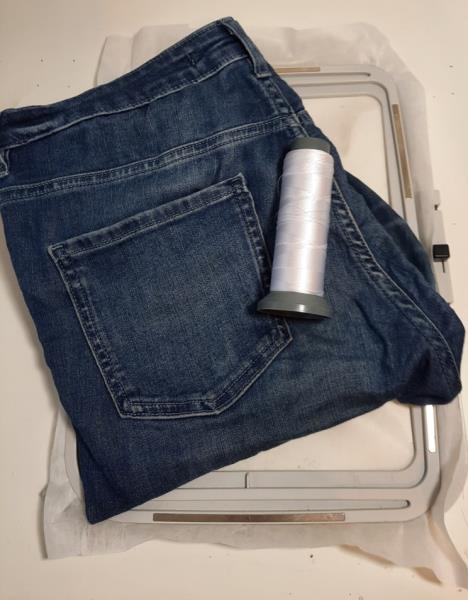
    Gather all your materials and read through the instructions before you begin. Have a copy of the color sequence on hand for the embroidery stitch out. 

    (Click Image to Enlarge)


    Step 2:
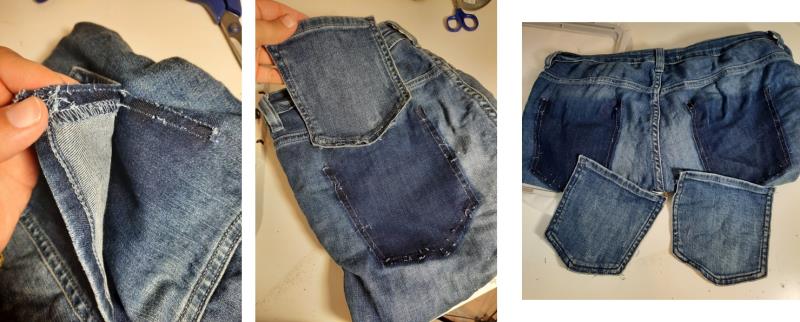
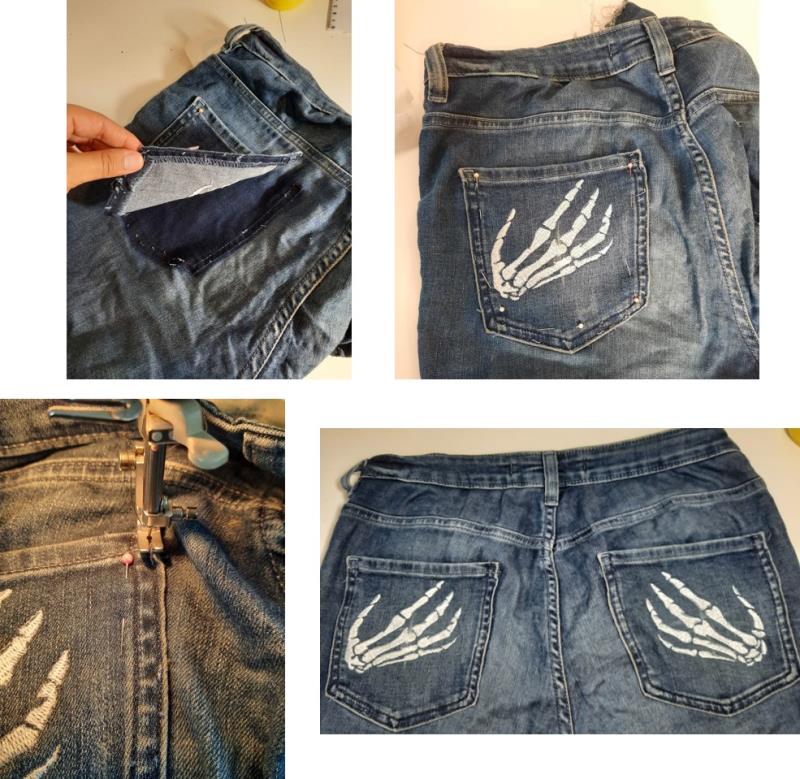
    Unpick the back pockets completely

    (Click Image to Enlarge)


    Step 3:
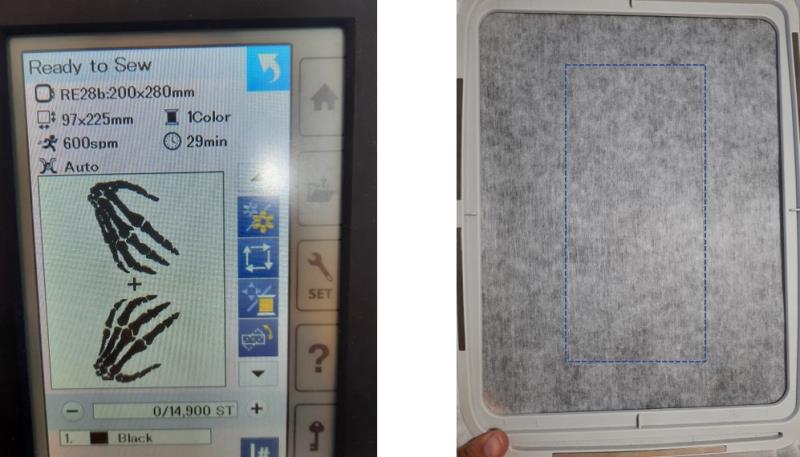
    Load the embroidery design on your machine, I have increased the design to 120% you may want to adjust this to suit the size of your pockets. Then I hooped my stabilizer and stitched the tackdown outline so I knew the position of the embroidery for the pockets.

    (Click Image to Enlarge)


    Step 4:
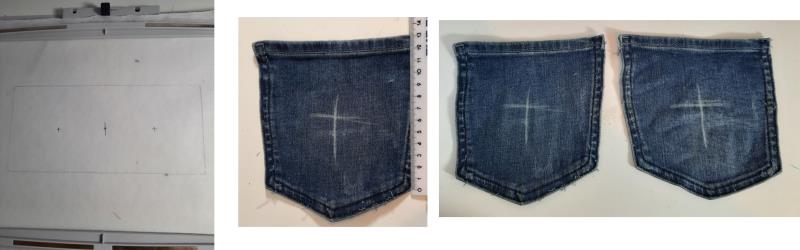
    With the stitched outline, mark the center of the rectangle, then mark the center of each of those halves to indicate the center of embroidery of each hand design, this will indicate the center position of your pockets. Then on your pockets, mark the center. Note, for the length, I have measured down the side of the pocket, excluding the pointed end, then marked half of that distance, not half of the length of the full pocket.

    (Click Image to Enlarge)


    Step 5:
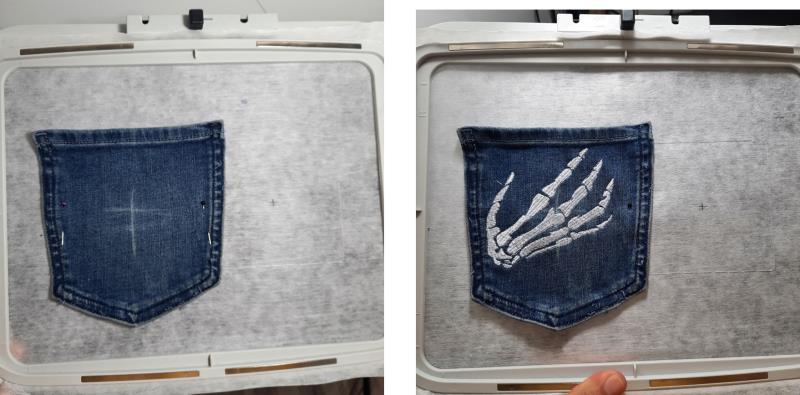
    Spray the back of one pocket with adhesive and position on the stabilizer, ensuring the center mark on the pocket matches the center mark on the one half of the stabilizer. Stitch out the first hand, stop your machine and remove the hoop but do not unhoop your design.

    (Click Image to Enlarge)


    Step 6:
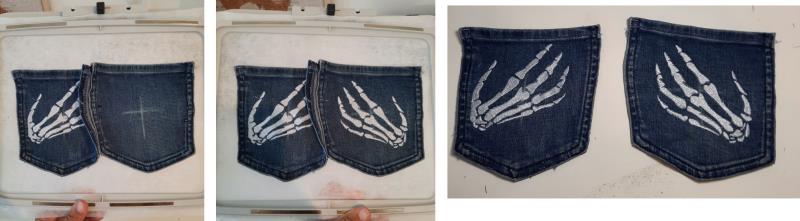
    Position the second pocket, again ensuring the center mark on the pocket is positioned on the center mark of the other half of the stabilizer. Re-attach the hoop to the machine and stitch out the second hand. 

    (Click Image to Enlarge)


    Step 7:
    Now that both pockets are embroidered, reposition them on the back of your pants and pin in place. Stitch around, trying to stitch over the existing stitch lines and repeat for the other pocket.

    (Click Image to Enlarge)


    Step 8:
    Your cheeky jeans are ready for Halloween!

    (Click Image to Enlarge)

    Meet the Author: Kylie Burke
    Kylie Burke
    Kylie is based in Australia and loves creating and sharing her unique pieces.
    More From This Author
    Link is Broken, Please check the URL
    Exclusive Embroidery Offers!
    Copyright © {{ currentDate | date:'yyyy'}} - EmbroideryDesigns.com
    GET 50% OFF! ×