{{superHeaderAds.title}}
Live Chat
Embroidery Designs
Welcome, Embroiderer
Login
Birth Announcement Chart
{{mainImageAlt || (productInfo._source && productInfo._source.name) || ''}}

Birth Announcement Chart Embroidery Project

By   Kylie Burke   on   November 09, 2020

PROJECT DETAILS

SKILL LEVEL
Some Experience
TIME REQUIRED
01:00
Description

A beautiful design to display the birth details of a new baby and a great addition to the nursery

Project Preview Video

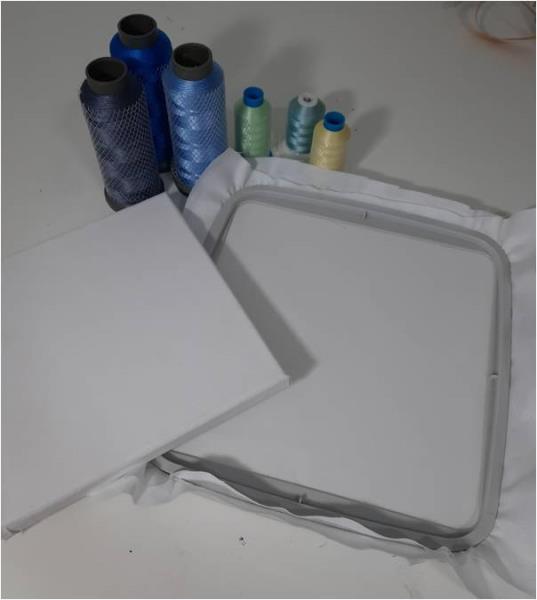
Materials
  • 12” square of white cotton fabric
  • Cutaway stabilizer
  • Chosen embroidery thread colors
  • Embroidery software
  • 8” square framed canvas
  • Staple gun with staples

  • Designs used in this project

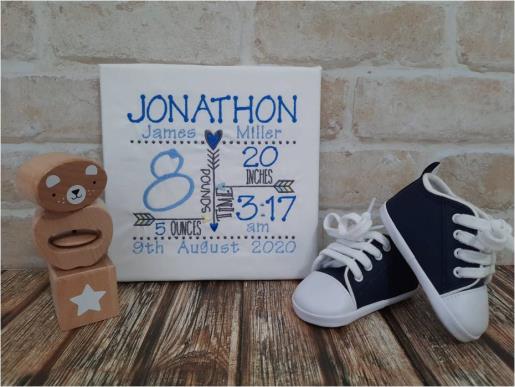
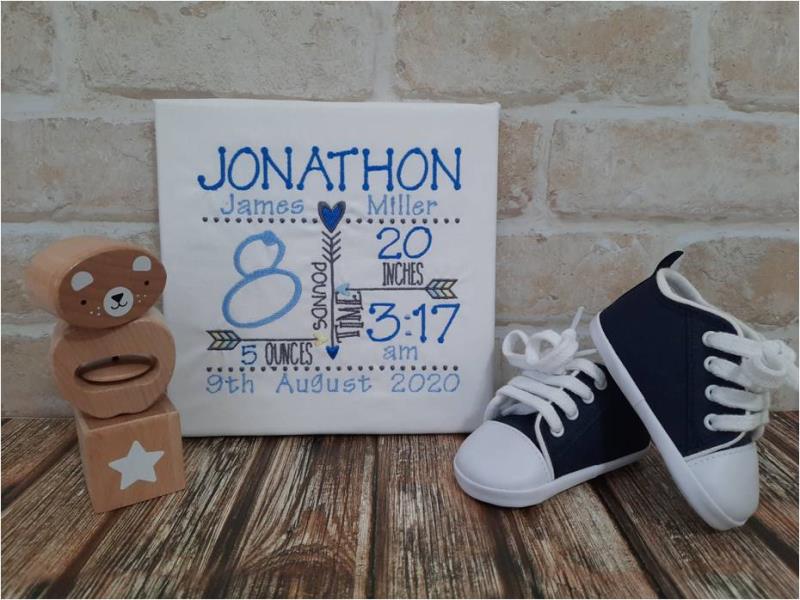
    Final Product: What You Will Create

    Preface:
    I have used the 6” x 4” newborn chart embroidery file.
    For the font, I used multiple sizes of Tinker Toy to achieve the finished look.


    Step 1:
    Gather the materials and read through the instructions before beginning. Have a copy of the color sequence on hand to refer to.

    (Click Image to Enlarge)


    Step 2:
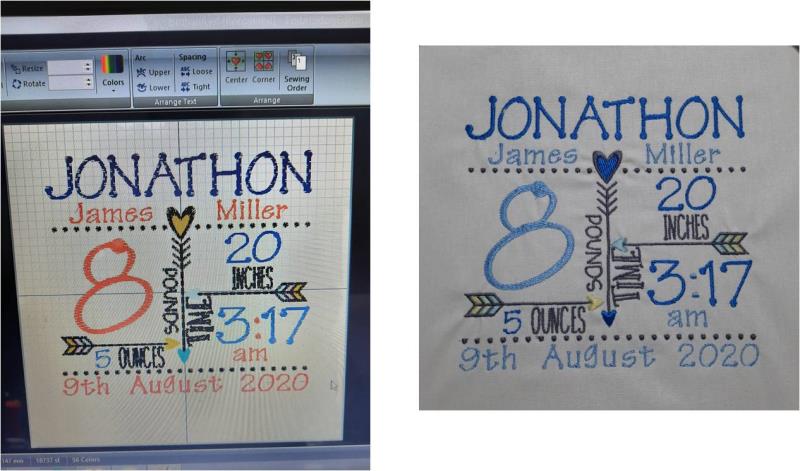
    Using your embroidery software, upload your chart design then the required letters/numbers to complete the chart. For the names across the top and the date on the bottom I used the 1” and ½” font. For the numbers I used the 2” and 1” and sized accordingly to fit. Ensure you then change the thread colors to your desired color. Hoop your stabilizer and fabric then stitch out the design. 

    (Click Image to Enlarge)


    Step 3:
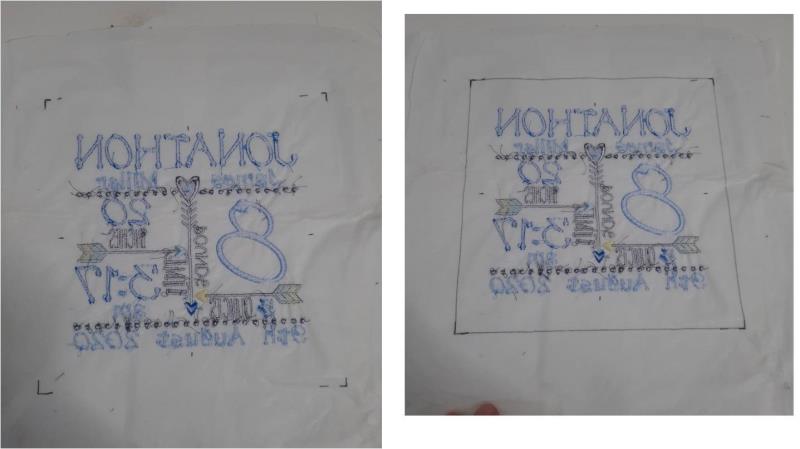
    Once stitched out, remove from your hoop and turn the design face side down. On the back of the stabilizer, find the centre of the design then mark out the corners of an 8” square which indicates where the canvas will sit. Now cut the STABILIZER ONLY along those lines. This will mean the stabilizer becomes an 8” square and the fabric remains as a 12” square. 

    (Click Image to Enlarge)


    Step 4:
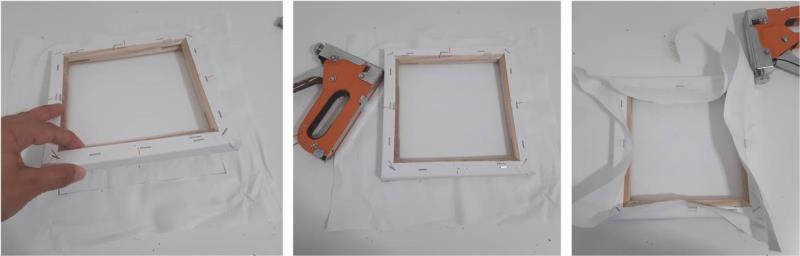
    Now place your canvas on the back of the design, positioning it over the stabilizer. Wrap the fabric around to the back of the canvas and secure in place with the staple gun. First, I do one staple in each side of the canvas. 

    (Click Image to Enlarge)


    Step 5:
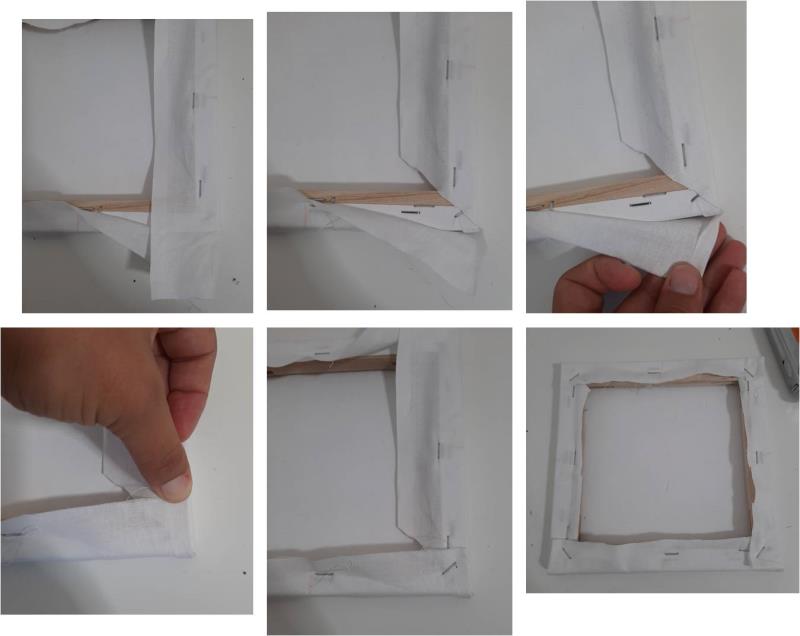
    For the corners, I cut the excess out of one side but cutting it on an angle. Then wrap the bottom section up, turning in ¼” of the fabric and fold it up against the canvas aligning with the side of the canvas and staple in place. Ensure it is pulled taught. Repeat for all 4 corners. you can then cut off the excess fabric to sit level with the wooden frame. 

    (Click Image to Enlarge)


    Step 6:
    Your baby announcement canvas work is now complete and ready to hang in the nursery.

    (Click Image to Enlarge)

    Meet the Author: Kylie Burke
    Kylie Burke
    Kylie is based in Australia and loves creating and sharing her unique pieces.
    More From This Author
    Link is Broken, Please check the URL
    Exclusive Embroidery Offers!
    Copyright © {{ currentDate | date:'yyyy'}} - EmbroideryDesigns.com
    GET 50% OFF! ×