{{superHeaderAds.title}}
Live Chat
Embroidery Designs
Welcome, Embroiderer
Login
Fall Banner
{{mainImageAlt || (productInfo._source && productInfo._source.name) || ''}}

Fall Banner Embroidery Project

By   Marisa Littleton   on   August 15, 2022

PROJECT DETAILS

SKILL LEVEL
Intermediate
TIME REQUIRED
03:00
FINISHED SIZE
12 x 38 inches
Description

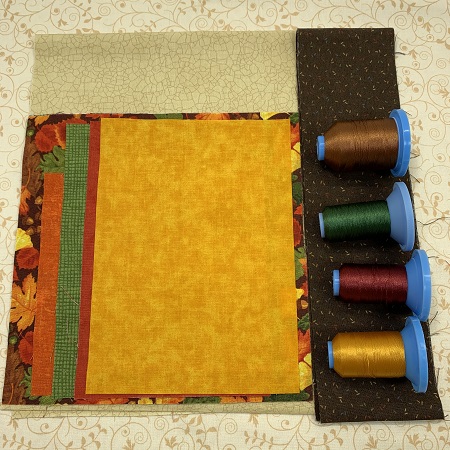
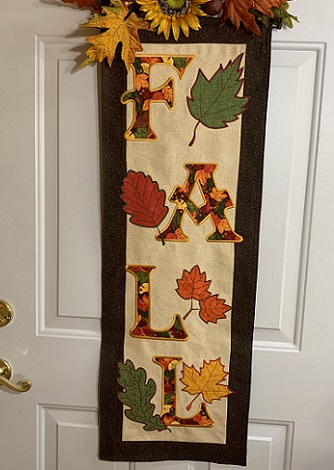
Leaves are floating everywhere. FALL is in the air! Falling Leaves Banner. Combine jumbo size letter and leaf applique designs to create a banner. Basic sewing skills are required to make this project.

Project Preview Video

Materials
  • 8"x8" or 8"x12" hoop
  • Design Templates
  • Embroidery Needle size 80/12
  • Embroidery thread (40 wt., Robison-Anton Super Brite poly)
  • Cutaway Stabilizer (2.0)
  • 505 Temporary Adhesive Spray
  • Pellon SF101 Shape Flex
  • One 10"x34" piece beige/cream 100% quilter's cotton fabric
  • Two 3"x34" pieces brown blender, 100% quilter's cotton fabric
  • Two 3"x16" pieces brown blender, 100% quilter's cotton fabric
  • One 16"x40" piece 100% quilter's cotton fabric (backing)
  • One 3"x12" piece 100% quilter's cotton fabric (sleeve)
  • Four 8"x8" pieces fall themed cotton fabric (letters FALL)
  • Five 8"x8" pieces fall themed cotton fabric (leaves)
  • Heat n Bond lite
  • Applique scissors
  • Sewing machine, thread & matching bobbin
  • Optional: 14"x38" commerical table runner, neutral color
  • Optional: Embroidery Software program

  • Designs used in this project

    Preface:
    Fall is in the air.  Leaves are floating everywhere!  Combine jumbo size letters and leaves to create a fall themed banner.  Basic sewing skills are necessary to complete this project.  A larger hoop is needed for this project.  The machine embroidery technique is applique.  Applique uses smaller fabric pieces to fill in parts of a design.  The three basic parts of applique are placement stitches, tack down stitches, and finishing stitches.  The applique leaves used in this project are part of a design pack.  The leaves are also listed separately with the directions.


    Step 1:
    Read the directions before beginning the project.  Gather and prepare the materials.  Lightly starch and iron the fabric.  Wait until you know the finished measurement of your banner before cutting the backing fabric.  


    Step 2:
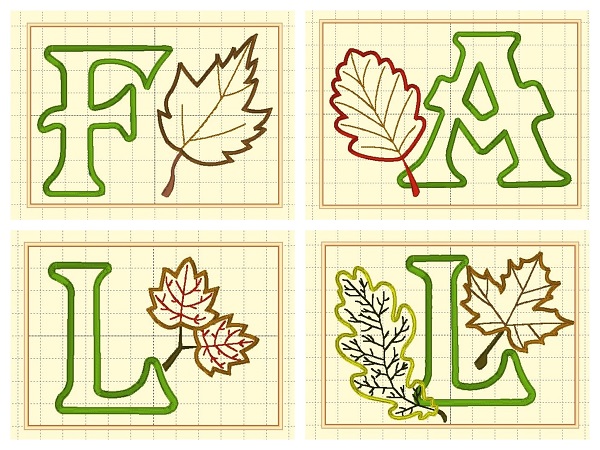
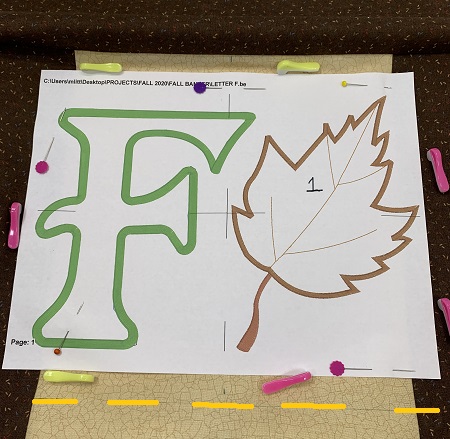
    Embrilliance Essentials embroidery software program was used to merge the letters and leaves onto one template.  This step cuts down on the number of hoop changes.  A design template is the actual size of the stitched design and a great placement tool.   Print design templates for each letter/leaf combination.  Embrilliance Essentials offers a trial version.  

    (Click Image to Enlarge)


    Step 3:
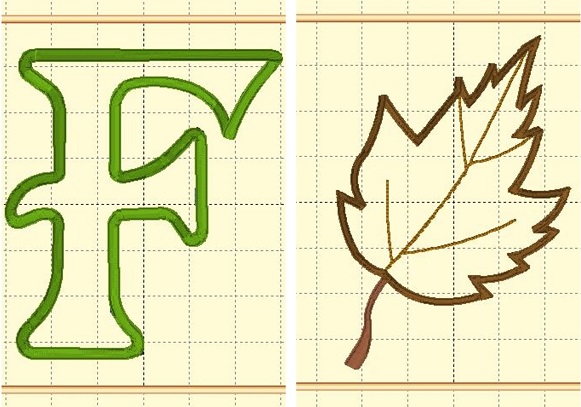
    The alternative to using an embroidery software program to combine the designs is to hoop the letter and leaf separately.   Print a design template for the letter F and a leaf.   Determine placement for each design.  Next, you will hoop the stabilizer.  Float the banner.  Embroider the letter.  Remove the banner from the hoop.  Hoop the stabilizer again.  Float the banner.  Embroider the leaf.  

    (Click Image to Enlarge)


    Step 4:
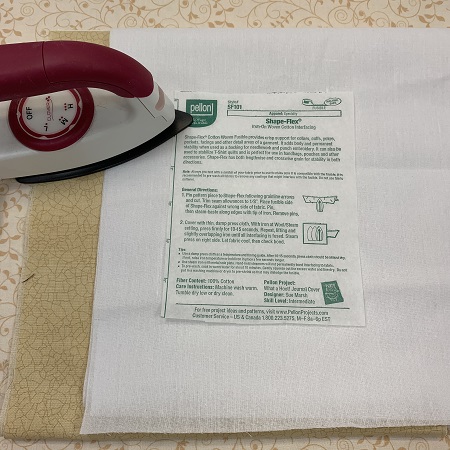
    Cut one piece of Pellon SF101 10"x38".  Follow package directions to fuse the SF101 to the back of the 10"x38" piece of beige fabric.  The Pellon SF101 will help stabilize the fabric and reduce puckering.


    Step 5:
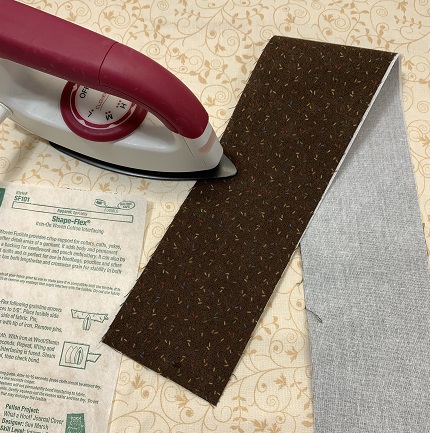
    Cut 2 pieces of Pellon SF101 3"x16".  Cut 2 pieces of Pellon SF101 3"x38".  Follow package directions to fuse the SF101 to the back of brown blender strips.  


    Step 6:
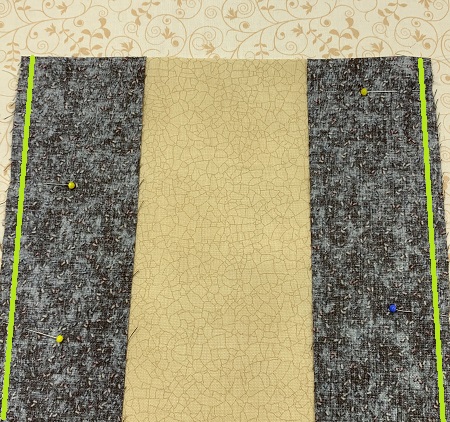
    Pin the 3"x38" strips to long sides of the 10"x38" piece of beige fabric.  Sew the strips to the beige fabric using a 1/4" seam.  Press the seams with an iron.  


    Step 7:
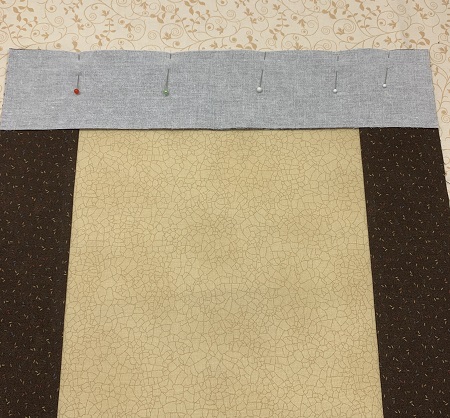
    Pin the 3"x16" strips to the ends of the runner.  Sew the strips to the banner using a 1/4" seam.  Square the ends if needed.


    Step 8:
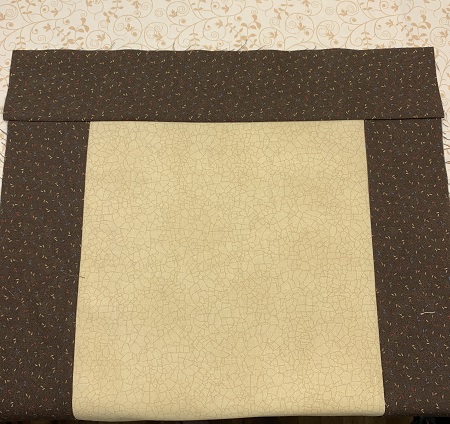
    Press the seams on the banner.  Square the sides of the banner if needed.  


    Step 9:
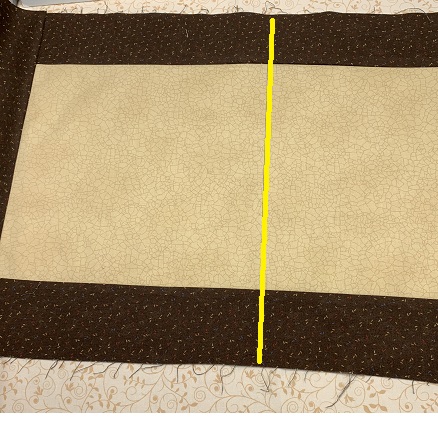
    Divide the beige fabric into 4 equal parts.  Use a fabric pen to mark each section on the banner.  


    Step 10:
    Use the design template/s as a placement guide.  Center the first template (Letter F) in the first section on the banner.  Hoop one piece of stabilizer.  Float the banner on the stabilizer.  Secure the banner to the stabilizer.
     
     NOTE:  If using two separate embroidery designs/templates, pin the side by side on the fabric.  You will center the first embroidery  design on the fabric onto the stabilizer.  Stitch the design.  Remove banner from the hoop.  Trim the excess stabilizer.  Hoop another piece of stabilizer.  Center the second design on the fabric onto the stabilizer.  Stitch the second design.  


    Step 11:
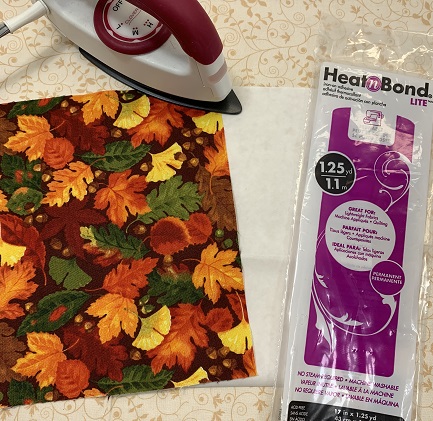
    Follow package directions to apply Heat n Bond lite to each piece of 8"x8" fall fabric.  


    Step 12:
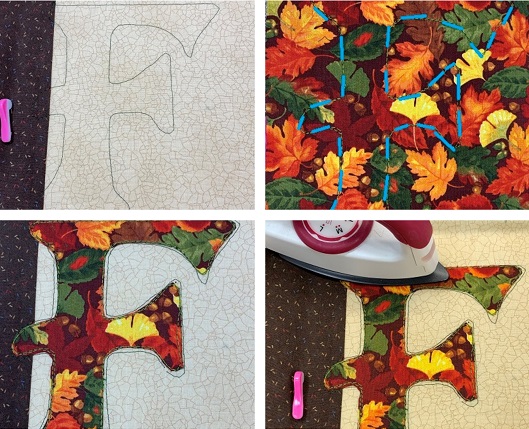
    Load the embroidery design onto your machine.  Attach the hoop.  The first color stop stitches the placement stitches. 
    Place an 8"x8" piece of fall fabric over the placement stitches.  Make sure that all of the placement stitches are covered with the fabric.  Stitch the next color.  This step is the tack down stitches.  
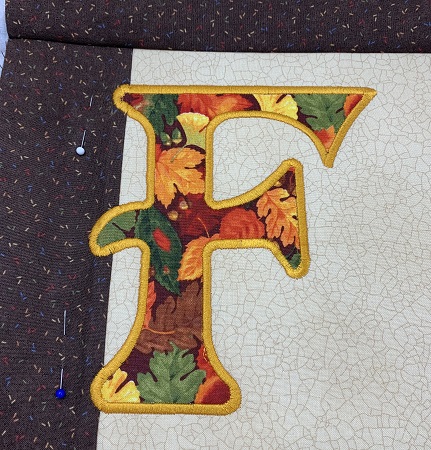
    Remove the hoop from the machine.  Do not remove the banner from the hoop.  Carefully trim excess fabric from around the letter. 
    Use a small iron to fuse the letter to the banner. 

    (Click Image to Enlarge)


    Step 13:
    The last step of the applique process is the finishing stitch.  Stitch the finishing stitches.  


    Step 14:
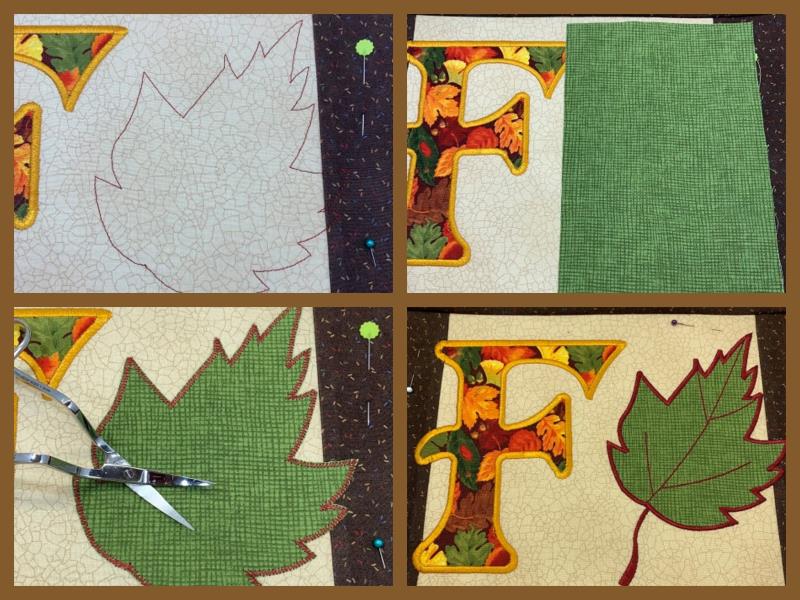
    Next stitch the leaf.  The first color stop stitches the placement stitches.
    Place an 8"x8" piece of fall fabric over the placement stitches.  Make sure that all of the placement stitches are covered with the fabric.  Stitch the next color.  This step is the tack down stitches.
    Remove the hoop from the machine.  Do not remove the banner from the hoop. Carefully trim excess fabric from around the letter.  Use a small iron to fuse the letter to the banner. 
    The last step will add the finishing stitches to the leaf.   

    (Click Image to Enlarge)


    Step 15:
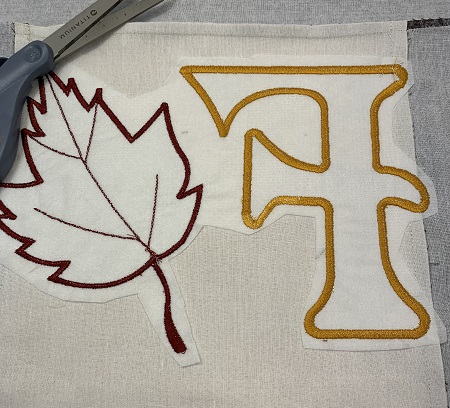
    Trim excess stabilizer from around the design.  Leave about 1/4" margin.  


    Step 16:
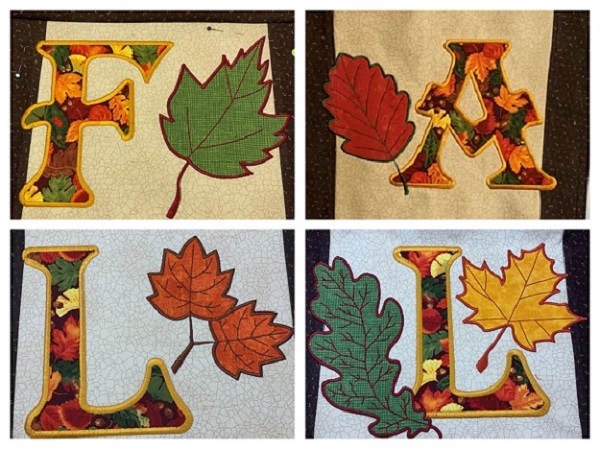
    Repeat Steps 12-15 for the remaining sections on the banner.  

    (Click Image to Enlarge)


    Step 17:
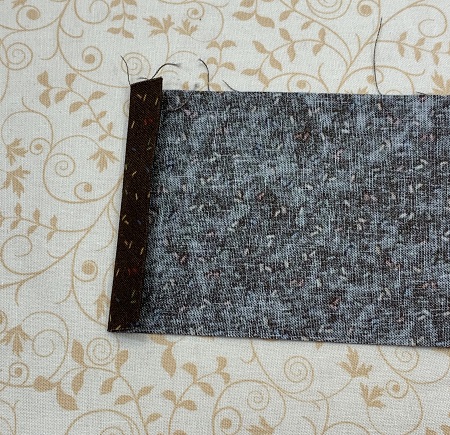
    A sleeve on the back is used to hang the banner.  Double fold the short ends of the 3"x12" piece of fabric under 1/4".  Press along the fold with an iron.  
    Sew a 1/8" seam on the sides.   


    Step 18:
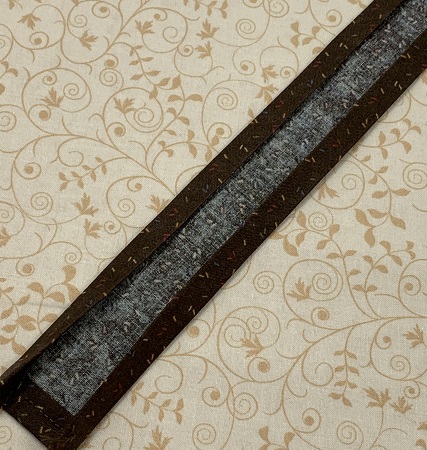
    Double fold the long sides of the fabric down 1/4".  Press fabric with an iron.  


    Step 19:
    Measure the dimensions of the banner.  Cut the backing fabric to match the banner dimensions.  
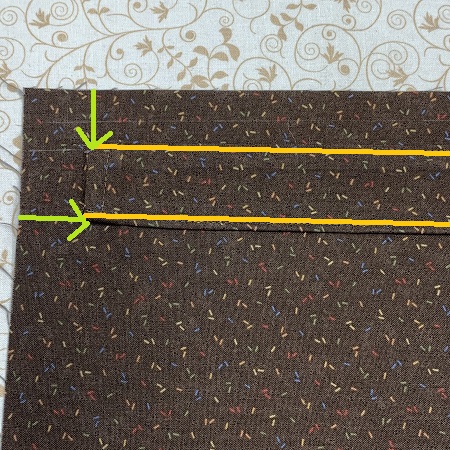
    Mark 1" down from the top of the backing fabric.  Use a fabric pen to mark the place.  Mark 2.5" from each side.  
    Center the sleeve on the fabric using the top and side marks as guides.  Sew a 1/8" seam along the long sides of the sleeve.  


    Step 20:
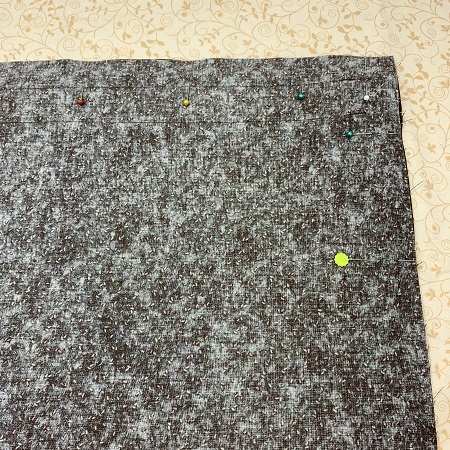
    Pin the backing fabric to the banner.  Sew a 1/2" seam around the banner.    Leave a 3" opening for turning the banner.   The 1/2" seam allowance gives a wider margin for closing the opening on the banner.  Turn the banner to right side out.  Press along the edges with an iron.  Pin the opening closed.


    Step 21:
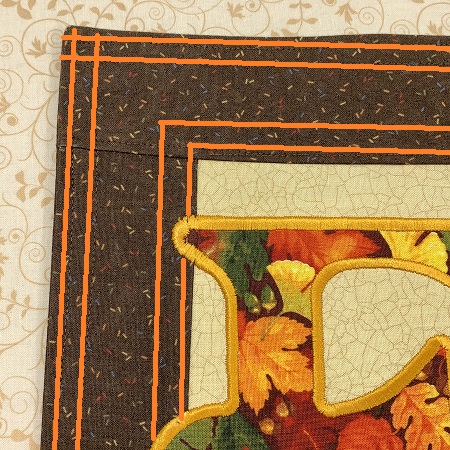
    Top stitch around the border of the banner.


    Step 22:
    (Click Image to Enlarge)
    Congrats!  Enjoy your Fall Banner!  

    Blessed are the piecemakers for they work willingly with their hands...
     
    Marisa Littleton 
    Meet the Author: Marisa Littleton
    Marisa Littleton
    Marisa Littleton is a retired educator with a love for teaching and learning. Interests include machine embroidery, hand embroidery, quilting, cooking, and antiques.
    More From This Author
    Link is Broken, Please check the URL
    Exclusive Embroidery Offers!
    Copyright © {{ currentDate | date:'yyyy'}} - EmbroideryDesigns.com
    GET 50% OFF! ×