{{superHeaderAds.title}}
Live Chat
Embroidery Designs
Welcome, Embroiderer
Login
ITH Flash Drive Tags
{{mainImageAlt || (productInfo._source && productInfo._source.name) || ''}}

ITH Flash Drive Tags Embroidery Project

By   Pat Williams   on   January 08, 2026

PROJECT DETAILS

SKILL LEVEL
Some Experience
TIME REQUIRED
00:20
Description

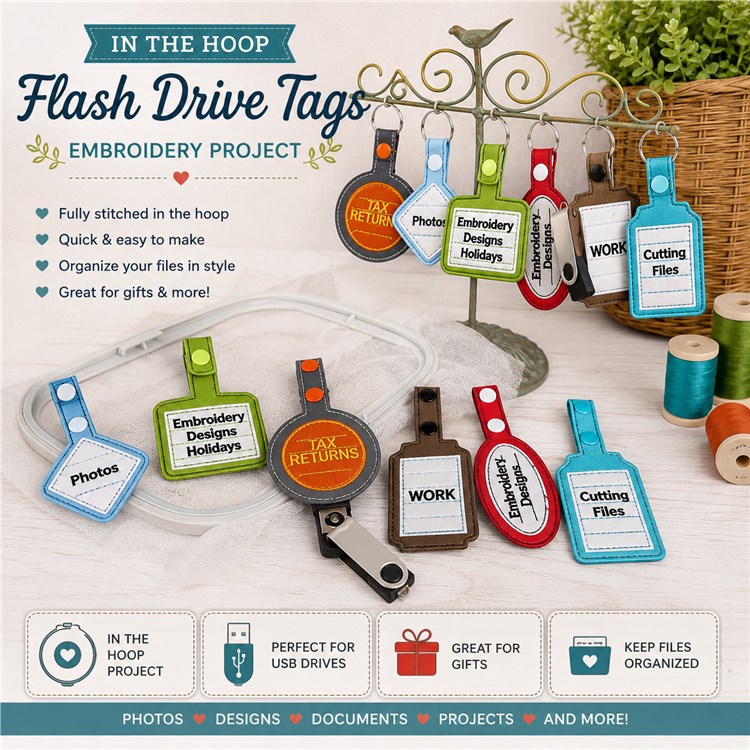
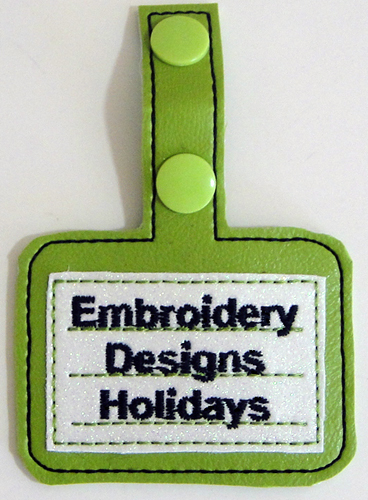
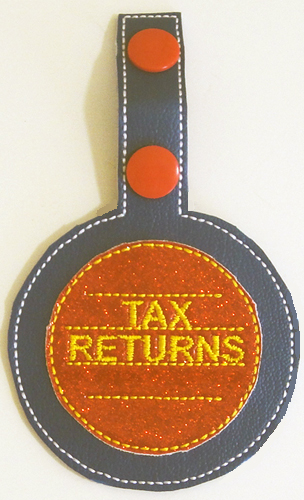
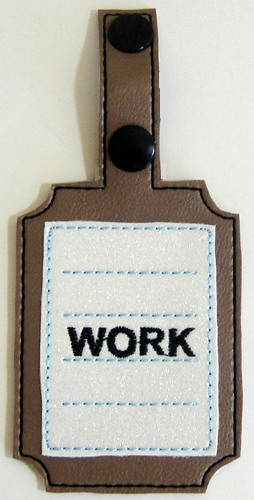
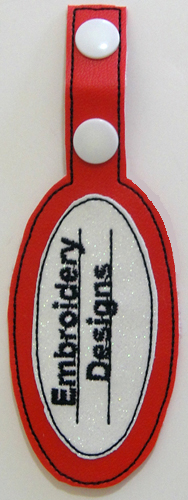
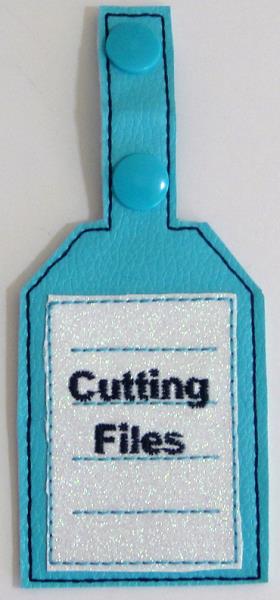
This embroidery project features colorful ITH flash drive tags designed to neatly label and organize USB drives. Each tag is fully stitched in the hoop, perfect for storing designs, photos, or documents with a professional embroidered finish.

Project Preview Video

Materials
  • 5” x 7” embroidery hoop
  • Marine Vinyl – canvas backed
  • Glitter Mirror Vinyl
  • Optional –Size 20 Long KamSnaps® or size 20 Short depending upon vinyl thickness
  • Optional- KamSnaps® pliers
  • Swivel Lobster Clasp Lanyard Snap Hook with Key Ring, 60 Pieces (B06ZZR2M8T on Amazon)
  • 2.5 ounce Cut away stabilizer
  • USB Flash Drives
  • Bobbin thread to match your final outline thread
  • Optional- Sharpie® thin marker
  • Sharp dressmaker scissors
  • Small sharp in the hoop scissors
  • Spray adhesive

  • Designs used in this project

    Final Product: What You Will Create

    Preface:
    Materials may be purchased from any supplier, but I thought it would help you if you knew where I purchased mine. I ordered some of the canvas backed marine vinyl from both Amazon and Mikri World LLC on line. There was quite a difference in the thickness of the vinyl. The Mikri World LLC vinyl is approximately 1mm thick. The vinyl purchased on Amazon was probably only 1/2mm thick. Either can be used, but with the thinner vinyl I suggest you use two layers of cut away stabilizer. The Glitter Mirror Vinyl has a thin layer of vinyl over the glitter so that it has a smooth and the glitter does not come off as it is stitched. I purchased the Glitter Mirror Vinyl from Mikri World LLC too but it is available in other places. I added the product number of the lobster clasp snap hooks and key rings in the materials list above as I know those clasps will fit in the bracket at the end of the USB flash drive sticks. The USB Flash Drives were also ordered from Amazon. The Kam Snaps are optional. I preferred the “Long” size 20 KamSnaps® on the thicker vinyl and the short ones on the thinner vinyl. I ordered the Kam Snaps pliers from Amazon but had to go to KamSnaps®
    own website to get the longer pronged snaps, If you don’t have a KamSnaps® pliers you can insert the key ring circle into the extension on the tag fold it over and stitch it down with your sewing machine. A Sharpie® is listed as an optional item above as you can also bypass the lettering stitching and write on the glitter mirror vinyl for any text that you want to add.  


    Step 1:
    (Click Image to Enlarge)
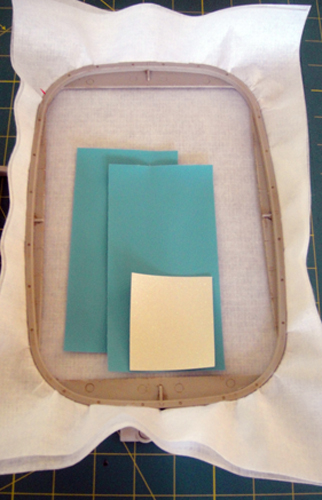
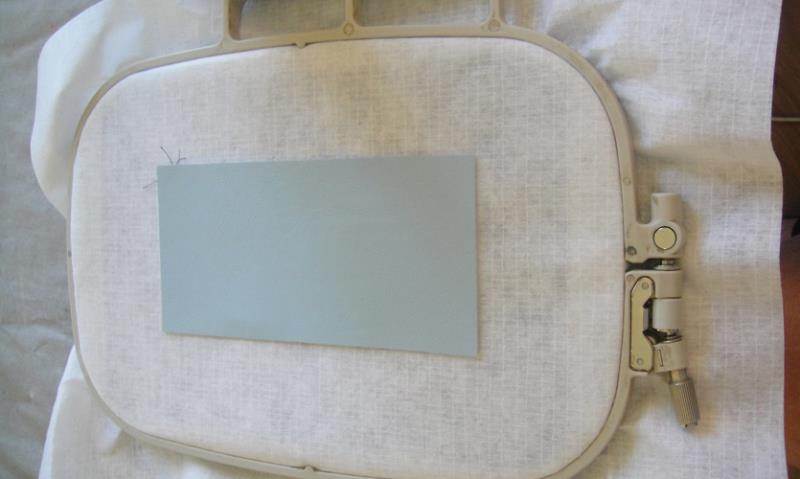
    To make FSTG01 you will need to cut 2 marine vinyl rectangles 6” x 3” and one Glitter Mirror vinyl 2 ¾” x 2 ¾” and 2.5 ounce cut away stabilizer to fit your hoop.


    Step 2:
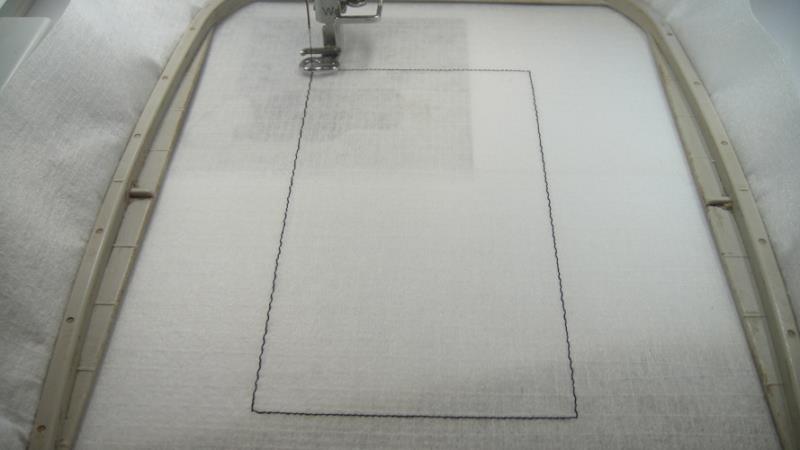
    Run the 1st color stop (CS 1) as a placement line for the vinyl.

    (Click Image to Enlarge)


    Step 3:
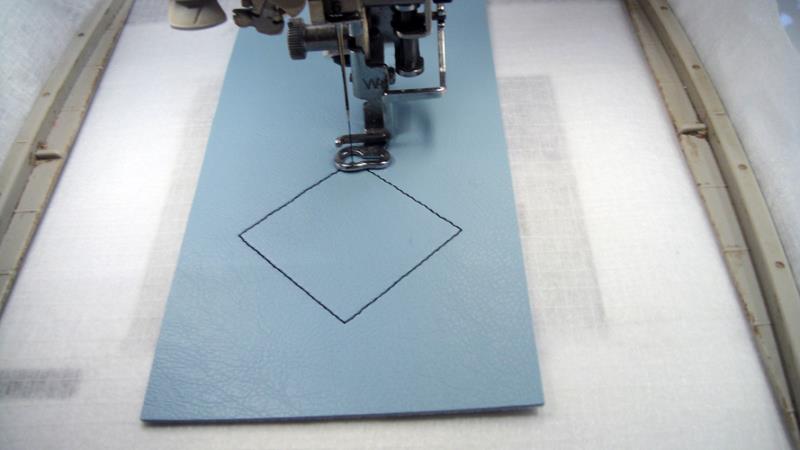
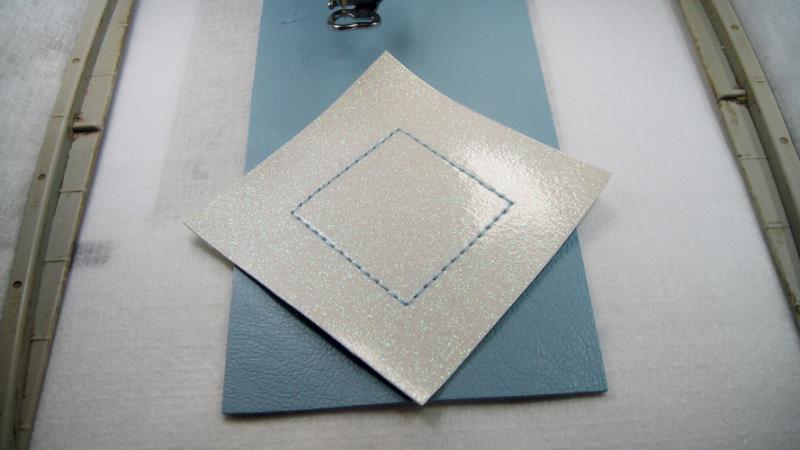
    Spray adhesive on the back of the vinyl and position over the placement line. Run CS 2 as a placement line for the glitter vinyl.

    (Click Image to Enlarge)


    Step 4:
    Change the color of thread for CS 3 desired and run CS 3 to tack down the vinyl.

    (Click Image to Enlarge)


    Step 5:
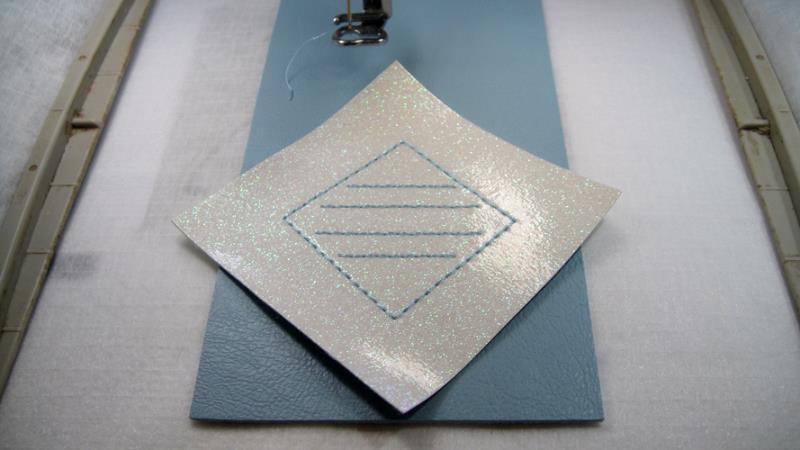
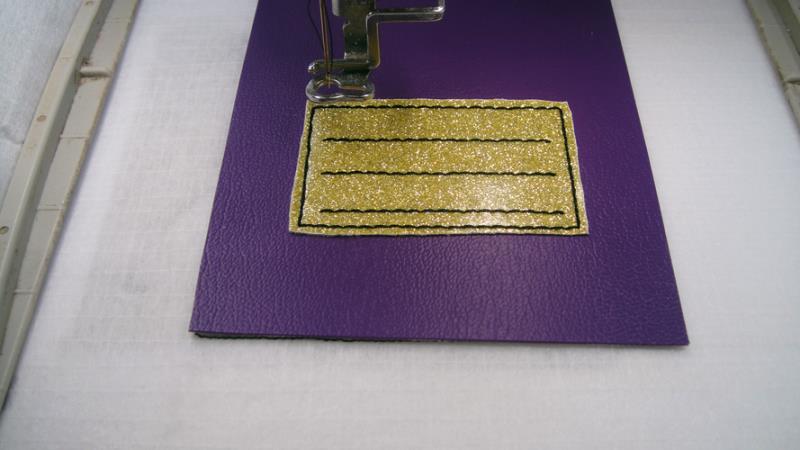
    Run CS 4 in the same or a different color to embroider the note paper lines.

    (Click Image to Enlarge)


    Step 6:
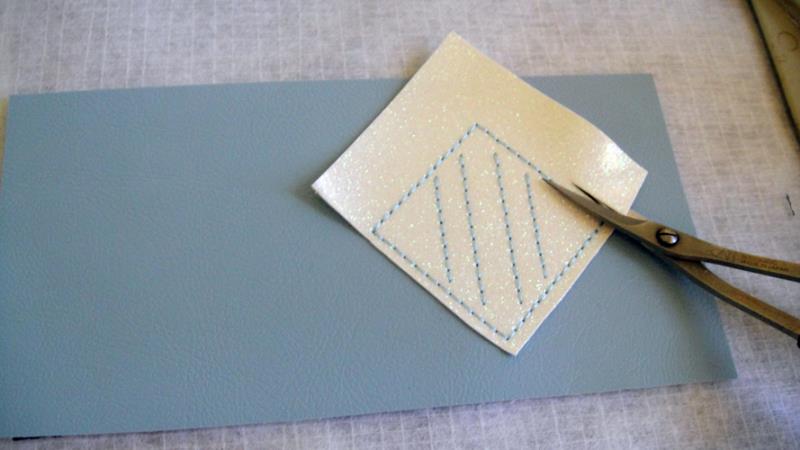
    Remove the hoop from the machine, do not unhoop, lay the hoop on a flat surface and with small sharp in the hoop scissors trim the glitter vinyl around the tack down lines.

    (Click Image to Enlarge)


    Step 7:
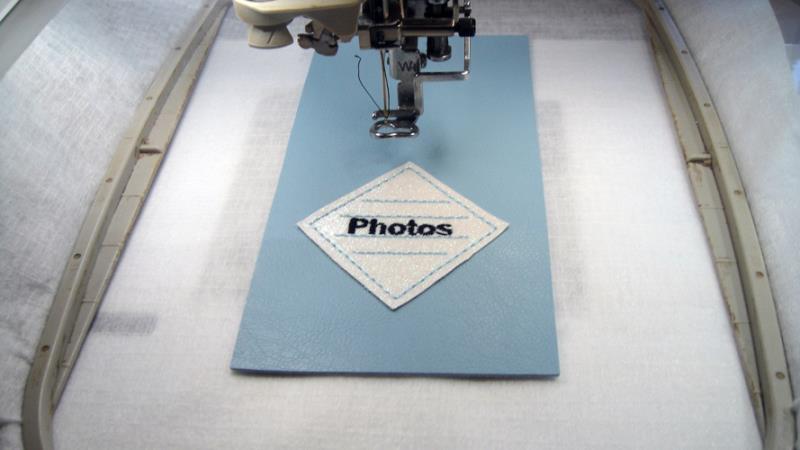
    Return the hoop to the machine and run CS 5 in your desired color for the lettering.

    (Click Image to Enlarge)


    Step 8:
    Remove the hoop from the machine, do not unhoop, and place face down on a flat surface. Spray the back of the second vinyl rectangle with adhesive and position over the project.

    (Click Image to Enlarge)


    Step 9:
    (Click Image to Enlarge)
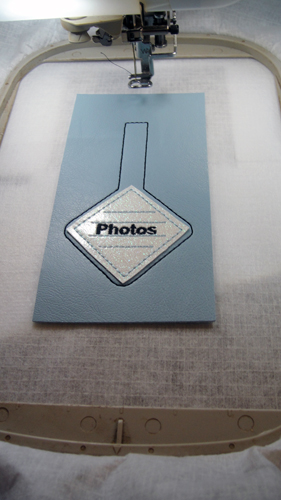
    Return the hoop to the machine and run CS 6 to complete the design.


    Step 10:
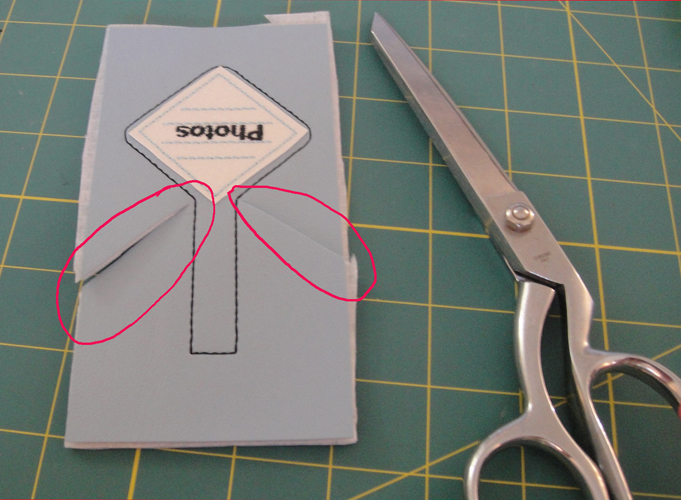
    With your dressmaker shears cut the excess stabilizer from the project, then cut on an angle into both corners where the extension comes out from the tab. You want to cut as close as possible to the stitching.

    (Click Image to Enlarge)


    Step 11:
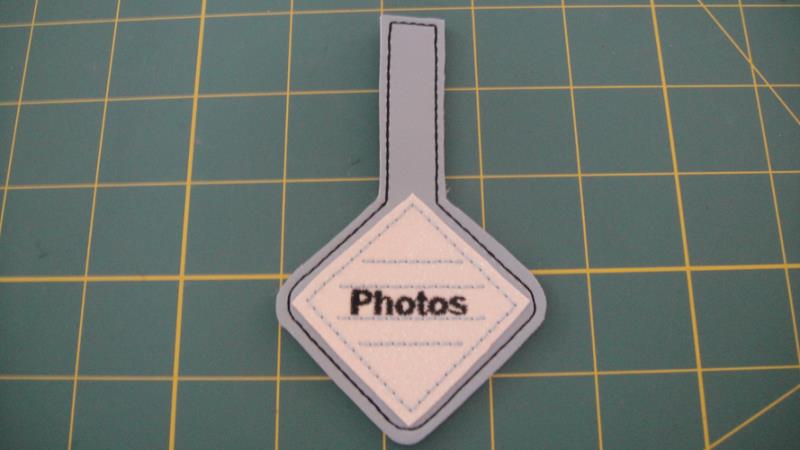
    Cut all the way around your flash drive tab.

    (Click Image to Enlarge)


    Step 12:
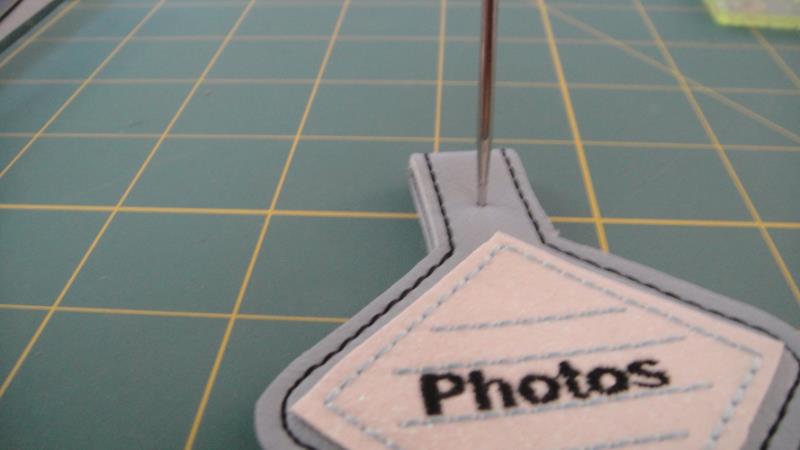
    Fold the tab extension in half. With the awl that comes with the KamSnap® pliers make a hole through both halves of the tab extension centered in the extension. You will have to pick up the project to do this, mine is just lying on the table to take the picture. Be sure your fingers are not in the way of the awl.

    (Click Image to Enlarge)


    Step 13:
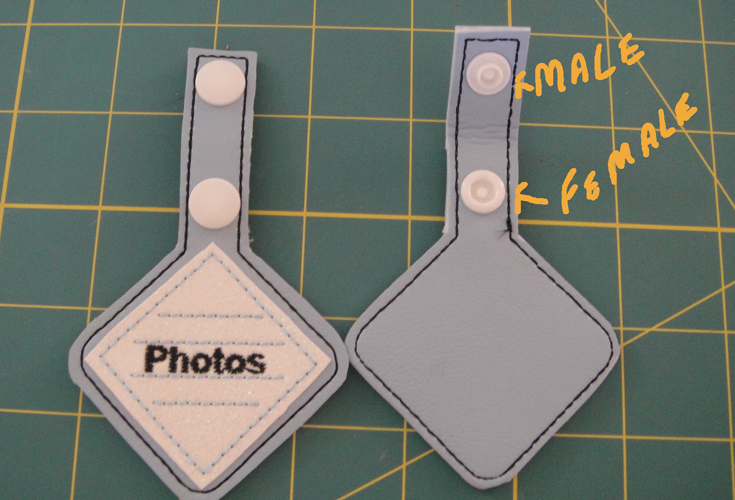
    Following KamSnaps® instructions place to snaps through the holes you just made. The back of each snap are on the front of the extension and a male and female snap piece are applied on the back of the extension.

    (Click Image to Enlarge)


    Step 14:
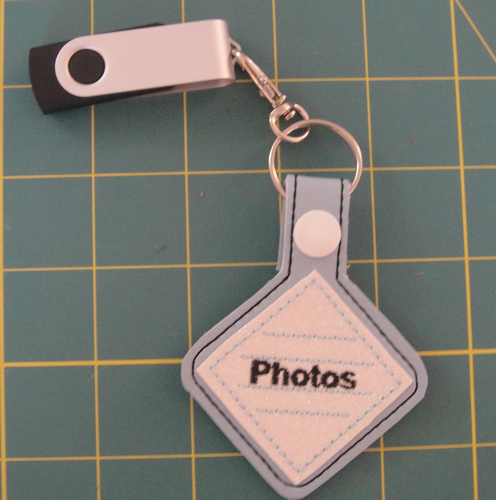
    Insert the lobster claps onto the ring, feed the ring onto the tab extension and snap the extension in half. Hook the lobster claps to the metal loop at the end of the USB flash drive stick.


    Step 15:
    (Click Image to Enlarge)
    For FSTG02 cut 2 marine vinyl 3 1/2” x 5 ½” and the glitter mirror vinyl at 2 x 2.5”. Stitch as outlined above.


    Step 16:
    (Click Image to Enlarge)
    For FSTG03 cut 2 marine vinyl at 3 ½” x 5 ½” and the glitter mirror vinyl at 2 ½” x 2 1/2". Stitch as outlined above.


    Step 17:
    (Click Image to Enlarge)
    For FSTG04 cut 2 marine vinyl at 3” x 6” and the glitter mirror vinyl at 2 ¼” x 3”. Stitch as outlined above.


    Step 18:
    (Click Image to Enlarge)
    For FSTG05 cut 2 marine vinyl at 2 ¾” x 6” and the glitter mirror vinyl at 2” x 3 ½”. Stitch as outlined above.


    Step 19:
    (Click Image to Enlarge)
    For FSTG06 cut 2 marine vinyl at 3” x 6” and the glitter mirror vinyl at 2 ¾” x 2 ½”. Stitch as outlined above.


    Step 20:
    To create a flash drive tag that you can write your own text on follow the above instructions through Step 6. You can do this with any of the tag shapes.

    (Click Image to Enlarge)


    Step 21:
    (Click Image to Enlarge)
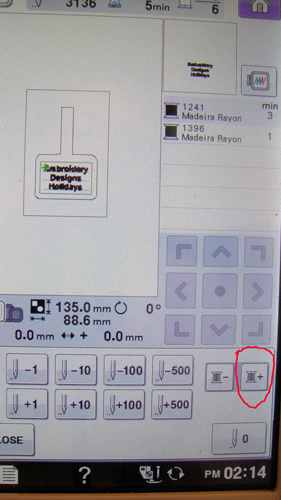
    Read your manual if you do not know how to skip a color change, but you most likely have a symbol that will look like this spool of thread with a plus sign. By touching that symbol the machine should bypass the lettering color stop and take you directly to the final color stop. Follow Step 9 through 14 to complete your flash drive tag.


    Step 22:
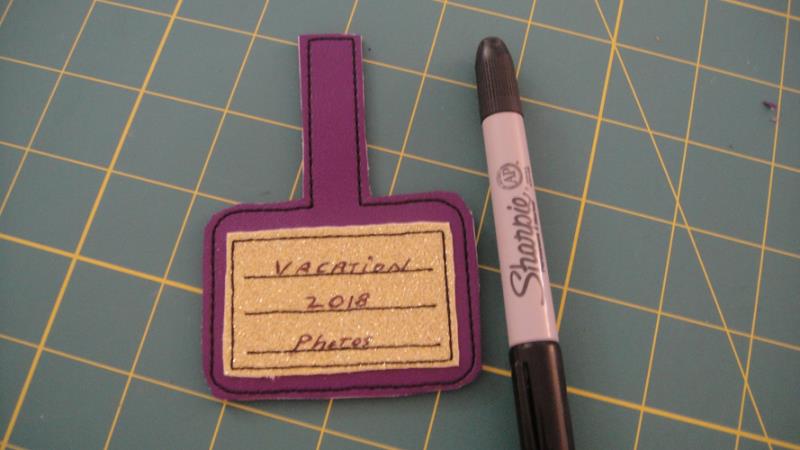
    Use a Sharpie® pen to write your text. The Sharpie® will not smear on your tag.

    (Click Image to Enlarge)


    Step 23:
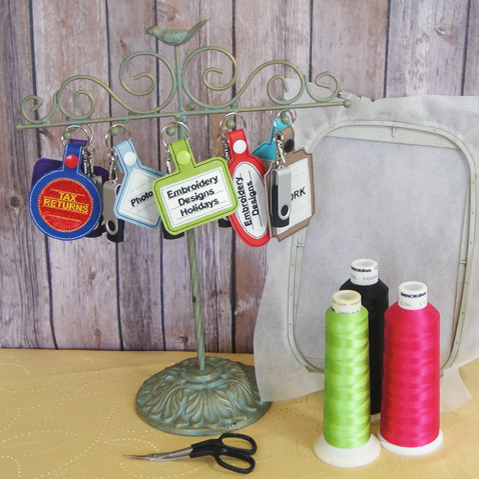
    A jewelry holder makes a great stand for your desk to keep all of your flash drives handy. Enjoy being able to quickly find your embroidery projects! Your ITH Flash Drive tags are complete, but you had better make a set for your best friend too. 

    For the love of embroidery…
    Pat Williams
    Meet the Author: Pat Williams
    Pat Williams
    Award winning Digitizer, Embroidery Educator, Author and a Consultant to the Industry, Pat Williams has 30 years of experience in the embroidery industry. Pat has won multiple awards for her digitizing expertise including the 2007 Impressions Awards Grand Championship, Best of Show as well as the 1st and 2nd Place Awards. Pat’s love of digitizing has afforded her the opportunity to write numerous articles for Impressions magazine in the United States and Images Magazine in Europe. In 2001 Pat was named “Embroidery Educator of the Year.” For many years Pat taught digitizing seminars at the ISS Shows in Long Beach, CA and for Compucon software. She now resides in Tucson, AZ.
    More From This Author
    Link is Broken, Please check the URL
    Exclusive Embroidery Offers!
    Copyright © {{ currentDate | date:'yyyy'}} - EmbroideryDesigns.com
    GET 50% OFF! ×