{{superHeaderAds.title}}
Live Chat
Embroidery Designs
Welcome, Embroiderer
Login
Rejoice Banner
{{mainImageAlt || (productInfo._source && productInfo._source.name) || ''}}

Rejoice Banner Embroidery Project

By   Ramona Baird   on   January 29, 2018

PROJECT DETAILS

SKILL LEVEL
Intermediate
TIME REQUIRED
03:30
Description

Create a banner to celebrate this upcoming Easter season.

Project Preview Video

Materials
  • Fabric:
  • 2- 10” x 15” brocade (be sure it is enough to hoop)
  • 1- 4.5” x 9.5” piece (for top dowel insertion)
  • Interfacing appropriate for fabric
  • 12” x 3/8” dowel
  • Length of ribbon (make this as long or short as you like)
  • Embroidery thread as stated in color sequence
  • Stabilizer appropriate for fabric
  • Sewing thread to match fabric

  • Designs used in this project

    Preface:
    If you have software, combining designs in the hoop can be done in the software and one file exported for stitching, or the designs can also be combined at the machine if the machine is capable. If you don’t have a machine that can do this, or you don’t have software, then use printed templates to decide on the design placement.


    Step 1:
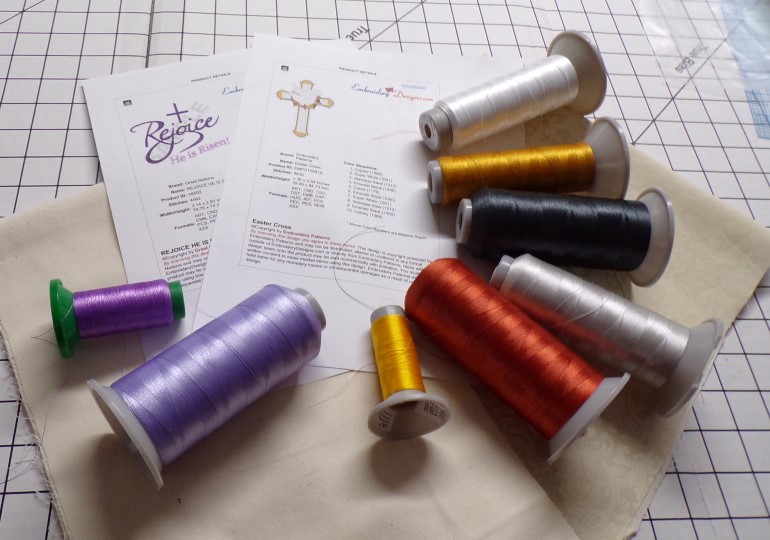
    Gather the materials and read through the instructions before beginning. Print out a paper template of each of the designs and color sequence. ¼” seams are used throughout the project. 

    (Click Image to Enlarge)


    Step 2:
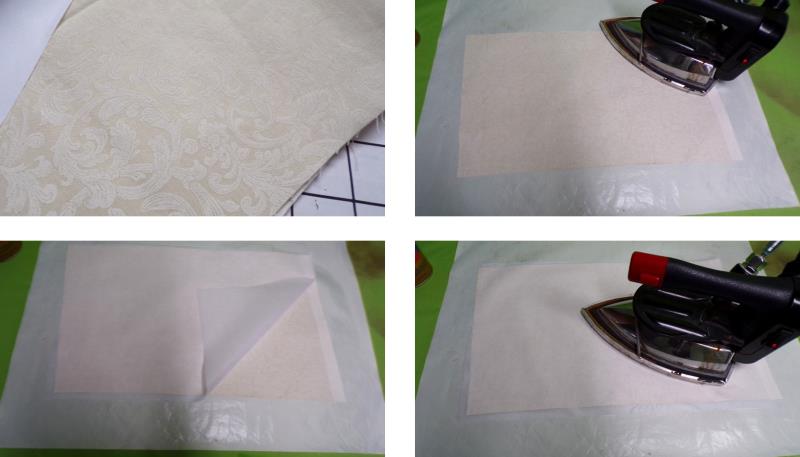
    Press the fabric well. Press the interfacing on the back of each of the large pieces of fabric. You’ll want the fabric to be somewhat stiff, so it may be better to use two thinner pieces of fusible interfacing instead of one stiffer piece on the back of each piece. Test the fabric to see what you like with the fabric you choose. For the project, two pieces of Pellon apparel interfacing were used.

    (Click Image to Enlarge)


    Step 3:
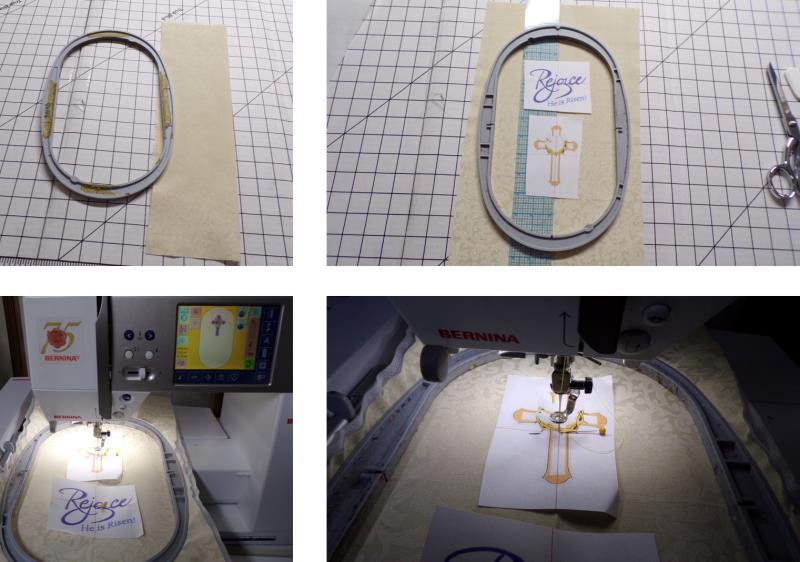
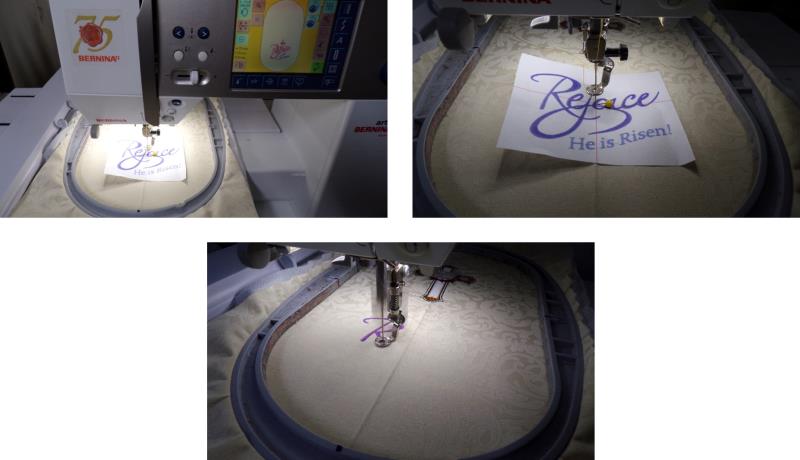
    Fold one of the larger pieces in half lengthwise to find the center. Cut out the templates of the designs and plan the placement. For this project, each design is stitched separately. Begin with the cross design, centering the needle over the cross-hairs of the template.

    (Click Image to Enlarge)


    Step 4:
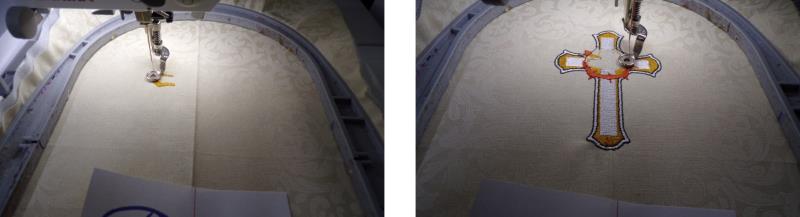
    Stitch the design following the color sequence.

    (Click Image to Enlarge)


    Step 5:
    After the cross stitches, center the needle over the cross-hair point of the Rejoice template. Stitch the design following the color sequence. For this design, the cross stitching was by-passed.

    (Click Image to Enlarge)


    Step 6:
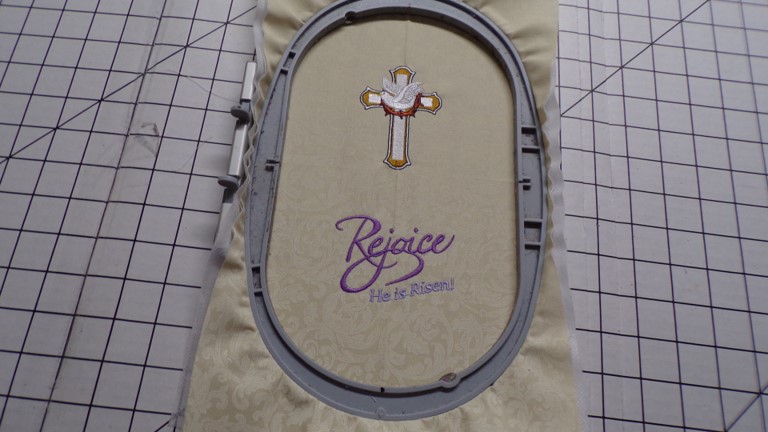
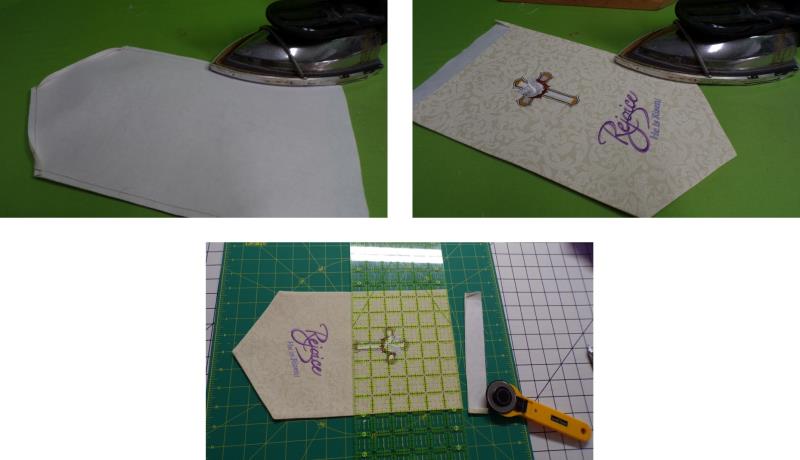
    After the design has finished stitching, remove the fabric from the hoop and press the fabric well.

    (Click Image to Enlarge)


    Step 7:
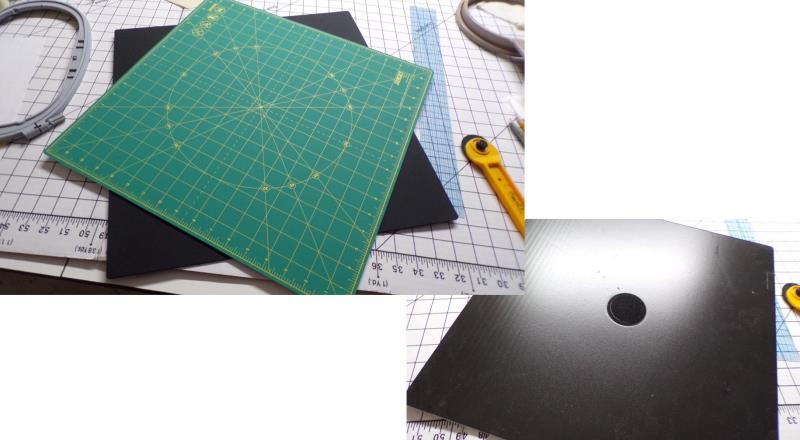
    A rotating cutting mat makes trimming fabrics very easy; it allows cutting of the fabric without moving it.

    (Click Image to Enlarge)


    Step 8:
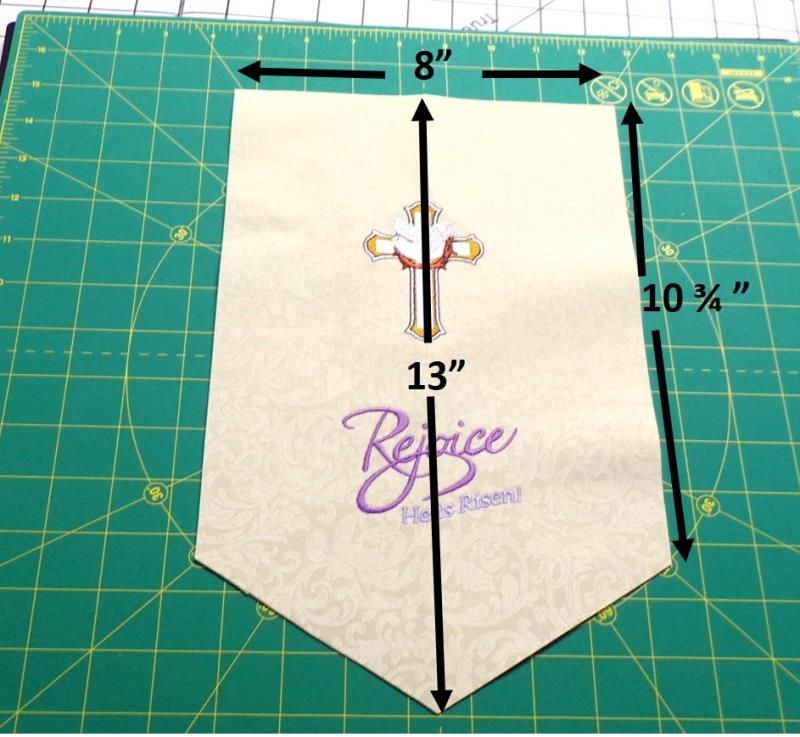
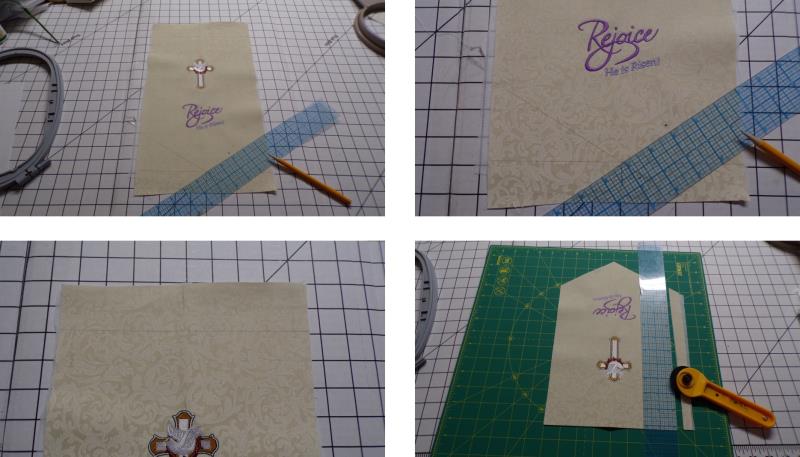
    Cut the fabric the dimensions shown (1/4” seam allowances are included in the dimensions.)

    (Click Image to Enlarge)


    Step 9:
    Draw the dimensions on the fabric and then use the rotating mat 

    (Click Image to Enlarge)


    Step 10:
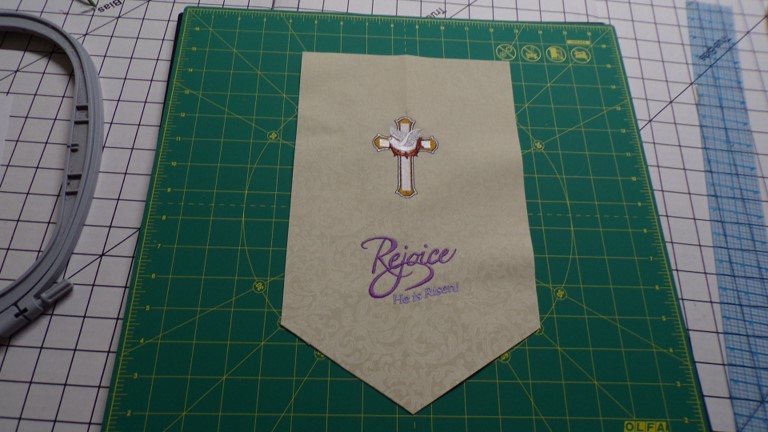
    to trim the fabric.

    (Click Image to Enlarge)


    Step 11:
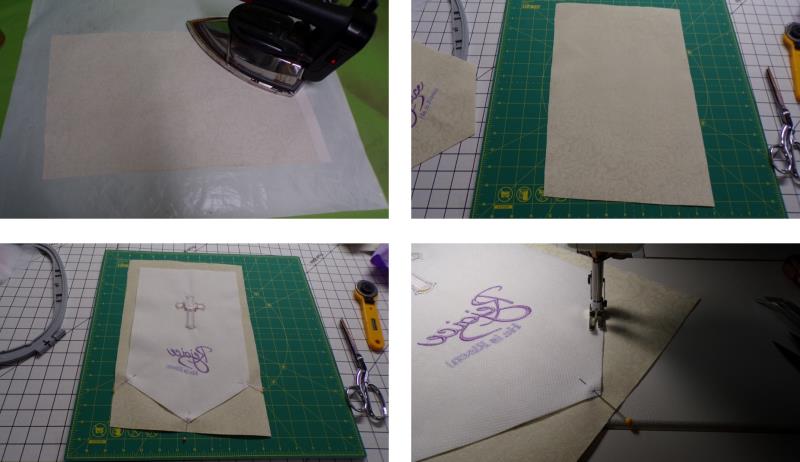
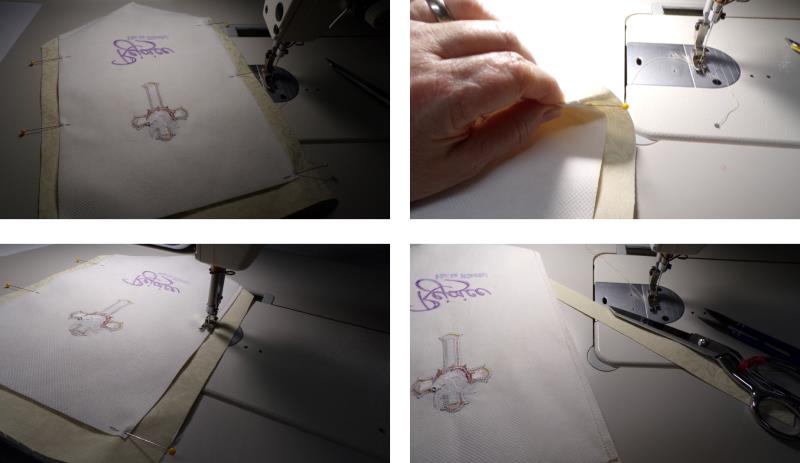
    Press the interfacing to the back of the second large piece of fabric. With right sides together, pin the embroidered fabric to the second piece of fabric. Beginning with the lower right pointed end, stitch the seam for the side to the point.

    (Click Image to Enlarge)


    Step 12:
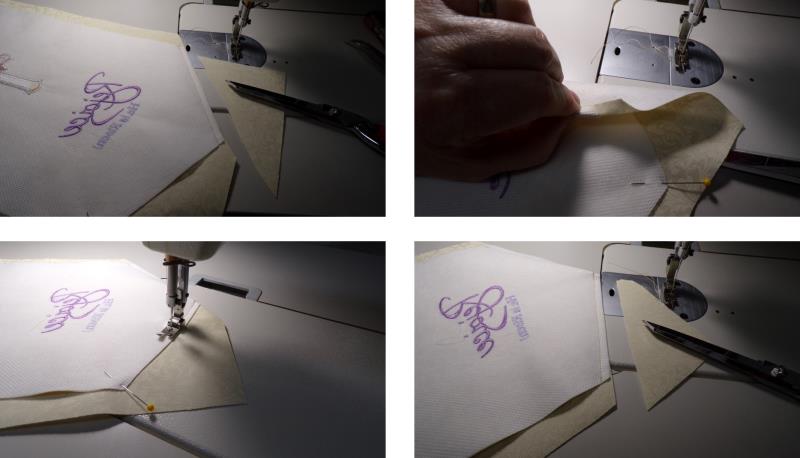
    Trim the fabric to the seam. Turn back the point at the seam, and then sew the other side from the point to the side; trim the seam.

    (Click Image to Enlarge)


    Step 13:
    Pin the side seams. Turn back the seam and stitch first one side, trim the fabric even to the seam, and then the other side seam.

    (Click Image to Enlarge)


    Step 14:
    Press to set the seams and then turn the piece right side out. Trim the top edge even.

    (Click Image to Enlarge)


    Step 15:
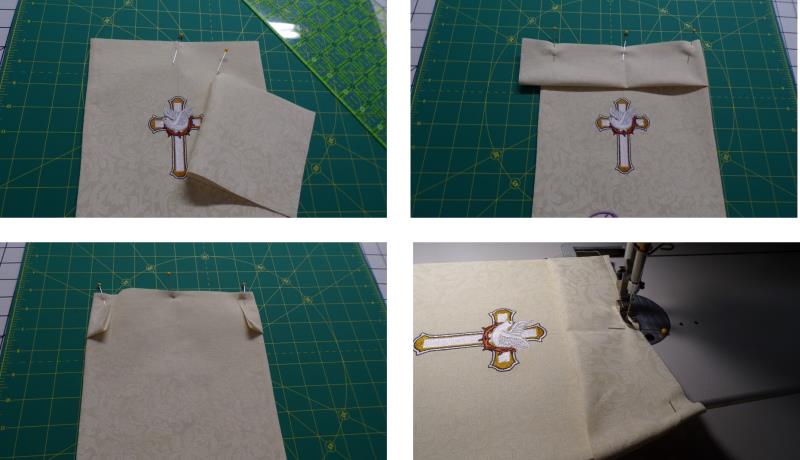
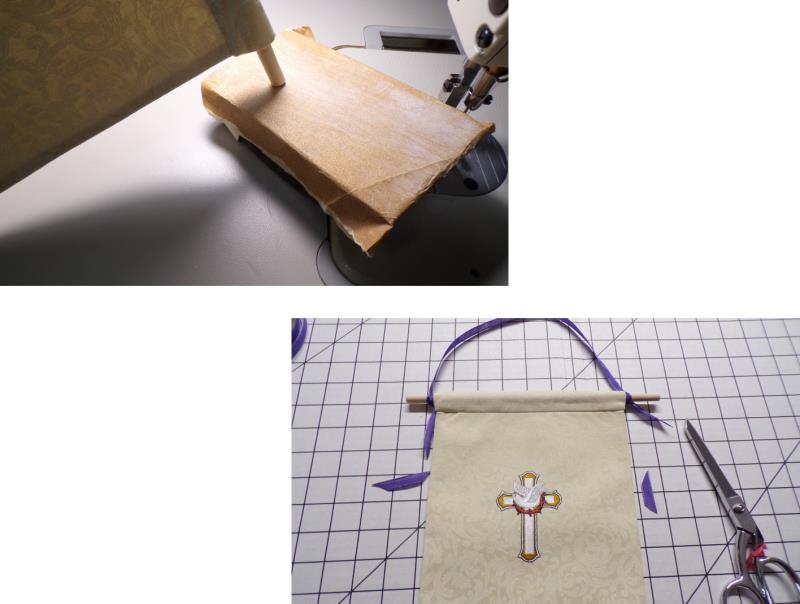
    Fold the top of the embroidered piece in half to find the enter. Also fold the smaller piece of fabric in half to find the center and then meet the pins together and pin the fabric pieces together. Now fold the smaller piece of fabric in half lengthwise and pin to the top of the banner, rolling the edges to the underside. Stitch the casing to the banner.

    (Click Image to Enlarge)


    Step 16:
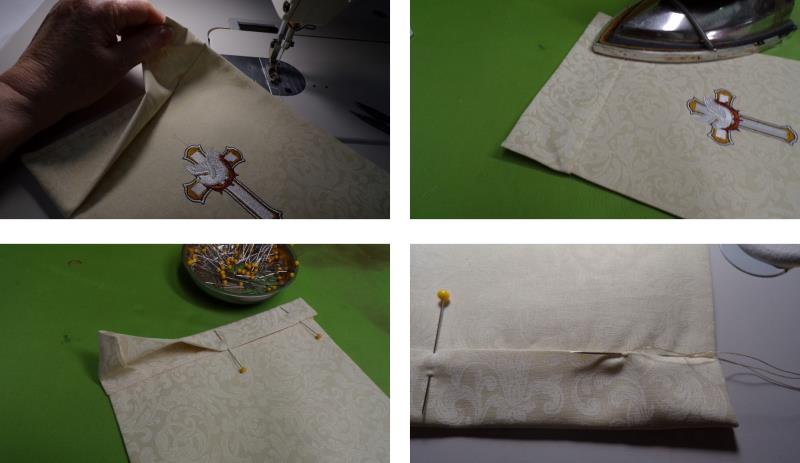
    Press the casing up, and then fold the upper edge to the back over the stitching line as shown. Hand sew the lower edge of the casing in place, leaving the short ends open to slide the dowel in.

    (Click Image to Enlarge)


    Step 17:
    Be sure the sides of the dowel are smooth by sanding if needed. Slip the dowel through the casing, cut a length of ribbon, and tie it to each end of the dowel.

    (Click Image to Enlarge)


    Step 18:
    (Click Image to Enlarge)
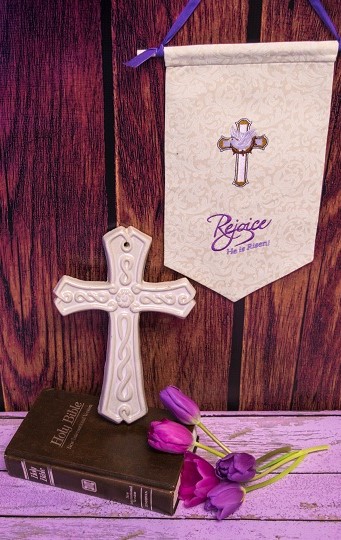
    Congratulations on completing the “Rejoice” Banner. 
    Meet the Author: Ramona Baird
    Ramona Baird
    Ramona Baird has been in the embroidery industry for over 23 years. She and her husband owned a commercial and retail embroidery store in Arizona for many years. She is an experienced digitizer having been mentored by award-winners Pat Williams and Lindee Goodall. Ramona is a contributor to “Creative Machine Embroidery” magazine having 5 covers to her credit. Ramona has worked for Wilcom America and served many years as Education Director for the American Sewing Guild. With a degree in fashion design, she is able to design and execute patterns which Pat Williams says are “out of the box” in creativity and application. Ramona likes to challenge the boundaries of embroidery and bring new and exciting designs, ideas, and projects to EmbroideryDesigns.com. She wants embroiderers of all levels to increase their skills and enjoyment in using their embroidery machine for gift-making and personal pleasure.
    More From This Author
    Link is Broken, Please check the URL
    Exclusive Embroidery Offers!
    Copyright © {{ currentDate | date:'yyyy'}} - EmbroideryDesigns.com
    GET 50% OFF! ×