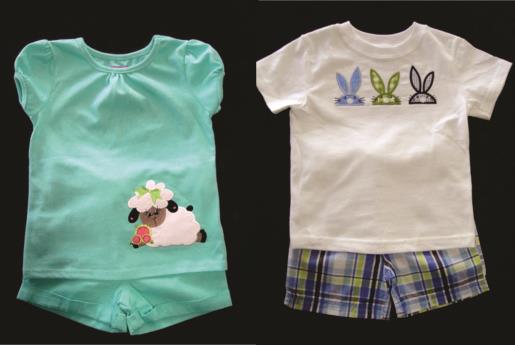
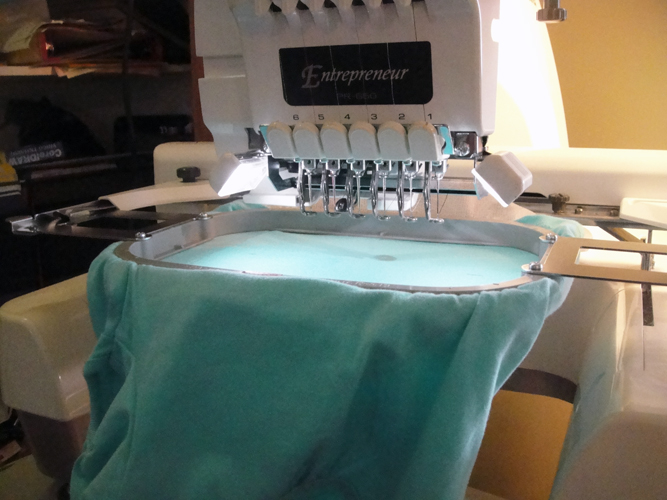
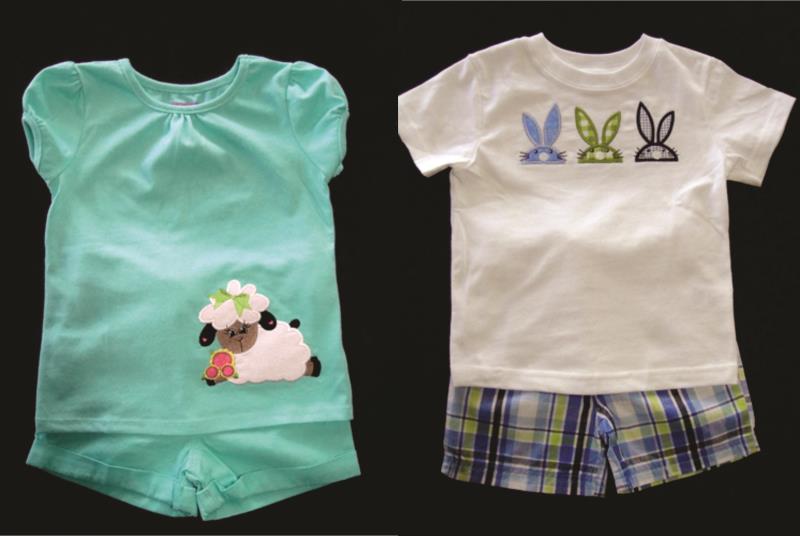
The samples shown in this project were stitched on a machine with a tubular arm. If you do not have a machine with a tubular arm please see the article “Embroidering on a Onesie” for hooping guidelines. The appliques in this project were precut with the Scan N Cut; SVG and FCM files are available in the downloads of the designs for that purpose. However, if you do not have an electronic cutter the appliques can be sewn with the stitch and trim method. Please see the article “Stitch & Trim Appliqué” for an explanation of that technique.
Step 1:
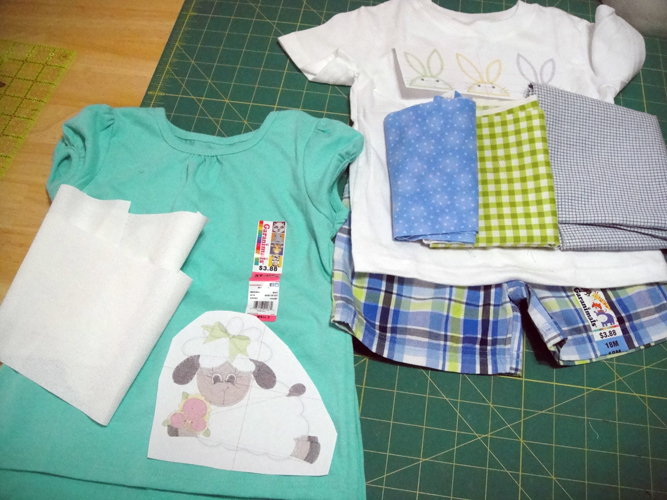
Print and cut out templates of the designs you wish to place on the garments. Use these to determine where you want to place the appliques and to help you decide what sizes of fabric scraps you will need to do the appliques. In the girl’s outfit I wanted to make sure that the white fabric used in the lamb was dense enough to cover the aqua shirt. For the boy’s outfit the shorts were used to select fabrics in coordinating colors.
(Click Image to Enlarge)
Step 2:
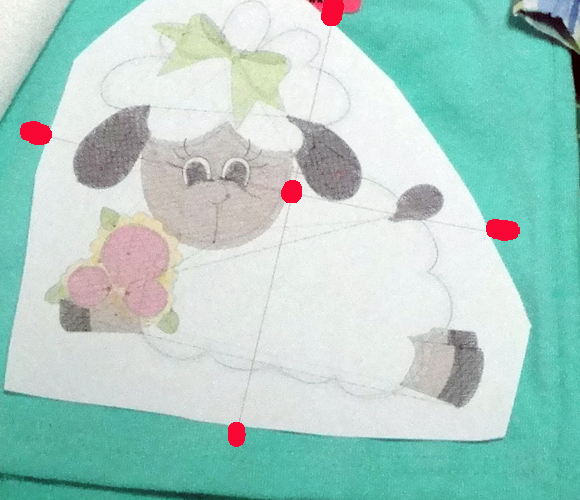
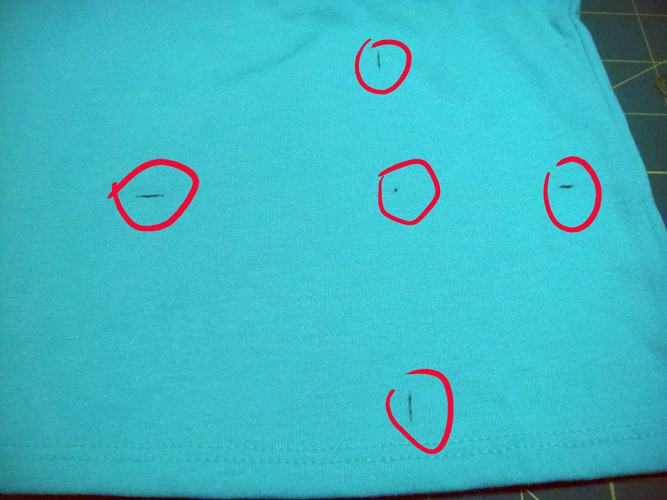
Position your template on the garment; with the Frixion pen make a dot right through the paper at the center of the design; make marks at the four edges of the cross hairs to assist in hooping.
(Click Image to Enlarge)
Step 3:
Remove the template and your fabric will look like this.
(Click Image to Enlarge)
Step 4:
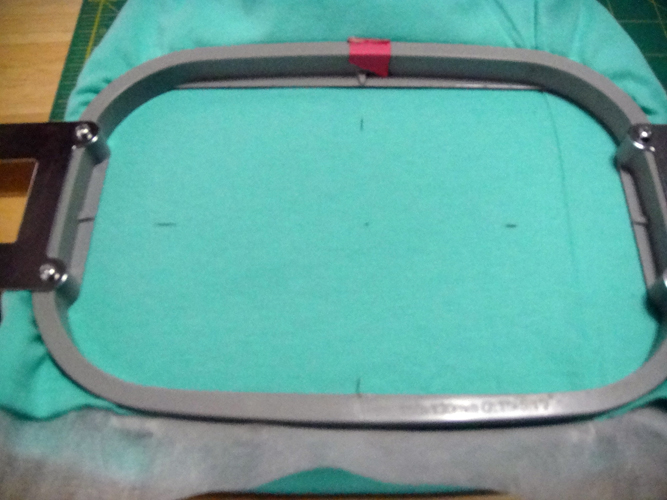
To avoid stretching the knits loosen the screw on your bottom hoop; inset it into the bottom of the garment; insert poly mesh stabilizer over the bottom hoop; place the top hoop over the shirt and stabilizer aligning the vertical and horizontal marks with the marks on your hoop (if using a non-tubular hoop the bracket should be at the bottom of the shirt); then tighten the screw on the bottom hoop. If your marks get off point when you tighten the screw, loosen the screw and re-position; you do not want to tug on the knit fabric in a tight hoop it will distort the knit.
(Click Image to Enlarge)
Step 5:
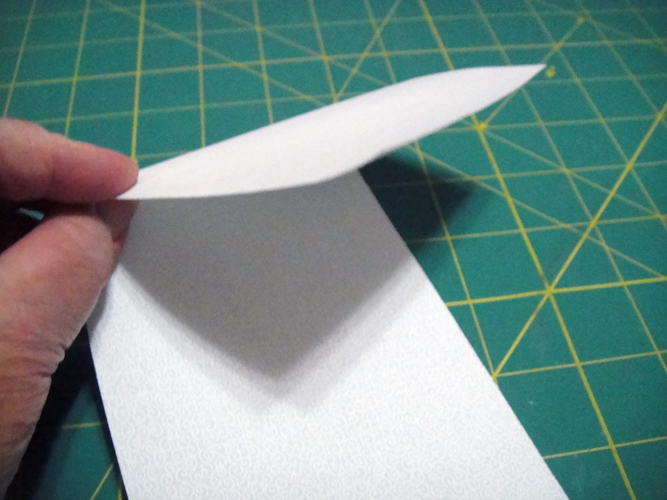
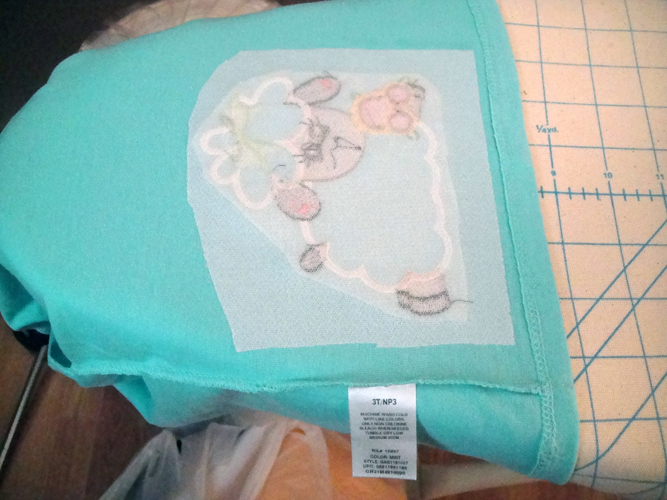
For the lamb applique cut a 4” x 7” rectangle of white fabric and Heat N Bond Lite; iron the applique fabric 4 times using the Magic Sizing to stiffen the fabric; following the manufacturer’s instructions apply the Heat N Bond Lite to the reverse side of the applique fabric. Prepare the fabrics as directed for either the precut or stitch n trim applique methods.
(Click Image to Enlarge)
Step 6:
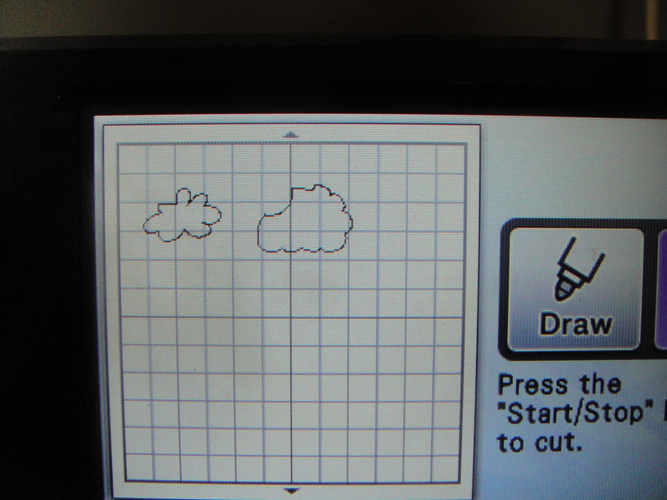
Open the FCM files for use with the Scan N Cut; these cut files have already been slightly enlarged to properly fit the applique. Do not enlarge. Following the Scan N Cut directions cut the appliques. Pressure 4, Speed 4 and Blade depth of 4 were used on this machine.
(Click Image to Enlarge)
Step 7:
Load the hoop onto the machine through the bottom of the shirt; as these garments are small make sure that the backside of the shirt is underneath the sewing arm and not trapped between the hoop and the sewing arm; double check this positioning each time you remove the hoop to place and applique and return it to the machine. See the article on “Embroidering on a Onesie” for instructions on placing the hoop and positioning the excess fabric on a standard machine.
(Click Image to Enlarge)
Step 8:
(Click Image to Enlarge)
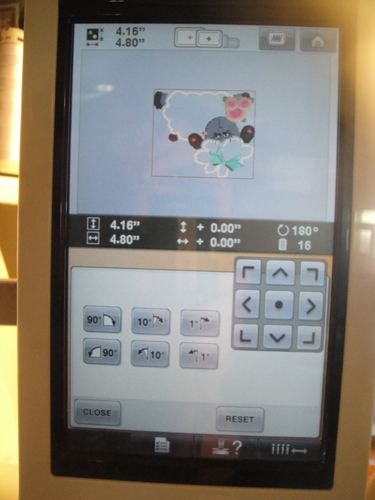
Remember to rotate the design to the proper position at your machine. For a tubular machine you will turn the design upside down; for a standard embroidery machine you will rotate the design 90 degrees to the right.
Step 9:
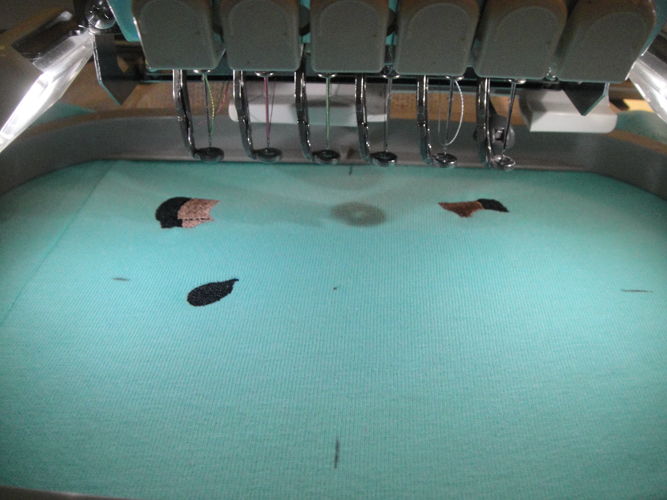
In this particular design, ESPA07, color stops (CS 1 and CS2) will stitch before any appliques are placed.
(Click Image to Enlarge)
Step 10:
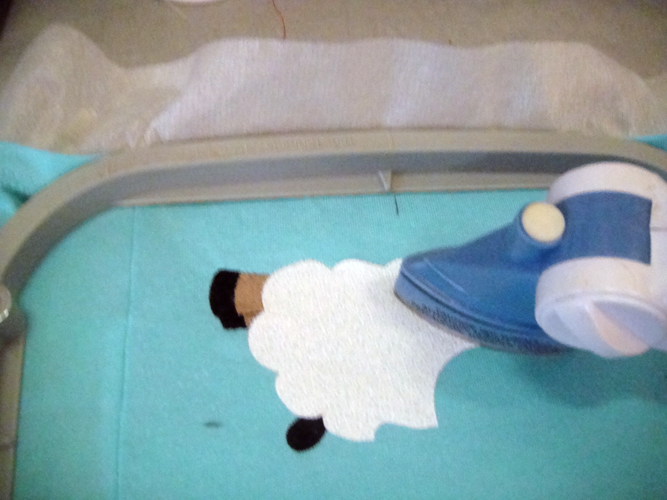
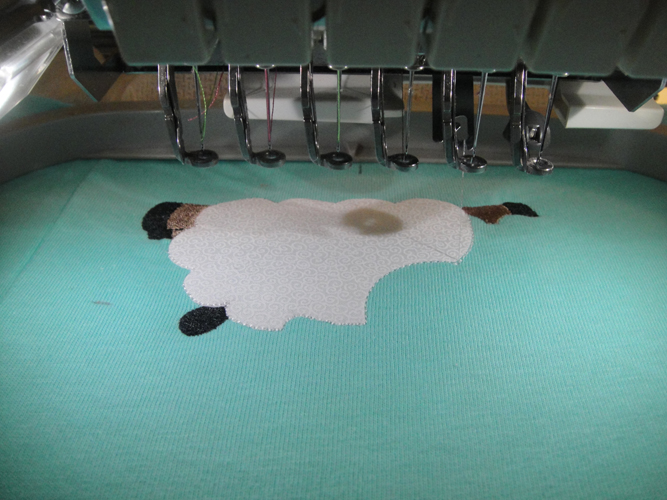
Stitch CS 3 as the placement line for the lamb’s body; remove the hoop from the machine position and iron the applique into place. If using the stitch n trim method spray a little adhesive on a rectangle of fabric and place over the outlines, you will not trim or press the applique until after the next CS.
(Click Image to Enlarge)
Step 11:
CS 4 is the tack down stitch for the lamb’s body; it is there for the users doing the stitch n trim method, let it sew regardless as it will tell you that your applique is in the right place if using pre-cut appliques. If using the stitch n trim method; spray with adhesive and place your applique fabric; run CS4; trim your applique as close as possible to these stitches and then heat press your applique.
(Click Image to Enlarge)
Step 12:
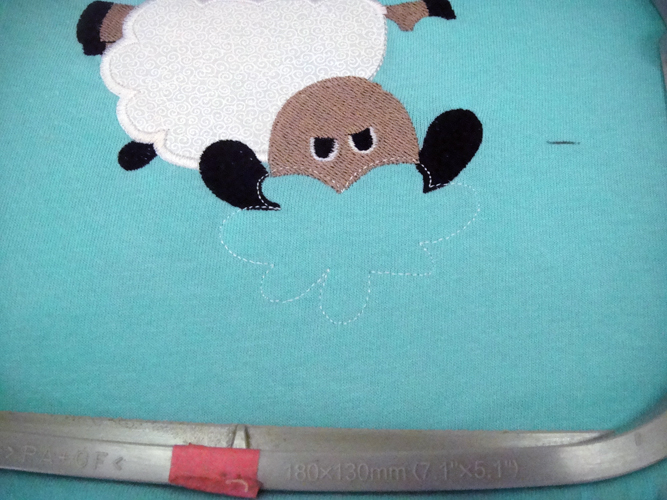
Follow the color chart through CS 8 which is an outline for the top of the lamb’s head.
(Click Image to Enlarge)
Step 13:
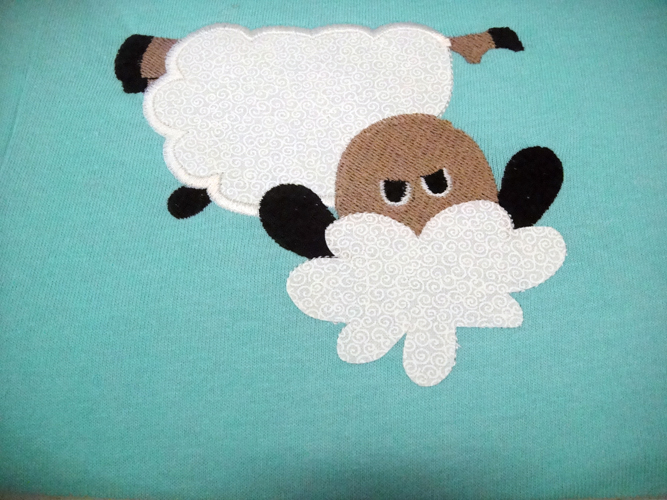
Place the applique in the same manner you used for the body applique; follow the color chart to complete the design.
(Click Image to Enlarge)
Step 14:
Remove the garment from the hoop and trim the poly mesh stabilizer around the design.
(Click Image to Enlarge)
Step 15:
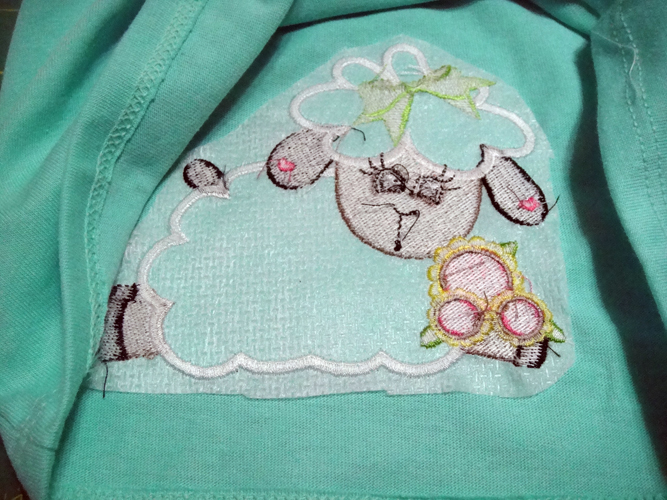
Cut a piece of fusible knit interfacing and iron over the whole back of the design to protect delicate skin from the roughness of the embroidery and tie down knots.
(Click Image to Enlarge)
Step 16:
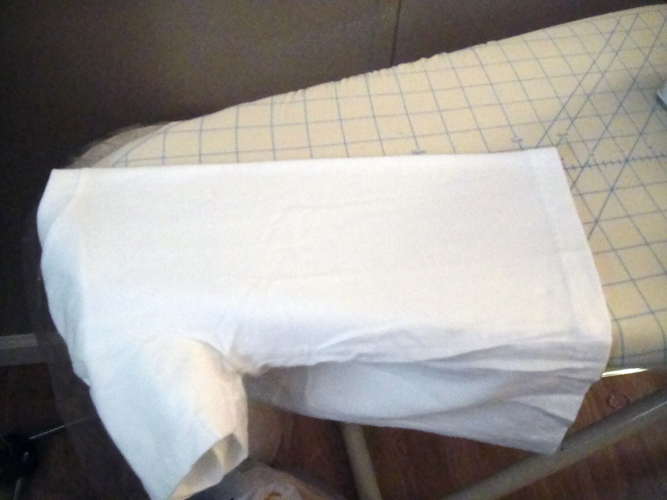
The smaller boy’s outfit is basically done in the same way there are just a few tips I wanted to share with you. The first being that a good way to find the center of the shirt is to fold one sleeve inside the other and match the side seams; press a light crease down the center of the shirt.
(Click Image to Enlarge)
Step 17:
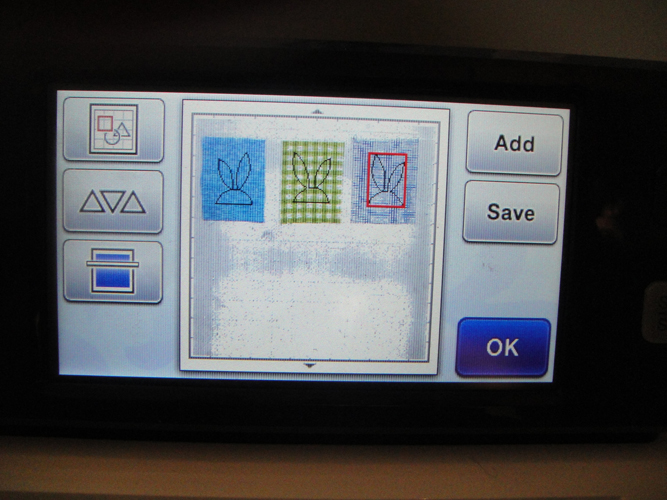
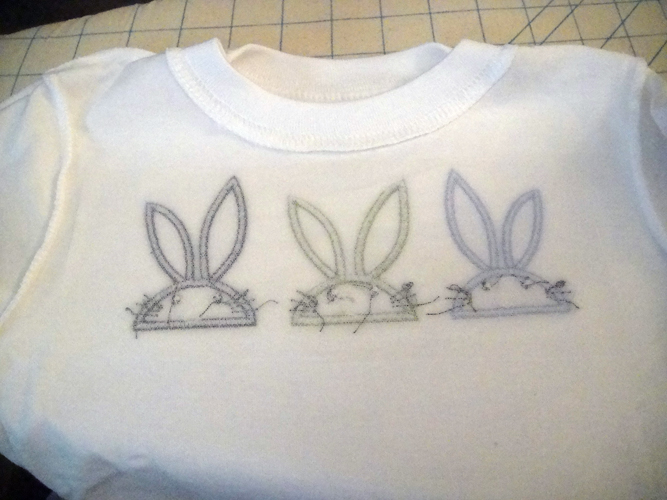
The three rabbit’s heads in ESPA10 are not duplicates of each other, so be sure to place your fabrics on the cutting mat in the order that you wish them to be on the shirt.
(Click Image to Enlarge)
Step 18:
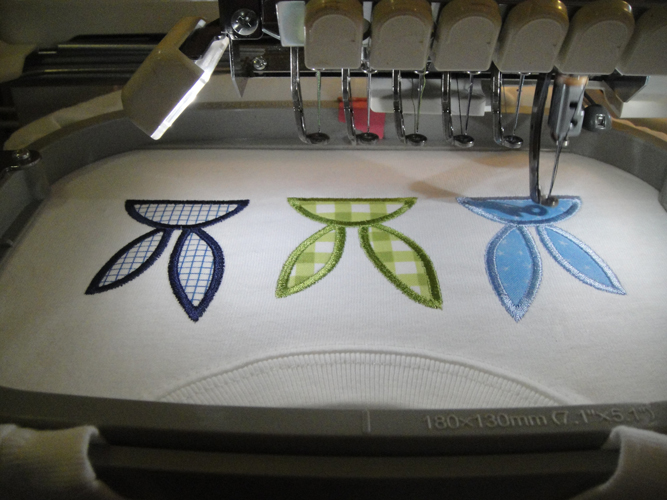
Remember to rotate the design at the machine to match your hoop type; upside down for a tubular hoop or 90 degrees to the right for a standard embroidery machine hoop. Change the embroidery threads to match the fabrics for the rabbits.
(Click Image to Enlarge)
Step 19:
Remember to iron fusible knit interfacing over the back of the embroidery.
(Click Image to Enlarge)
Step 20:
Congratulations your Easter Picnic Outfits are sure to please your children, grandchildren or nieces and nephews!
Award winning Digitizer, Embroidery Educator, Author and a Consultant to the Industry, Pat Williams has 30 years of experience in the embroidery industry. Pat has won multiple awards for her digitizing expertise including the 2007 Impressions Awards Grand Championship, Best of Show as well as the 1st and 2nd Place Awards. Pat’s love of digitizing has afforded her the opportunity to write numerous articles for Impressions magazine in the United States and Images Magazine in Europe. In 2001 Pat was named “Embroidery Educator of the Year.” For many years Pat taught digitizing seminars at the ISS Shows in Long Beach, CA and for Compucon software. She now resides in Tucson, AZ.